For a WordPress.com site, the most reliable approach is to create a persistent Contact page, add the Contact Info block, enter the complete business address, and publish the page. You can also enable the block’s Google Maps link and place the same contact information in a header, footer, or sidebar when it should be visible throughout the site.
Here, “business address” means the location you publish for customers. It is different from WordPress’s Site Address (URL), which is the web address visitors type to reach your site.


Add the address to a dedicated Contact page
- Sign in to your WordPress.com dashboard and open Pages.
- Open an existing Contact page, or select Add New Page to create one. A page is appropriate for information that should remain available, such as contact details.
- In the editor, select the block inserter, search for Contact Info, and add it. You can also place your cursor on a new line and type
/contact info, then choose the block from the suggestions. - Enter the business’s full physical address. Add phone or email fields only if the business wants those details publicly available.
- Select the block and enable Link address to Google Maps if customers should be able to open the location in Maps.
- Select Publish for a new page or Update for an existing one.
- Open the public page in a separate browser tab and check the spelling, line breaks, and map link.
WordPress.com says information entered in the Contact Info block is specially formatted with Schema markup so search engines can recognize it as contact information. That markup does not by itself create, verify, or manage a Google Business Profile.
Choose where customers should see the address
| Placement | Visibility | Best use | What you need |
|---|---|---|---|
| Contact page | Visible when a visitor opens that page | A complete location, phone number, email address, hours, directions, and other contact information | Any WordPress setup that supports normal pages and blocks |
| Header | Available across much or all of the site | A short address or a link to the Contact page | A block theme with the Site Editor, or theme-specific header controls |
| Footer | Available across much or all of the site | Address, phone, hours, and a Contact-page link without crowding the main navigation | A block theme with the Site Editor, or theme-specific footer controls |
| Sidebar | Visible on pages that display the sidebar | Compact contact details on a blog or content-heavy site | Theme support for sidebars and widgets or blocks |
Put the block in a header, footer, or sidebar on a block theme
- Open Appearance → Editor.
- Open the relevant header, footer, template part, or pattern.
- Insert a Contact Info block, enter the address, and save the change.
The Site Editor is available only when the active theme supports it. If Appearance → Editor is not present, use the theme’s own Customizer, widget, template, or menu controls instead. Labels and available controls can differ between WordPress.com and self-hosted WordPress installations.
Quick wins for a faster PC:
Scan for outdated or missing drivers - takes under a minuteDriver Scan →Repair Windows errors before they cause bigger problemsFix Now →#1 Best Overall

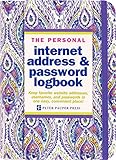
- Large print address and password keeper
- 7 1/4" long x 5" wide
- Includes 96 alphabetized pages
- Generous large print makes it easy to reference and record important information
- Spiral-bound pages lie flat when open
Format the address accurately
- Use the business name, street address, locality, region, postal code, and country in the form customers actually use.
- Keep the business name, address, and phone number written consistently across your site.
- Check the address on the public page after saving; do not assume the editor preview matches every device or theme layout.
- Include opening hours on the Contact page when they are useful to visitors, and update them when the schedule changes.
WordPress.com’s local-search guidance recommends using a real street address when possible and notes that a P.O. box can cause issues. Treat that as platform guidance rather than a universal rule: some businesses receive mail at a P.O. box, while customers may still need a physical service location or directions.
Decide what to publish for a home-based or service-area business
Adding an address to WordPress is a publishing decision, not a requirement to disclose a private residence. If the business operates from a home or serves customers at their locations, decide which location details the owner is willing and permitted to display. Check any separate directory, marketplace, or profile settings as well.
Rank #2
Do not publish a private home address merely to pursue search visibility. If the business has a public service area but no customer-facing premises, describe the service area honestly and provide another contact method where appropriate.
Independent reader supportYour contribution helps us test, update, and keep practical guides available for everyone.Keep WordPress address types separate
Physical business address
This is the location customers may visit or use for correspondence. Add it as page content with the Contact Info block or another contact section.
Site Address (URL)
This is the website address visitors type into a browser. WordPress documentation uses “Site Address (URL)” for this setting. Changing it involves domain or site configuration; it is not how you publish a storefront or office location.
Google Business Profile
A Google Business Profile is a separate Google service. The Contact Info block’s Maps option only links the address displayed on your page to a map location; it does not register, verify, or update a profile.
Quick Recap
Rank #4

- PERSONALIZED ADDRESS: To get started, select the “Customize Now” button and enter your desired information. There are three optional lines available. Your info will be permanently bonded to both sides of the plate.
- HIGHLY REFLECTIVE SURFACE: Printed with an easily readable and highly reflective surface material, our hanging address signs are designed to be read from a distance.
- COMMERCIAL GRADE: Constructed from .080 aluminum, these sturdy plates are made to withstand all weather conditions and will last a lifetime.
- COLORS AND STYLES: These address plates are available in three vibrant colors; green, blue, and white. Three lines of customization are optional as well; name, street number, and street name.
- DOUBLE SIDED SIGN: Your customized address will be permanently bonded to both the front and back of this sign.
Verify the finished page
- The business name and complete address are visible and spelled correctly.
- The address link opens the intended Google Maps result, if linking is enabled.
- Phone and email fields behave as clickable links on a phone and desktop browser.
- The page is published and linked from the site’s navigation or another clearly labeled location.
- Header, footer, or sidebar placement does not hide or truncate the address on smaller screens.
- The published details match the information used in the business’s other public listings.
Product prices and availability are accurate as of the date/time indicated and are subject to change. Any price and availability information displayed on Amazon at the time of purchase will apply.




