The Tool Desk
Outbyte PC Repair FREEClear out junk files and repair common Windows errorsFree Scan →Outbyte Driver Updater FREEScan for outdated or missing drivers - takes under a minuteDriver Scan →No. A standalone PNG cannot contain a native clickable hyperlink in its pixels. PNG stores raster image data; the link must come from the HTML, SVG document, email markup, or application displaying that image. For one destination, put the PNG inside an HTML <a> element. For several destinations, use an HTML image map or an interactive SVG document.
What “hyperlink in a PNG” actually means
A PNG file is a grid of pixels plus image metadata. It does not have an HTML anchor, click handler, or destination that a browser can activate merely because the file was downloaded. If you attach button.png to a message or open it directly at its file URL, clicking the pixels does not navigate anywhere.

There are three ideas that are often confused:
- A linked image: HTML supplies the link and the PNG supplies the appearance.
- An image map: HTML assigns different links to defined regions of one PNG.
- Text or a QR code drawn into the pixels: this is visual content. It may be read or scanned, but it is not a native PNG hyperlink.
That distinction matters when choosing an implementation. The delivery context—your web page, an email client, a chat app, a document viewer, or a social platform—may keep, rewrite, or remove the surrounding markup.
Make the entire PNG link to one destination
The simplest and most accessible pattern is an anchor containing an image:
#1 Best Overall
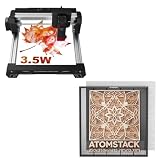
- 【On-The-Go Hotspot Crafting】 Link your phone directly to the 3.5W laser via hotspot with no internet router needed, relying on the F2N base to safely catch debris in field environments.
- 【Fixes Wrinkled Materials】 The advanced integrated clamping tools easily solve the frustration of working with imperfect, curved, or wrinkled wood veneers away from home.
- 【Rigid Structural Performance】 Benefit from the extra-thick 20x20mm aluminum frame that absorbs operational forces, ensuring crisp engraving even on uneven material profiles.
- 【Efficient Ash & Dust Collection】 The open honeycomb cells drop cutting soot directly onto the removable steel protector plate, making workspace cleanup quick and painless.
- 【Multi-App & OS Versatility】 Easily switch between desktop software (LightBurn/LaserGRBL) and mobile apps on iOS/Android while taking full advantage of the F2N's 350x350mm layout.
<a href="https://example.com/">
  <img src="button.png" alt="Open the Example site">
</a>
The href belongs to the anchor. The PNG remains an ordinary image, so replacing the file does not change the destination. The alt text should describe the link’s purpose, not just say “image.” If the image is decorative beside a text link, use an empty alt="" and keep the meaningful link text elsewhere.
A complete page example
<!doctype html>
<html lang="en">
<head>
  <meta charset="utf-8">
  <title>Linked PNG</title>
  <style>
    a.image-link { display: inline-block; }
    a.image-link:focus-visible {
      outline: 3px solid #1a73e8;
      outline-offset: 4px;
    }
  </style>
</head>
<body>
  <a class="image-link" href="https://example.com/">
    <img src="button.png" alt="Open the Example site">
  </a>
</body>
</html>
Keep a visible keyboard focus state, especially when the image is the only content inside the anchor. A keyboard user must be able to discover and activate the same destination as a mouse or touch user.
Link different parts of one PNG with an image map
If one graphic contains several buttons, territories, or labeled regions, an HTML image map gives each region its own destination. The PNG still contains no links; the <map> and <area> elements provide them.
<img src="floor-plan.png"
     alt="Office floor plan with links to each department"
     usemap="#office-map">

<map name="office-map">
  <area shape="rect" coords="0,0,240,180"
        href="https://example.com/sales"
        alt="Sales department">
  <area shape="circle" coords="360,140,70"
        href="https://example.com/support"
        alt="Support department">
  <area shape="poly" coords="500,20,700,20,650,180,520,160"
        href="https://example.com/engineering"
        alt="Engineering department">
</map>
The value of usemap must match the map’s name. Coordinates are measured in the displayed image’s coordinate system: rectangles use left, top, right, bottom; circles use center-x, center-y, radius; polygons list successive x,y pairs. Recheck coordinates whenever you crop, replace, or substantially resize the source image.
What’s actually slowing this PC down?
Pick the symptom - the matching free tool is one click away.
Image-map accessibility and maintenance
- Give every active
<area>an informativealtvalue; that text is the accessible name of the link. - Provide a normal text navigation list nearby when the regions are important. It gives users a reliable alternative if a client does not expose image-map controls well.
- Test with keyboard navigation and touch input, not only a desktop pointer.
- Do not make tiny, tightly packed regions the only way to reach important pages.
Can SVG provide hyperlinks?
Yes, but SVG behaves differently from PNG. SVG defines an <a> element with an href; the W3C specification describes it as the element for links. An SVG can also display a PNG with <image href="file.png">.
<svg xmlns="http://www.w3.org/2000/svg" viewBox="0 0 400 120">
  <a href="https://example.com/">
    <image href="button.png" width="400" height="120" />
  </a>
</svg>
The crucial limitation is how the SVG is delivered. Links can be active when the SVG is displayed as an interactive document—for example, inline in HTML or loaded through an <object>, <iframe>, or <embed>. When the same SVG is used as an image through HTML <img>, an SVG <image> element, or CSS background-image, it is rendered in a secure, non-interactive mode and its links cannot be activated.
Therefore, changing a PNG to SVG is not automatically a solution. Choose SVG only when your delivery context permits an interactive SVG document and you are prepared to test its accessibility and embedding behavior.
Which technique should you choose?
| Requirement | Best fit | What supplies the link | Important constraint |
|---|---|---|---|
| One destination for the whole graphic | HTML anchor around <img> |
HTML <a href> |
The PNG file itself remains non-interactive |
| Several rectangular, circular, or polygon regions | HTML image map | <map> and <area href> |
Coordinates must match the displayed image |
| Vector artwork with document-level links | Interactive SVG | SVG <a href> |
Not active when SVG is delivered as a plain image |
| A URL printed inside the artwork | Visible text, or a QR code for scanners | The user types or scans it | Pixels do not create a browser hyperlink |
Why a link may fail in the real delivery context
The image opens by itself
If the browser address bar shows the PNG file URL, you are viewing the image resource, not the page containing the anchor. Navigate to the HTML page where the <a> and <img> are together.
Recommended Free Tools
Only part of the image responds
Check for an image map, an element layered over the image, or CSS that changes pointer behavior. Inspect the page to confirm the intended element is inside the anchor and that the map’s coordinates still match the current image dimensions.
The image map does nothing
Confirm that usemap="#office-map" points to name="office-map" exactly, including capitalization. Verify that each area has an href and that its coordinates fall inside the rendered graphic.
An SVG link works inline but not through an image URL
This is expected behavior for SVG used as an image. Load it as an interactive document, or use an HTML anchor around the SVG or PNG instead.
The page works, but an email or chat message does not
Email clients, chat applications, document viewers, and social platforms can strip, rewrite, or sandbox surrounding markup. Test the exact destination separately. If that service does not preserve anchors, include a visible text URL or another supported call to action; do not assume the attached PNG can carry the link.
Outdated Drivers Are Slowing You Down
One free scan finds every outdated or missing driver and matches the right update for your exact hardware.Free scan · exact hardware matchPC Slower Than It Used to Be?
A free scan shows the junk files, broken settings and background clutter dragging Windows down - then fixes them in one click.Free scan · Windows 10 & 11Keyboard users cannot find the linked image
Keep the anchor in the normal focus order, use meaningful alternative text, and add a clearly visible :focus-visible style. If the graphic contains many destinations, provide a text list as well as the image map.
Or skip the browser setup
If your goal is to create a screenshot of a page that already contains a linked PNG, ScreenshotNeo can render that page through one request. It captures the rendered result; it does not turn the resulting PNG into a self-linking file. Before capture, it accepts cookie or consent banners like a visitor and removes more than 60 known consent platforms, newsletter popups, and chat widgets. Bot checks, CAPTCHAs, blank pages, timeouts, failed loads, and cache hits are not billed, and the response identifies the result with X-Page-Verdict and X-Billed headers.
See the full parameter list in the ScreenshotNeo documentation. The same API supports PNG, JPEG, WebP, and PDF output, plus full-page capture, CSS-selector element capture, device and viewport settings, retina scale, custom CSS and JavaScript, click and wait actions, request blocking, headers, cookies, user agents, authorization, timezone and geolocation, transparent backgrounds, resizing, chosen cache TTLs, signed image links, asynchronous jobs with signed webhooks, bulk capture for up to 100 URLs per call, a usage API, and an OpenAPI specification. An MCP server exposes take_screenshot, get_page_info, and capture_pdf to Claude, Cursor, and other MCP clients.
cURL
curl -G "https://api.screenshotneo.com/v1/shot"
  -d access_key=YOUR_API_KEY
  --data-urlencode url=https://example.com
  -o shot.webp
Python
import requests

r = requests.get(
    "https://api.screenshotneo.com/v1/shot",
    params={"access_key": "YOUR_API_KEY", "url": "https://example.com"},
    timeout=90,
)
r.raise_for_status()
open("shot.webp", "wb").write(r.content)
Node.js
const q = new URLSearchParams({
  access_key: 'YOUR_API_KEY',
  url: 'https://example.com'
});
const res = await fetch(`https://api.screenshotneo.com/v1/shot?${q}`);
if (!res.ok) throw new Error(`Screenshot failed: ${res.status}`);
const fs = await import('node:fs/promises');
await fs.writeFile('shot.webp', Buffer.from(await res.arrayBuffer()));
ScreenshotNeo has a free plan with 1,000 screenshots per month and no card required. Paid plans start at $5 for 3,000 screenshots; every feature is available on every plan. Create a free ScreenshotNeo account to try it.
Practical checklist before publishing
- Decide whether the entire image has one destination or whether separate regions need separate destinations.
- For one destination, wrap
<img>in<a>; do not try to store the URL in PNG pixels. - Write alternative text that communicates the link’s purpose.
- For multiple regions, define and test an image map, then provide a text alternative.
- If using SVG, verify that it is delivered as an interactive document rather than through
<img>or CSS. - Test the exact context—web page, email, chat, or document viewer—with a keyboard, mouse, and touch input.
- Keep a visible focus indicator and confirm that every intended destination opens correctly.
The bottom line
A PNG cannot have a hyperlink inside its raster data. Make it clickable by placing it in an HTML anchor, use an image map for multiple regions, or use an SVG link only where SVG is loaded as an interactive document. A URL printed in the image remains text, and a QR code remains scannable artwork—not a native PNG link.
Quick Recap
Product prices and availability are accurate as of the date/time indicated and are subject to change. Any price and availability information displayed on Amazon at the time of purchase will apply.




