Apple’s AirPlay 2 TV announcement, published on January 8, 2019, named compatible series from LG, Samsung, Sony and Vizio. It was a dated list of model families—not a current catalog of every compatible television, nor a guarantee that every size or regional model in a family received support. Check the exact model and its firmware before relying on AirPlay today.
What AirPlay 2 does—and what it does not mean
AirPlay 2 lets an iPhone, iPad or Mac send supported video, photos and audio to a compatible television, or mirror the device’s screen. Apple also describes multiroom audio and Siri control within its wider AirPlay and HomeKit experience. See Apple’s AirPlay overview.
AirPlay 2 is not the Apple TV app, an Apple TV 4K box, HomeKit itself, or another casting standard such as Chromecast or Miracast. A television can offer one of these features without offering the others. Apple lists AirPlay-enabled televisions separately from Apple TV app availability on its device page.
The television series in Apple’s January 2019 announcement
The announcement covered series announced by four manufacturers at or around CES 2019. Contemporary coverage reported the following model families and qualifications. The tables reflect that historical announcement, not a complete worldwide list of individual model numbers.
Quick wins for a faster PC:
Scan for outdated or missing drivers - takes under a minuteDriver Scan →Repair Windows errors before they cause bigger problemsFix Now →#1 Best Overall

- Smart. Sized just right. – The Amazon Ember 2-Series with Fire TV has everything you need for essential entertainment that fits your space. Access apps fast and watch content come to life in HD 720p.
- Speed, redefined – Jump right into what you love with Wi-Fi 6 support and a new quad-core processor. Apps open and load fast and the picture stays smooth.
- The newest Fire TV experience (2026) – Our biggest update to Fire TV has a new, modern design that gets you to your entertainment fast. Browse dedicated content categories, pin more of your favorite apps, and get personalized recommendations from Alexa+. Spend less time scrolling, and more time watching.
- Smarter picks with Alexa+ – Getting to what you love has never been easier. Press the voice remote button and talk naturally to find what to watch across your apps, manage your smart home, or dive into virtually any topic.
- Instantly On - Introducing our custom Omnisense technology. Built-in sensors wake the display when you enter to show your favorite artwork or let you start watching in a snap.
LG
| Series | Model year in the announcement |
|---|---|
| OLED | 2019 |
| NanoCell SM9X | 2019 |
| NanoCell SM8X | 2019 |
| UHD UM7X | 2019 |
Source: MacRumors’ January 8, 2019 report. LG described AirPlay 2 for its 2019 AI TVs as arriving through a rollout; inclusion did not necessarily mean the feature was active on every set at retail. See LG’s announcement.
Samsung
| Series | Model years in the announcement |
|---|---|
| QLED | 2018 and 2019 |
| 8 Series | 2018 and 2019 |
| 7 Series | 2018 and 2019 |
| 6 Series | 2018 and 2019 |
| 5 Series | 2018 and 2019 |
| 4 Series | 2018 and 2019 |
Source: MacRumors’ January 8, 2019 report. Samsung’s compatibility notes for its implementation specified iOS 12.3 or later or macOS 10.14.5 or later. Those are historical minimums for that implementation, not a substitute for checking current Apple-device requirements. See Samsung’s AirPlay information.
Rank #2

- POWERFUL TV PROCESSING: The 4K Processor X1 delivers a lifelike picture that is full of rich colors and sharp details.
- ENHANCED COLOR AND FINE DETAILS: See natural and precise picture quality with a wide array of colors and dynamic contrast.
- EVERYTHING YOU STREAM. ALL IN ONE SCREEN: Get access to all your favorite streaming apps in one place with Google TV. Easily stream to your TV with support for Apple AirPlay 2 and Google Cast.
- MOVIES INCLUDED: Get movies included with the SONY PICTURES CORE app.
- INTELLIGENT MOTION HANDLING: See blur-free picture quality in fast-moving sports and action-packed movies powered by Motionflow XR.
Sony
| Series | Qualification in the announcement |
|---|---|
| Z9G | 2019 |
| A9G | 2019 |
| X950G | 2019 |
| X850G | 2019; 85-, 75-, 65- and 55-inch models |
Source: MacRumors’ January 8, 2019 report. Sony’s current guidance stresses that support depends on the exact TV type or model and that some sets require a software update. Check its AirPlay support guidance.
Vizio
| Series | Model years in the announcement |
|---|---|
| P-Series Quantum | 2018 and 2019 |
| P-Series | 2017, 2018 and 2019 |
| M-Series | 2017, 2018 and 2019 |
| E-Series | 2017, 2018 and 2019 |
| D-Series | 2017, 2018 and 2019 |
Source: 9to5Mac’s January 8, 2019 list. The inclusion of 2017 and 2018 televisions is one reason “new TV” is not an accurate description of every set on the list.
Rank #3

- POWERFUL TV PROCESSING: The 4K Processor X1 delivers a lifelike picture that is full of rich colors and sharp details.
- ENHANCED COLOR AND FINE DETAILS: See natural and precise picture quality with a wide array of colors and dynamic contrast.
- EVERYTHING YOU STREAM. ALL IN ONE SCREEN: Get access to all your favorite streaming apps in one place with Google TV. Easily stream to your TV with support for Apple AirPlay 2 and Google Cast.
- MOVIES INCLUDED: Get movies included with the SONY PICTURES CORE app.
- INTELLIGENT MOTION HANDLING: See blur-free picture quality in fast-moving sports and action-packed movies powered by Motionflow XR.
Why the 2019 list cannot verify every TV today
The report was a snapshot of series announced to support AirPlay 2 as of January 8, 2019. It did not enumerate every retail SKU around the world. A model suffix, country, screen size, tuner configuration or firmware can affect whether a particular set is supported. A match on a family name is a useful lead, not proof that a specific television received the feature.
Some manufacturers delivered support by software update, so a listed television might not have had AirPlay ready when first sold. Apple’s current AirPlay page describes participating smart-TV brands, including Samsung, LG, Sony and Vizio, but is not a permanent model-by-model archive of the 2019 announcement. Manufacturer support for the precise model is the better check.
Rank #4

- Your next Roku TV: This Roku TV puts thousands of free and premium streaming channels, live local news, sports, and movies in one simple home screen - no extra streaming device needed
- QLED Color: a premium upgrade you might not expect! This Smart TV looks brighter and more vivid than standard LED televisions to bring your content to life
- FullView bezel-less design: A slim metal, nearly edge-to-edge bezel keeps the focus on the screen - a clean, modern look for any TV setup
- Seamless casting from your devices: Built-in Google Cast and Apple AirPlay 2 let you mirror photos, videos, and apps from your phone or laptop straight to the big screen
- Right-sized for any room: At 31.5" viewable and roughly 28" wide, this compact smart TV 32 inch is ideal as a bedroom TV, dorm room TV, kitchen TV, or second TV - and mounts easily with 100x100 VESA compatibility
How to check whether your television supports AirPlay
- Find the exact model number. Look in the TV’s Settings or About screen, on its rear label, or on the box or receipt. Record the full suffix, not just the series name.
- Search the manufacturer’s support page for that model and country. Verify that the page identifies AirPlay support for the exact set; Sony explicitly notes that compatibility varies by TV type or model.
- Install available TV software updates. Some models received AirPlay through firmware rather than having it enabled from the start.
- Look in the TV settings. Find AirPlay, Apple AirPlay, or AirPlay and HomeKit. Menu names and locations differ by brand and software version.
- Test from an Apple device. Open supported video or a photo and tap the AirPlay icon, or open Control Center and choose Screen Mirroring. Select the TV and enter its on-screen code if prompted.
If the TV does not appear, check that both devices are on the same local Wi-Fi network and that the network does not isolate clients. Restart the TV, Apple device and router, then check for updates and try again. Guest, hotel and office networks may block device discovery. Some apps or protected content also restrict mirroring, so test with another supported app or ordinary photos before concluding the TV lacks AirPlay.
Independent reader supportYour contribution helps us test, update, and keep practical guides available for everyone.Built-in AirPlay or an Apple TV 4K?
If you already own a TV that may support AirPlay, check its model and update it before buying anything. Replacing a working television just to gain occasional casting is generally poor value. If the set lacks AirPlay or its implementation is unreliable, an Apple TV 4K can add Apple’s TV platform and AirPlay to a suitable HDMI television. Apple says the current box works with HD and 4K HDR TVs over HDMI; details and configurations are on its Apple TV 4K page.
Windows Errors? Fix Them Before They Spread
Repair common Windows errors and clear accumulated junk for a smoother, more stable PC - no reinstall needed.Free scan · no reinstallCrashes, No Sound, or Screen Glitches?
Random freezes, missing sound and display glitches usually trace back to one bad driver. Find and replace yours safely.Free scan · under a minuteBest Value
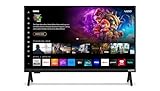
- 720p HD Resolution: Delivers clear and crisp picture quality in a compact 24-inch display, perfect for small spaces.
- AirPlay and Google Cast Compatible: Seamlessly stream, control, and share your preferred movies, shows, music, photos, and more from your devices directly to your TV with Airplay 2 and Google Cast.
- Immersive Sound: DTS Virtual X delivers cinematic, multidimensional audio that elevates your entertainment experience.
- Advanced Connectivity with WiFi 5: Stay connected with WiFi 5 dual-band technology on your 50-inch Smart TV. Enjoy faster and more reliable streaming, ensuring you can watch your favorite shows without buffering interruptions.
- Bluetooth Compatible: Enhance your audio experience with integrated Bluetooth compatibility. Pair your smart TV with wireless headphones or speakers to enjoy high-quality sound without the clutter of cords.
| Choice | Best fit | Trade-offs |
|---|---|---|
| TV with built-in AirPlay | You are buying a TV anyway and want casting without another box. | Support varies by model, size, region and firmware; TV software support and implementation differ by manufacturer. |
| Apple TV 4K | You want AirPlay on an existing HDMI TV, plus Apple’s interface, apps and Siri Remote. | It costs extra, uses an HDMI input and needs its own power connection; it does not upgrade the TV’s panel, speakers or tuner. |
| Keep your current setup | Your TV already works for your needs, or you only cast occasionally. | Check and update the exact model before deciding that a new device is necessary. |
Apple’s U.S. purchase pages showed inconsistent price signals in the available listing, so no current price is quoted here; verify the configuration and amount at checkout. An Apple TV 4K is also a poor fit if you have no spare HDMI input or only need an occasional photo cast to a reliable AirPlay-enabled TV.
What to confirm when buying a used TV
Ask for the complete model number and confirm AirPlay support on the manufacturer’s support site for the relevant country. Do not rely on the seller’s series name, the presence of the Apple TV app, or a general claim that the brand supports AirPlay. For older televisions, also consider whether the manufacturer still provides updates; AirPlay may work now without the set continuing to receive meaningful firmware support.
Quick Recap
Product prices and availability are accurate as of the date/time indicated and are subject to change. Any price and availability information displayed on Amazon at the time of purchase will apply.




