结论先说:Micron M500 是 2013 年推出、采用 20nm MLC NAND 和 SATA 6Gb/s 接口的老款 OEM/企业渠道 SSD。它当年的优势是容量、价格、兼容性、硬件加密和读取性能,但普通 M500 不应与真正面向数据中心的 M500DC 混为一谈。2026 年购买二手 M500,只有在价格极低、SMART 数据透明且用途为轻度读取或非关键存储时才值得考虑;服务器主力盘、高写入业务和没有独立备份的系统不应使用它。
先分清:M500、Crucial M500 和 M500DC 不是同一定位
“企业级 M500”这个标题容易造成误解。Micron 品牌的普通 M500主要面向 OEM、系统厂商和读取密集型应用;Crucial M500 是同一时代面向消费渠道的对应产品;M500DC 才是 Micron 单独为数据中心推出的企业级 SATA 产品。M500IT 则是工业温度版本,也不能自动等同于数据中心高耐久型号。
As an Amazon Associate I earn from qualifying purchases.
Micron 的料号指南将 M500 产品族标记为 AV,M500DC 标记为 BB,M500IT 标记为 BD。购买时必须核对完整料号,而不是只看卖家标题中的“M500 Enterprise”。参考:Micron SSD Part Numbering System。
| 型号 | 主要定位 | 2026 年应如何理解 |
|---|---|---|
| Micron M500 | OEM/客户端及读取密集型企业渠道 | 可用于低价、轻负载和非关键存储,不宜视为高耐久数据中心盘 |
| Crucial M500 | 消费级对应产品 | 品牌、渠道、固件和保修定位不同,不能仅凭硬件相似性替代 Micron 企业型号 |
| Micron M500DC | 数据中心 SATA,面向 24/7 工作负载 | 独立产品线,耐久度和可靠性目标高于普通 M500 |
| Micron M500IT | 工业温度版本 | 工作温度定位不同,不代表具备 M500DC 的数据中心耐久度 |
M500DC 的官方资料明确面向事务型数据库、虚拟化、大数据分析和内容流媒体等 24/7 工作负载,并以每天多次完整盘写入为设计目标;这些描述不能转移到普通 M500。来源:Micron M500DC 官方资料。
#1 Best Overall

- Compatibility: 2.5-Inch form factor size for capacity-dense storage, SATA III 6G interface
- Performance: storage space of 7680GB, qlc NAND flash Type for endurance & Performance
- Applications: real-time analytics, big data, AI data lakes, machine and deep learning
- Features: AES 256-bit encryption, power Loss protection, end-to-end data path protection
- Reliability: 24x7 availability, long-term lifespan, full Micron Warranty can be claimed through point of purchase
历史规格:SATA 平台上的高容量 MLC 方案
以下是发布资料和历史评测中的典型规格。不同容量、外形和固件可能存在差异,峰值数字不是每个版本都能达到。
| 项目 | 历史资料 |
|---|---|
| 发布时间 | 2013 年 |
| NAND | Micron 20nm MLC |
| 接口 | SATA 6Gb/s |
| 容量 | 120GB、240GB、480GB、960GB |
| 顺序读取 | 最高 500MB/s(厂商峰值) |
| 顺序写入 | 最高 400MB/s(厂商峰值) |
| 随机性能 | 最高 80,000 IOPS,取决于容量、读写类型和测试条件 |
| 外形 | 2.5 英寸 7mm;另有 mSATA 和 M.2 SATA 版本 |
| 加密 | AES-256 硬件加密、TCG Opal 2.0 等相关能力 |
| 功耗 | 典型约 150mW;DEVSLP 睡眠功耗低于 5mW |
| 公开标称耐久度 | 72TB TBW(历史评测资料) |
| 工作温度 | 商用温度 0°C 至 +70°C |
| 保修 | 发布期官方资料称三年有限保修;二手盘不能据此假定仍有保修 |
规格来源:Micron M500 发布资料和StorageReview 历史评测。960GB 版本在 2013 年发布时以低于 600 美元的历史价格强调容量和成本优势,这个数字不应拿来与今天的市场价格比较,原始资料见Micron 2013 年发布文件。
这些规格怎样解读
- 500/400MB/s 是厂商最高顺序读写指标,受容量、主机控制器、剩余空间和固件影响。
- 80,000 IOPS 是峰值宣传值,不等于持续写入性能、尾延迟或数据库表现。
- M.2 版本仍是 SATA 协议,不是 NVMe;外形相同不能据此判断协议。
- 72TB TBW 是历史耐久度指标,不是实时剩余寿命,也不是到达该数值后必然失效的界线。
历史评测成绩:当年有竞争力,今天只能作参照
StorageReview 的原始评测发表于 2013 年 4 月 9 日,测试平台使用双路 Xeon E5-2620、LSI SAS/SATA HBA、Linux FIO 和 Windows FIO,操作系统包括 Windows Server 2008 R2、Windows Server 2012 与 CentOS 6.3,工具版本为 FIO 2.0.10 和 2.0.12.2。它适合进行历史横向比较,不是 2026 年主机上的复测结果。
Rank #2

- Provides sufficient storage capacityof 500 GB for your computer, ensuring you have ample space for all your files and applications
- Power and energy-efficient design ensures maximum reliability for your SSD
- With the high write speed of 500 MB/s, experience quick responses when updating or transferring files
- Experience faster data storage with the SATA/600 interface, designed to optimize burst performance for enhanced efficiency
- The impressive read speed of 550 MB/s enhances system performance, allowing you to complete complex tasks efficiently
该评测记录的代表性结果包括:960GB M500 在部分突发测试中约达 61,000 IOPS;稳态负载下最大响应时间约 300–400ms;高并发重负载中的读取延迟具有竞争力。整体优势偏向容量、成本和读取性能,而不是高写入耐久度或始终很低的尾延迟。完整测试见StorageReview 中文评测及繁体版评测。
因此,今天看到“500MB/s”或“80,000 IOPS”时,不应把它当作服务器稳定性的证明。虚拟化、数据库和日志盘更应关注 4K 随机写、混合读写、稳态吞吐、尾延迟、写入放大、掉电行为和剩余耐久度。单次 CrystalDiskMark 空盘跑分无法回答这些问题。
企业特性、掉电保护与加密的边界
官方资料确认的功能
- 硬件 AES-256 加密引擎;
- TCG Opal 2.0 和 IEEE 1667 相关支持;
- 意外断电保护描述;
- 高级错误恢复和自适应温度管理;
- DEVSLP 低功耗;
- 数字签名固件更新。
这些功能来自 Micron 的产品资料和安全白皮书:产品发布文件、Micron SSD 数据安全白皮书。
Rank #3

- Upgrade your laptop or desktop computer and feel the difference with super-fast OS boot times and application loads
- Exceptional performance offering up to 550MB/s seq. Read and 500MB/s seq. Write speeds
- Superior performance as compared to traditional hard drives (HDD)
- Ultra-low power consumption
- Backwards compatible with SATA II 3GB/sec
“有断电保护”不等于服务器级数据保证
宣传语不能证明某个具体料号拥有足够的板载电容,也不能证明断电时所有用户数据都能落盘。实际保护范围可能只覆盖 FTL 元数据,且取决于固件、平台和主机控制器。没有具体数据表、平台验证和断电测试时,准确说法应是“官方资料声称具备意外断电保护”,而不是“断电不会丢数据”。
PC Slower Than It Used to Be?
A free scan shows the junk files, broken settings and background clutter dragging Windows down - then fixes them in one click.Free scan · Windows 10 & 11Outdated Drivers Are Slowing You Down
One free scan finds every outdated or missing driver and matches the right update for your exact hardware.Free scan · exact hardware match加密不会自动启用
硬件加密需要由主机、操作系统或安全管理软件启用。二手盘如果已设置 ATA Security 或 Opal 锁,可能需要原系统密钥或执行安全擦除。Opal、ATA Security 与 TCG Enterprise 也不是同一个标准。Micron 白皮书明确区分了 M500 与 M500DC/M510DC 的 SED 定位,因此不能把普通 M500 的能力写成 M500DC 的企业安全功能。
2026 年买二手 M500 的检查流程
1. 先记录完整型号和连接方式
lsblk -d -o NAME,MODEL,SERIAL,SIZE,ROTA
sudo smartctl -x /dev/sdX
确认完整料号、容量、2.5 英寸/mSATA/M.2 形态、M500/M500DC/M500IT 身份、固件版本、序列号和生产信息。USB-SATA 转接器可能无法完整传递 SMART、TRIM 或安全命令,最好直接连接主机 SATA 或经过已知兼容的 HBA。
Rank #4

- Storage Capacity: 1. 92 TB
- Encryption Standard: 256-bit
- Maximum read transfer rate: 540 MB/s
- Maximum write transfer rate: 260 MB/s
- Endurance (DWPD): 0. 8
2. 逐项核对 SMART
- 总主机写入量和读取量;
- 通电小时与通电次数;
- 不可纠正错误、坏块或重映射相关计数;
- CRC 错误、链路错误和命令超时;
- 剩余寿命或磨损百分比;
- 温度、掉盘记录和固件版本。
不同固件的属性名称并不统一。健康度显示 100% 不能单独证明盘况良好,SMART 也可能被清零或隐藏部分信息。低通电时间不代表低写入量;出现 CRC 错误时,应先检查线材、背板和 HBA,再判断 NAND 是否损坏。
3. 核对固件和售后
Micron 当前固件页面主要列出 5300、5400、7400、7450、9400、9550 等较新型号,普通 M500并未作为当前主推产品列出:Micron SSD Firmware Downloads。Storage Executive 用户指南仍列出 M500 兼容项,但这不代表仍有现代化维护或保修:Storage Executive User Guide。只使用官方固件来源,不要刷写不明第三方包。
Recommended Free Tools
4. 需要压力测试时先备份
sudo fio --name=seqread
  --filename=/dev/sdX
  --rw=read
  --bs=1M
  --iodepth=32
  --direct=1
  --runtime=60
  --time_based
上面的顺序读取测试不会写入数据,但整盘写入测试会破坏内容并消耗老盘寿命。测试前确认 /dev/sdX 不是系统盘;USB 转接器、旧 HBA 或 SATA 1.5/3Gb/s 链路也会限制成绩。服务器用途应进行长时间混合读写和稳态测试,而不是只跑一分钟顺序读取。
Best Value
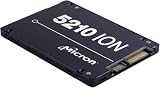
- Storage Capacity: 3.84 TB
- Encryption Standard: 256-bit
- Maximum read transfer rate: 540 MB/s
- Maximum write transfer rate: 350 MB/s
- Endurance (DWPD): 0.8
哪些用途适合,哪些用途不适合
可以考虑
- 旧台式机或笔记本升级;
- 下载机、媒体库和只读缓存;
- 家庭服务器的读取密集型数据;
- 轻量 NAS 读缓存;
- 非关键虚拟机模板、临时构建机和测试环境。
不建议作为唯一或主力存储
- 数据库日志和高频写入缓存;
- 虚拟化宿主机的高写入数据存储;
- 生产 RAID 阵列中的关键成员;
- 监控录像、日志汇聚和持续编译缓存;
- 任何没有独立备份的数据。
MLC 是耐久度判断因素之一,但无法抵消十多年盘龄、未知写入历史、固件限制和二手使用环境带来的风险。
与当前替代品相比,M500 的位置在哪里
Micron 5400 SATA
Micron 5400 仍属于当前数据中心 SATA 产品体系,提供 Boot、PRO 和 MAX 等定位,以及 240GB、480GB、960GB、1.92TB、3.84TB 和 7.68TB 等容量,具体耐久度取决于版本。产品页:Micron 5400 SATA SSD;规格资料:5400 Product Brief。它更适合需要当前文档、生命周期和数据中心定位的新购用户,但实际价格应以渠道报价为准。
现代 NVMe 数据中心 SSD
数据库、虚拟化、AI/分析和高并发服务应比较现代 NVMe 盘,而不是只在老 M500 与消费级 SATA 盘之间选择。Micron 当前产品线包括 7400、7450、7500、9400、9550 等型号:Micron SSD 产品线。选择时要核对 PCIe 代际、DWPD/TBW、PLP、容量和服务器兼容性;NVMe 不是所有旧平台的直接替代品。
Free tools Windows power users keep installed
One-click scans. No signup required.
最终购买建议
- 价格极低、SMART 完整、写入量低:可考虑用于非关键读取盘、缓存或测试环境,并保留独立备份。
- 价格接近新款 SATA SSD:不建议购买普通 M500,因为盘龄、固件支持和售后风险无法用历史跑分弥补。
- 生产服务器、高写入或关键数据:选择有明确耐久度、掉电保护、固件和保修支持的当前数据中心 SSD;先核对 M500DC 或更新型号,而不是相信“Enterprise”标签。
Frequently Asked Questions
M.2 外形的 M500 是 NVMe 吗?
不是。M500 的 M.2 版本仍使用 SATA 协议,必须确认主板插槽和控制器兼容性。
SMART 显示健康度 100%,可以买来做服务器盘吗?
不能仅凭这一项决定。还应核对完整料号、总写入量、错误计数、固件、掉盘记录、退货条件和实际用途。
Quick Recap
Product prices and availability are accurate as of the date/time indicated and are subject to change. Any price and availability information displayed on Amazon at the time of purchase will apply.

