ZWCAD Professional
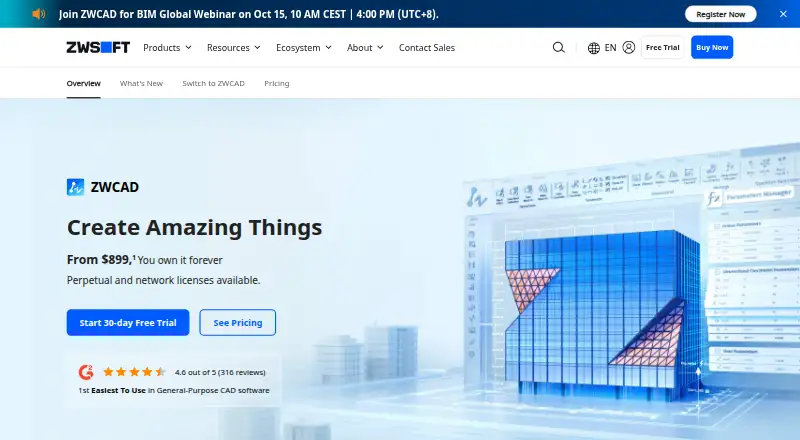
What ZWCAD Professional is
ZWCAD Professional is paid CAD software for Windows 2D drafting and advanced 3D navigation, with DWG and other common-format compatibility. The Professional edition adds 3D modeling, point-cloud editing, GIS, raster-to-vector conversion and full API capabilities. Design tools include parametric design, Flexiblock, sheet-set management, PDF import, file comparison and area tables. DWG, DWF, DWFx, DWT, DWS, DXF, PDF and DGN import and export are listed. APIs for LISP, VBA, ZRX and .NET support third-party application integration and development. The product also lists construction documents, rendering tools and IFC support. A 30-day trial includes all Professional functions and requires a ZWSOFT account to download. Licenses are offered as standalone or network options. The listed perpetual plan costs $1,399, paid once; separate plan listings show $1,399 a month for Standalone and $1,549 a month for Network. The network option lets multiple users on one TCP/IP network share licenses. Mobile companions for iOS and Android support DWG viewing, editing, measuring, annotating and printing.
Who it suits
ZWCAD Professional suits architects, engineers and designers needing Windows drafting and modeling tools with broad file compatibility. Its network license fits multiple users sharing licenses on one TCP/IP network.
What it does well
- 2D drafting and 3D modeling tools
- Point cloud, GIS and raster-to-vector features
- Imports and exports DWG, DXF, PDF and DGN
- LISP, VBA, ZRX and .NET APIs
- 30-day trial with Professional functions
What to know first
- No free plan
- Windows desktop platform listed
- Trial download requires a ZWSOFT account
- Pricing is listed in multiple billing formats
Limits
There is no free plan. The trial lasts 30 days, while the listed perpetual license provides lifetime access; yearly maintenance is a separate plan available only for the current version.
Plans
| Plan | Billed and limits | Price |
|---|---|---|
| Professional — Standalone | Standalone license · 2D drafting · 3D modeling · Point Cloud · GIS · Raster to Vector Conversion · Full API capabilities | $1,399 a month |
| Professional — Standalone | Standalone license · 2D drafting · 3D modeling · Point Cloud · GIS · Raster to Vector Conversion · Full API capabilities | $1,399, paid once |
| Professional — Network | Network license; multiple users on the same TCP/IP network can share licenses · 2D drafting · 3D modeling · Point Cloud · GIS · Raster to Vector Conversion · Full API capabilities | $1,549 a month |
| Professional — Network | Network license; multiple users on the same TCP/IP network can share licenses · 2D drafting · 3D modeling · Point Cloud · GIS · Raster to Vector Conversion · Full API capabilities | $1,549, paid once |
| ZWCAD Professional | Perpetual license; page shows $1,399 and $1,549 (MSRP does not include VAT or yearly maintenance fee). · Standalone: one user on one machine at a time · Network: multiple users on the same TCP/IP network share licenses · 2D/3D drafting and modeling · full API capabilities | $1,399, paid once |
As zwsoft.com lists them, read 20 Sept 2026. The maker's own page has the final word.
Getting started
- Open the ZWCAD website
- Sign up for or log in to a ZWSOFT account
- Download ZWCAD for Windows from the download center
- Choose the 30-day trial or a listed license
- Install the Windows application
- Use ZWCAD Mobile on iOS or Android for DWG viewing and editing
Verdict
ZWCAD Professional combines drafting, modeling, conversion and API tools with standalone and network licensing. Review the billing terms carefully, since the listings show both monthly and perpetual price formats.
Questions
Is ZWCAD Professional free?
No. It is paid software and has no free plan, but a 30-day trial is available without a fee or credit card information.
What platforms are supported?
The download center lists Windows versions, while ZWCAD Mobile is available for iOS and Android.
What does the network license do?
The Network license lets multiple users on the same TCP/IP network share licenses.
Does it support DWG and PDF files?
Yes. DWG import and export are supported, and PDF import and export are also listed.
Is there a perpetual license?
Yes. The Professional perpetual listing is $1,399, paid once and provides lifetime access without recurring subscription fees.
What maintenance is available?
The yearly maintenance plan includes update packages, the next annual official version and advanced technical support from ZWSOFT.
Facts from ZWCAD Professional's own pages
- Design tools
- Features include parametric design, Flexiblock, point cloud editing, sheet set management, PDF import, file comparison and area tables. · zwsoft.com, 8 Oct 2026
- File compatibility
- The version comparison lists DWG, DWF, DWFx, DWT, DWS and DXF import and export, plus PDF and DGN import and export. · zwsoft.com, 8 Oct 2026
- Founded
- 1998 · zwsoft.com, 4 Oct 2026
- Free plan
- No · zwsoft.com, 20 Sept 2026
- Headquarters
- Guangzhou, China · zwsoft.com, 4 Oct 2026
- Integrations and APIs
- ZWCAD supports integration or development of third-party applications through LISP, VBA, ZRX and .NET APIs. · zwsoft.com, 8 Oct 2026
- Intended users
- ZWSOFT describes ZWCAD as serving architects, engineers and designers and as supporting collaboration across industries. · zwsoft.com, 8 Oct 2026
- License model
- A perpetual license provides lifetime access without recurring subscription fees, and licenses are offered as standalone or network licenses. · zwsoft.com, 8 Oct 2026
- Mobile companion
- ZWCAD Mobile is listed for iOS and Android and supports viewing, editing, measuring, annotating and printing DWG files. · zwsoft.com, 8 Oct 2026
- Parametric modeling
- Yes · zwsoft.com, 20 Sept 2026
- Platform
- The download center lists ZWCAD for Windows, with 64-bit downloads for versions 2024, 2025 and 2026. · zwsoft.com, 8 Oct 2026
- Product
- ZWCAD is CAD software for 2D drafting and advanced 3D navigation, with compatibility for DWG and other common formats. · zwsoft.com, 8 Oct 2026
- Professional features
- The Professional version includes Standard features plus 3D modeling tools, point cloud, GIS, raster-to-vector conversion, and full API capabilities. · zwsoft.com, 8 Oct 2026
- Requirements
- The listed minimum requirements include Windows 7 SP1, 2 GB RAM, 2 GB free space each on the OS and installation drives, and a 1 GB graphics card supporting OpenGL 4.2. · zwsoft.com, 8 Oct 2026
- Security
- ZWCAD features a digital signature function described as ensuring the original and reliable source of drawing data. · zwsoft.com, 8 Oct 2026
- Support and upgrades
- The yearly maintenance plan includes update packages, the next annual official version, and advanced technical support from ZWSOFT; it is available only for the current version. · zwsoft.com, 8 Oct 2026
- Trial
- ZWCAD offers a 30-day free trial with access to all Professional functions and no fee or credit card information required. · zwsoft.com, 8 Oct 2026
- Trial download requirement
- Downloading requires signing up for or logging in to a ZWSOFT account. · zwsoft.com, 8 Oct 2026
Where ZWCAD Professional stands on Freedom251
- CAD software#20 of 31
- Engineering CAD Software#21 of 27
- Computer-Aided Design & Manufacturing Software#14 of 18
- Architectural Design Software#23 of 29
- 2D CAD Software#36 of 41