Freedom251 › Multichannel Ecommerce Software

Zoho Inventory
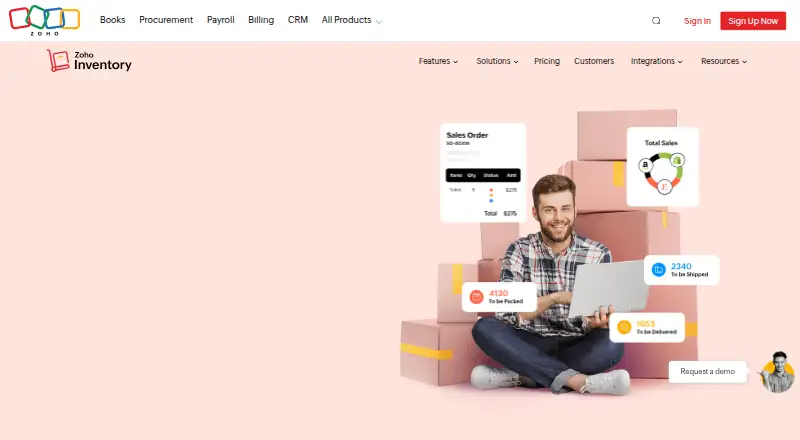
What Zoho Inventory is
Zoho Inventory is inventory and order management software for businesses handling stock, purchases, sales, and warehouse operations. It supports purchase and sales orders, barcode scanning, stock alerts, and serial and batch tracking for items and expiry dates. Users can manage stock centrally across warehouses, transfer items, and produce warehouse-specific reports. Mobile apps provide real-time order-status updates for managing and fulfilling orders on the go; Windows access is also listed. Integrations include Amazon, Shopify, Zoho Books, Zoho CRM, Stripe, PayPal, Slack, and Google Workspace. GST-related tools include GSTINs, HSN/SAC codes, compliant invoices, automated tax calculation, e-Way bills, and delivery challans. The free plan allows 50 orders and invoices, 20 purchase orders and bills per month, and one user. The listed Standard, Premium, Plus, and Enterprise plans are $39.00 USD, $99.00 USD, $159.00 USD, and $299 a month; yearly billing is marked as saving 20%, and listed prices exclude GST. Zoho is headquartered in Chennai, India, and was founded in 1996.
Who it suits
Zoho Inventory suits businesses that need order and stock tracking, including those managing multiple warehouses. Its GST tools and integrations may be relevant to businesses using the listed services or handling Indian tax workflows.
What it does well
- Free plan includes 50 orders and invoices monthly.
- Tracks serial and batch numbers and expiry dates.
- Supports multi-warehouse stock transfers.
- Lists integrations including Amazon and Shopify.
- Mobile apps provide order-status updates.
What to know first
- Free plan is limited to one user.
- Free plan has monthly order and purchase-order limits.
- Listed prices exclude GST.
Limits
The free plan supports one user, up to 50 orders and invoices per month, and up to 20 purchase orders and bills per month.
Plans
| Plan | Billed and limits | Price |
|---|---|---|
| Free | billed monthly · 50 orders / month · 1 user · 1 location | Free |
| Standard | billed monthly · 500 orders / month · 3 users · 2 locations | $39 a month |
| Premium | billed monthly · 3,000 orders / month · 5 users · 4 locations · 500 bins / location | $99 a month |
| Plus | billed monthly · 7,500 orders / month · 10 users · 6 locations · 500 bins / location | $159 a month |
| Enterprise | billed monthly · 15,000 orders / month · 10 users · 10 locations · 5,000 bins / location | $299 a month |
As zoho.com lists them, read 21 Sept 2026. The maker's own page has the final word.
Getting started
- Open the Zoho Inventory website.
- Choose the free plan or review the paid plans.
- Start the listed 14-day trial if you want to try a trial.
- Access the service through its app or Windows offering.
- Connect any relevant listed integrations, such as Amazon, Shopify, or Zoho Books.
Overview
Zoho Inventory is a stock and order management service for businesses coordinating purchases, sales, and inventory across locations. It is best suited to teams that need barcode and batch tracking, warehouse controls, and mobile order management. Its feature mix scales from a tightly capped free tier to plans for higher order volumes and more locations, though the published prices exclude GST.
For a wider category comparison, see Inventory Management Software. Businesses selling across channels can also compare Multichannel Ecommerce Software.
Key features
Orders, stock, and warehouses
The service covers purchase and sales orders, stock alerts, and inventory synchronization. Barcode scanners can identify SKUs, serial and batch numbers, and sales and purchase orders; serial and batch tracking also covers spare parts, saleable items, and expiry dates. This goes beyond basic stock counts, making the product a stronger fit for businesses that need to trace particular units or time-sensitive inventory.
Teams can manage stock centrally across warehouses, transfer items, and produce warehouse-specific reports. Location limits rise from one on Free to ten on Enterprise, with two on Standard, four on Premium, and six on Plus. The lower tiers may suit a compact operation, but a business adding sites will need to move up the plan ladder.
Mobile work, tax, and connections
Zoho Inventory provides iOS and Android apps as well as a Windows offering, with real-time order-status updates for teams managing and fulfilling orders away from a desktop. Its GST tools include GSTINs, HSN/SAC codes, compliant invoices, automated tax calculations, e-Way bills, and delivery challans. Integrations include Amazon, Shopify, Zoho Books, Zoho CRM, Stripe, PayPal, Slack, and Google Workspace, which can make it a practical option for businesses already using those services.
Plans include API access ranging from 1,000 to 10,000 calls per day. Support is available from product experts 24x5; India contact hours are Monday to Friday, 9:00 AM to 7:00 PM IST. Documentation, FAQs, forums, webinars, blogs, developer resources, and partners provide additional support routes.
Pricing
Zoho Inventory has a free plan and four paid tiers. The free plan is ₹0 per organization per month and includes 50 orders and invoices monthly, 20 purchase orders and bills monthly, one user, and one location. Those caps make it a useful entry point for a very small operation, but the order allowance can become restrictive quickly.
| Plan | Price | Monthly order allowance | Users and locations |
|---|---|---|---|
| Free | free | 50 | 1 user, 1 location |
| Standard | $39 a month | 500 | 3 users, 2 locations |
| Premium | $99 a month | 3,000 | 5 users, 4 locations, 500 bins per location |
| Plus | $159 a month | 7,500 | 10 users, 6 locations, 500 bins per location |
| Enterprise | $299 a month | 15,000 | 10 users, 10 locations, 5,000 bins per location |
Standard is the step up for teams that have outgrown Free but need only two locations and three users. Premium and Plus raise order capacity and footprint for larger operations; Enterprise adds the highest listed order, location, and bin allowances, but still caps users at ten. The yearly billing option is marked as saving 20%, and listed prices exclude GST, so buyers in India should account for tax when comparing costs. A 14-day trial is available.
Platforms
Zoho Inventory is accessible through its Windows offering and iOS and Android apps. Mobile access is particularly relevant for teams that need to check order status and fulfill orders while on the move.
Who it's for
Zoho Inventory is a good fit for businesses that need order processing, barcode-enabled tracking, GST features, and multi-warehouse controls in one service, particularly if their existing workflow uses one of its listed integrations. Its tier range can accommodate different order volumes, but organizations with many users should note that the top two plans both allow ten users. Teams needing only simple stock counts, or businesses whose volume exceeds the tier caps, should compare alternatives.
Pros and cons
- Pros: Barcode support and serial, batch, and expiry tracking help businesses manage identifiable and time-sensitive stock rather than just quantities.
- Pros: Central warehouse controls, transfers, and location-specific reports support multi-site inventory work, with allowances up to ten locations.
- Pros: GST tools cover compliant invoices, tax calculations, e-Way bills, and delivery challans, useful for businesses operating under India's GST regime.
- Cons: Free is limited to 50 orders and invoices, 20 purchase orders and bills, one user, and one location, which constrains even modest teams.
- Cons: Paid prices exclude GST, so the stated monthly price is not the full cost for Indian customers.
- Cons: Enterprise's ten-user cap may not suit larger teams despite its 15,000 monthly orders and ten locations.
Alternatives
Choose OpenBoxes if a free, self-hosted option is preferable and separate hosting and operating costs are acceptable. Katana offers a permanent free tier with 30 SKUs, unlimited users, integrations, and inventory locations, making it worth comparing when SKU count is low but breadth of access matters. InvenTree is a free web, iOS, and Android alternative.
StockFlow has a free plan for 25 items, two users, and one warehouse, a possible fit for a smaller inventory. Stock It Easy is another freemium option with Windows, iOS, and Android support. Axacute offers a free two-user plan and a $25 a month Starter tier for basic warehouse inventory operations. Stockroom has a free plan capped at one location, one user, and 50 active SKUs. StockZip offers a free plan for ten items and one user, with Android, iOS, macOS, and web access.
For other accounting needs, compare SaaS Accounting Software, AI Accounting Software, Gym Accounting Software, and Salon Accounting Software.
Verdict
Choose Zoho Inventory if your business needs barcode and batch-aware stock control, order management, GST tools, and multiple warehouses, and its user and order caps fit your operation. The free tier offers a low-commitment start, while the paid plans expand capacity substantially. Look elsewhere if the monthly quotas, GST-exclusive prices, or ten-user ceiling would limit your team.
Verdict
Zoho Inventory offers stock, order, barcode, and warehouse features with a free tier and several paid plans. Businesses should compare the free-plan limits and applicable GST against their expected usage.
Questions
Is Zoho Inventory free?
Yes. The free plan is listed at ₹0 per organization per month and includes one user, 50 orders and invoices monthly, and 20 purchase orders and bills monthly.
How much do paid plans cost?
Paid plans are listed from $29 per month with annual billing. Prices exclude GST, and yearly billing is marked as saving 20%.
Is there a free trial?
Yes, a 14-day trial is listed.
Which platforms are available?
The listed platform is Windows. Mobile apps are also available for iOS and Android.
Which apps does Zoho Inventory integrate with?
Listed integrations include Amazon, Shopify, Zoho Books, Zoho CRM, Stripe, PayPal, Slack, and Google Workspace.
Who makes Zoho Inventory?
The maker is Zoho Inventory, headquartered in Chennai, India, and founded in 1996.
Facts from Zoho Inventory's own pages
- API availability
- Plans include API access ranging from 1,000 to 10,000 calls per day. · zoho.com, 27 Sept 2026
- Barcode scanning
- Yes · zoho.com, 21 Sept 2026
- Barcode support
- It supports different barcode scanners for SKUs, serial and batch numbers, and sales and purchase orders. · zoho.com, 27 Sept 2026
- Business coverage
- Zoho Inventory states that it supports businesses from MSMEs to large-scale corporations. · zoho.com, 27 Sept 2026
- Company origin
- The page presents Zoho Inventory as made in India for the world. · zoho.com, 27 Sept 2026
- Founded
- 2011 · zoho.com, 23 Sept 2026
- Free tier
- A free plan is available at ₹0 per organization per month. · zoho.com, 27 Sept 2026
- Free plan limits
- The free plan includes 50 orders and invoices per month, 20 purchase orders and bills per month, and 1 user. · zoho.com, 27 Sept 2026
- GST compliance
- GST features include GSTINs, HSN/SAC codes, GST-compliant invoices, automated tax calculation, e-Way bills, and delivery challans. · zoho.com, 27 Sept 2026
- Headquarters
- Pleasanton, California, USA · zoho.com, 23 Sept 2026
- Available integrations
- Integrations include Amazon, Shopify, Zoho Books, Zoho CRM, Stripe, PayPal, Slack, and Google Workspace. · zoho.com, 27 Sept 2026
- Inventory tracking
- Serial and batch tracking covers spare parts, saleable items, and expiry dates. · zoho.com, 27 Sept 2026
- Mobile apps
- Yes · zoho.com, 21 Sept 2026
- Mobile operations
- The service provides real-time order-status updates while users manage and fulfill orders on the go. · zoho.com, 27 Sept 2026
- Platform access
- Users can access Zoho Inventory from anywhere through its app and Windows offering. · zoho.com, 27 Sept 2026
- Purchase orders
- Yes · zoho.com, 21 Sept 2026
- Sales orders
- Yes · zoho.com, 21 Sept 2026
- Paid from
- 29 · zoho.com, 21 Sept 2026
- Stock alerts
- Yes · zoho.com, 21 Sept 2026
- Support resources
- Support resources include forums, webinars, help documentation, FAQs, blogs, developers, and partners. · zoho.com, 27 Sept 2026
- Support hours
- Product experts provide support 24x5; India contact hours are Monday to Friday, 9:00 AM to 7:00 PM IST. · zoho.com, 27 Sept 2026
- Tax exclusion
- Listed prices exclude GST. · zoho.com, 27 Sept 2026
- Plan user limits
- Plans list user limits of 1, 3, 5, 10, and 10 across the tiers. · zoho.com, 27 Sept 2026
- Warehouse limit
- 2 · zoho.com, 21 Sept 2026
Where Zoho Inventory stands on Freedom251
- Multichannel Ecommerce Software#2 of 82
- Inventory Management Software#3 of 75
- E-commerce Marketplace Seller Tools#9 of 56
- Inventory Control Software#14 of 22