Freedom251 › Virtual Production Software
Zero Density Reality
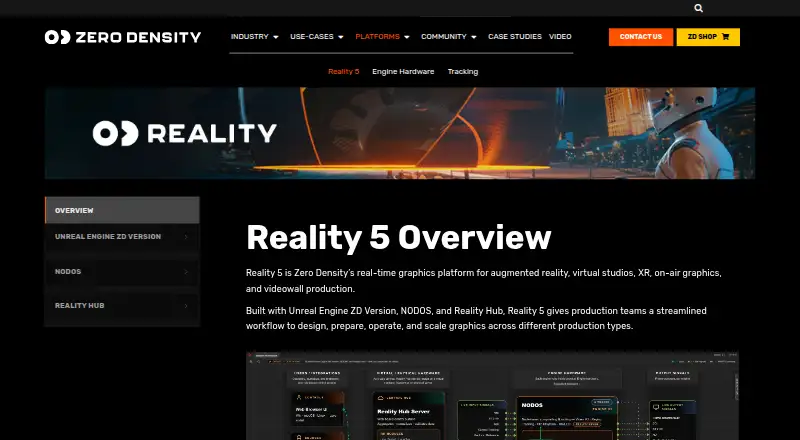
What Zero Density Reality is
Zero Density Reality 5 is a real-time graphics platform for virtual studios, augmented and extended reality, on-air graphics, and videowall production. Its workflow combines Unreal Engine ZD Version, NODOS, and Reality Hub for content creation, compositing, and live playout. NODOS is a node-based compositor that handles real-time video input and output and logic processing separately from Unreal Engine. Reality Hub provides browser-based control; shop bundles specify Chrome or Edge on a modern computer without a client installation. The Lino workflow lets designers create a graphic template for reuse across shows and channels. Reality Hub can ingest information from web services, databases, XLSX files, and CSV files, and the platform supports newsroom, automation, and custom integrations. NODOS lists tracking support for FreeD, Xync, Mo-Sys, Stype, and Telemetrics. The Open Studio License Program provides no-cost access for eligible applicants, subject to approval and conditions. Listed paid bundles range from $4,888 a year for On-Air Graphics to $16,992 a year for Augmented Reality, with capabilities and limits varying by bundle.
Who it suits
It suits production teams creating virtual studio, AR/XR, on-air graphics, or videowall workflows. The Open Studio program may suit eligible SOHO, academic, and self-learning applicants; self-learning use is non-commercial.
What it does well
- Combines content creation, compositing, and live playout
- Browser-based control through Reality Hub
- Templates can be reused across shows and channels
- Supports multiple tracking protocols
- Eligible applicants can seek no-cost Open Studio access
What to know first
- Open Studio access requires eligibility and approval
- Open Studio licenses do not include support unless purchased
- Some bundles limit channels, cameras, or render output
- Self-learning access cannot be used in a company
Limits
The free Open Studio License Program requires eligibility and approval; self-learning use is non-commercial, and support is not included unless purchased separately. Paid bundles have package-specific limits: the On-Air Graphics bundle has one output channel, the Backdrop bundle has one HD render and cannot put virtual elements in front of talent, and the listed AR bundle is for single-camera productions with one HD render.
Plans
| Plan | Billed and limits | Price |
|---|---|---|
| Open Studio License Program | eligibility and approval required · SOHO under $1,000,000 annual gross revenue, academic, or self-learning use · self-learning is non-commercial | Free |
| Reality 5 Backdrop Virtual Studio Bundle | 1 Year; 3 Year option · single-camera green screen workflows · one HD render · cannot place virtual elements in front of talent | $14,867 a year |
| Reality 5 Augmented Reality Bundle | 1 Year; 3 Year option · single-camera AR productions · one HD render · Reality Hub LE runs on same system as Reality 5 Core Engine | $16,992 a year |
| Reality 5 On-Air Graphics Bundle | 1 Year; 3 Year option · single-channel graphics engine · one render output channel · Reality Hub LE runs on same system as Reality 5 | $4,888 a year |
| Reality 5 Designer Bundle | 1 Year; 3 Year option · design workstation bundle · Reality Hub LE · resolutions depend on available hardware | $8,067 a year |
As zerodensity.io lists them, read 30 Sept 2026. The maker's own page has the final word.
Getting started
- Visit the Reality 5 website.
- Choose an access route: apply for the Open Studio License Program if eligible, or review the paid shop bundles.
- For Open Studio access, submit an application and wait for approval.
- For a production test, request a trial license through Zero Density’s contact form.
- Use the supported Windows, Linux, macOS or web environment; browser control uses Chrome or Edge on a modern computer.
- Check the documentation for supported AJA Corvid or Blackmagic Design DeckLink hardware if using SDI video I/O.
Overview
Zero Density Reality is a real-time graphics platform for broadcast and virtual-production teams building studio, AR, XR, on-air, or videowall content. It is best suited to productions that need creation, compositing, and live playout in one workflow. Its breadth is compelling, but the right bundle matters: several paid options are constrained to a single channel or camera and one render.
Key features
Creation and playout
Reality 5 combines Unreal Engine ZD Version, NODOS, and Reality Hub across content creation, compositing, and live playout. The Lino workflow lets designers build a graphic template once and reuse it across shows and channels, a practical fit for teams maintaining recurring graphics packages.
Compositing, data, and tracking
NODOS is a node-based compositor for real-time video I/O and logic processing, running separately from Unreal Engine to handle media processing. That separation gives production teams a dedicated compositing component alongside the rendering engine. Reality Hub can ingest data from web services, databases, XLSX files, and CSV files, and the platform supports newsroom, automation, and custom integrations.
NODOS supports FreeD, Xync, Mo-Sys, Stype, and Telemetrics tracking protocols. The platform also supports camera tracking, LED-stage workflows, greenscreen workflows, and live compositing. Shop bundles describe SDI video I/O with AJA Corvid or Blackmagic Design DeckLink hardware; compatible models depend on the documentation, so teams should confirm their hardware before choosing a bundle.
Browser control
Reality Hub offers browser-based control. Shop bundles specify Chrome or Edge on a modern computer without a client installation, which can simplify access to control tools. That browser detail applies to the bundles, rather than establishing browser access as a substitute for the graphics engine or compositor.
Pricing
Reality has a free route and paid bundles. The Open Studio License Program costs nothing, but access requires eligibility and approval: SOHO applicants must be under $1,000,000 in annual gross revenue, while academic and self-learning use also qualify. Self-learning use is non-commercial. Open Studio licenses do not include support unless it is purchased separately.
Zero Density says self-learning users cannot use their access in a company. Anyone seeking to test the software in production is directed to request a trial license through its contact form; production trial access is therefore a separate route, not a promise that Open Studio can be used commercially.
- Reality 5 On-Air Graphics Bundle: $4,888 a year, billed 1 Year, with a 3 Year option. It includes a single-channel graphics engine and one render output channel; Reality Hub LE runs on the same system as Reality 5. This is the focused choice for on-air graphics that fit those output limits.
- Reality 5 Designer Bundle: $8,067 a year, billed 1 Year, with a 3 Year option. It is a design workstation bundle with Reality Hub LE; supported resolutions depend on available hardware. It suits design work where resolution needs can be matched to the workstation, but the description does not position it as a multi-channel playout package.
- Reality 5 Backdrop Virtual Studio Bundle: $14,867 a year, billed 1 Year, with a 3 Year option. It covers single-camera green-screen workflows with one HD render, and cannot place virtual elements in front of talent. That limitation makes it a poor fit for productions requiring foreground occlusion.
- Reality 5 Augmented Reality Bundle: $16,992 a year, billed 1 Year, with a 3 Year option. It covers single-camera AR productions with one HD render; Reality Hub LE runs on the same system as Reality 5 Core Engine. It is the direct paid fit for a single-camera AR workflow, not for a production needing multiple camera or render outputs.
Paid shop bundles include unlimited ticket support through the Zero Density Shop Dashboard. The 3 Year option is available, but the stated annual prices are billed 1 Year; compare the selected term and bundle limits against the needs of the production before committing.
Platforms
Reality supports Windows, Linux, and macOS, with web browser control. Unreal Engine 5 is the render engine. The range is useful for teams choosing among workstation platforms, while the browser role is specifically control rather than a claim that the entire production toolchain runs in a browser.
Who it's for
Reality is a strong fit for broadcast and virtual-production teams that need Unreal-based graphics, reusable templates, data-fed elements, tracking, and live compositing within a connected workflow. The On-Air bundle suits a one-channel graphics operation; the Backdrop and AR bundles suit single-camera productions that can work within one HD render. Open Studio can serve eligible SOHO, academic, and non-commercial self-learning users, but its approval conditions and separate support terms matter. Teams needing broader output capacity or foreground talent compositing should not assume the entry bundles will cover them.
Pros and cons
- Pros: Creation, compositing, and live playout sit in one platform workflow, which suits teams trying to coordinate several production stages.
- Pros: Lino templates, Reality Hub data ingestion, and multiple tracking protocols support repeatable graphics tied to production data and tracked cameras.
- Pros: Eligible users can access the ecosystem at no cost through Open Studio, while paid bundles include unlimited ticket support.
- Cons: Open Studio requires eligibility and approval, excludes commercial self-learning use, and does not include support by default.
- Cons: The virtual studio and AR bundles are limited to single-camera workflows and one HD render; the Backdrop bundle also excludes virtual elements in front of talent.
- Cons: On-Air Graphics is restricted to one render output channel, and the Designer bundle's resolutions depend on available hardware.
Alternatives
For a broader comparison, browse Virtual Production Software.
- Disguise Designer is worth considering if a free plan for learning, training, testing, and project pre-visualization without connecting to Disguise servers better matches the job.
- Pixotope may suit readers who want a feature-limited HD Discovery option with no licensing step, or who are comparing a virtual-studio and AR product.
- SMODE is an alternative for non-commercial users seeking a free license with Full HD input, output, content, and export and no watermarks.
- PIXERA offers a free demo for building and saving projects without limitation, though its four outputs are watermarked and cannot be used for live production.
- Assimilate Live Looks is an alternative for readers looking at a monthly subscription that includes support and updates during the subscription.
- Notch may fit readers choosing between a non-commercial 1080p annual plan and a monthly plan with 16K x 16K export.
- Aximmetry offers a broadcast and film lifetime license for readers who prefer a one-time purchase and a version usable without a time limit.
- Brainstorm InfinitySet is another Windows virtual-studio option.
Verdict
Choose Zero Density Reality if your broadcast or virtual-production team wants graphics creation, compositing, tracking, and live playout coordinated around Unreal Engine, and a listed bundle's channel, camera, and render limits fit the production. Look elsewhere if you need the Backdrop bundle to composite virtual elements in front of talent, or need more output capacity than the single-channel and single-render bundles provide.
Verdict
Reality 5 links graphics creation, compositing, and live playout, with browser control and integrations. The Open Studio program has eligibility conditions, while paid bundles have different capabilities and limits.
Questions
What does Zero Density Reality 5 cost?
The Open Studio License Program is free for eligible applicants, subject to approval and conditions. Paid plans include the On-Air Graphics Bundle at $4,888 a year, Designer Bundle at $8,067 a year, Backdrop Virtual Studio Bundle at $14,867 a year, and Augmented Reality Bundle at $16,992 a year.
Who can use the free Open Studio License Program?
It is for eligible SOHO applicants under $1,000,000 annual gross revenue, academic applicants, or self-learning applicants. Access requires approval, and self-learning use is non-commercial.
Is a free trial available?
Yes. Self-learning users cannot use their access in a company; people seeking to test Reality 5 in production can request a trial license through the contact form.
Which platforms does Reality 5 support?
The listed platforms are Windows, Linux, macOS and web browser.
What support comes with the plans?
Paid shop bundles include unlimited ticket support through the Zero Density Shop Dashboard. Open Studio licenses do not include support unless it is purchased separately.
What integrations and tracking protocols are listed?
Reality Hub can ingest data from web services, databases, XLSX files and CSV files, and the platform supports newsroom, automation and custom integrations. NODOS lists FreeD, Xync, Mo-Sys, Stype and Telemetrics tracking protocols.
Facts from Zero Density Reality's own pages
- Company
- Zero Density says it began in Türkiye in 2014 and serves 72 countries across six continents; its stated headquarters address is in Izmir, Turkey. · zerodensity.io, 30 Sept 2026
- Compositing
- NODOS is a node-based compositor for real-time video I/O and logic processing, running separately from Unreal Engine to handle media processing. · docs.zerodensity.io, 30 Sept 2026
- Founded
- 2016 · zerodensity.io, 28 Sept 2026
- Free access
- The Open Studio License Program offers the software ecosystem at no cost to eligible SOHO, academic, and self-learning applicants, subject to approval and program conditions. · zerodensity.io, 30 Sept 2026
- Graphics templates
- The Lino workflow lets designers build a graphic once as a template for reuse across shows and channels. · zerodensity.io, 30 Sept 2026
- Hardware compatibility
- The shop listings describe SDI video I/O using AJA Corvid or Blackmagic Design DeckLink hardware, with supported models subject to the documentation. · shop.zerodensity.io, 30 Sept 2026
- Headquarters
- Amstelveen, Netherlands · zerodensity.io, 28 Sept 2026
- Integrations
- Reality Hub can ingest data from web services, databases, XLSX files, and CSV files, and the platform supports newsroom integrations, automation, and custom integrations. · shop.zerodensity.io, 30 Sept 2026
- Purpose
- Reality 5 is a real-time graphics platform for virtual studios, augmented reality, extended reality, on-air graphics, and videowall production. · zerodensity.io, 30 Sept 2026
- Security and privacy
- Zero Density’s privacy notice says it stores information in cloud servers in Europe and local office servers, with some data for US and Turkey operations stored outside the EEA. · zerodensity.io, 30 Sept 2026
- Support
- Paid shop bundles include unlimited ticket support through the Zero Density Shop Dashboard, while Open Studio licenses do not include support unless purchased separately. · shop.zerodensity.io, 30 Sept 2026
- Tracking
- NODOS lists support for FreeD, Xync, Mo-Sys, Stype, and Telemetrics tracking protocols. · docs.zerodensity.io, 30 Sept 2026
- Trial
- Zero Density says self-learning users cannot use their access in a company and invites users seeking to test the software in production to request trial licenses through its contact form. · zerodensity.io, 30 Sept 2026
- Web control
- Reality Hub provides browser-based control, and the shop bundles specify Chrome or Edge on a modern computer without a client installation. · shop.zerodensity.io, 30 Sept 2026
- Workflow
- The platform combines Unreal Engine ZD Version, NODOS, and Reality Hub in a workflow spanning content creation, compositing, and live playout. · docs.zerodensity.io, 30 Sept 2026
Where Zero Density Reality stands on Freedom251
- Virtual Production Software#11 of 28