Freedom251 › Test Management Software

Zephyr
What Zephyr is
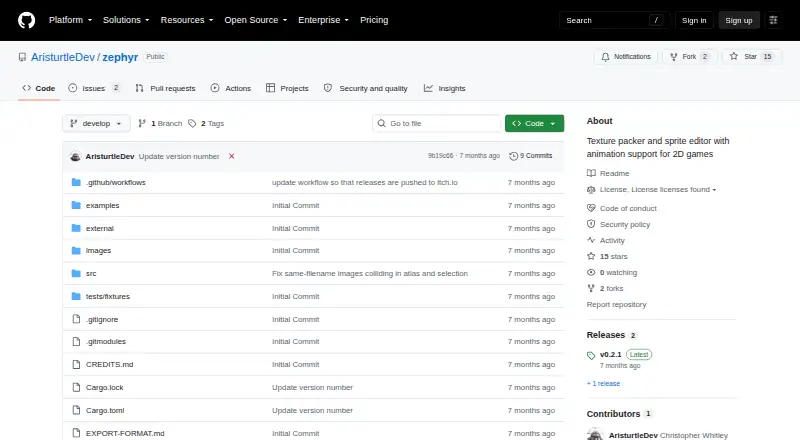
Zephyr is a free texture packer and sprite editor for 2D games, with animation support. It organizes sprites in a tree, packs them into an atlas, and lets users set pivots and editable rectangle, circle, or polygon hitboxes. Atlas packing offers Shelf and MaxRects algorithms, configurable padding, and a maximum texture size, with the preview updating in real time. Animations use a frame timeline with per-frame delays and can loop or play forward, in reverse, or ping-pong. Export creates a packed texture and JSON metadata containing sprite positions, pivots, hitboxes, and animation information. Projects are saved in one .zephyr file, but source images are referenced by relative paths and need to remain alongside it. Windows, macOS, and Linux archives are listed for version 0.2.1, including Windows and Linux ARM64 builds. The maker says users can extract the archive and run the executable without installation. The source code uses the MIT License; artwork and mascot rights are reserved separately.
Who it suits
Zephyr suits 2D game developers who need to pack sprite atlases, edit hitboxes, and define animations. It is also suitable for users who prefer a tool that runs from an extracted archive.
What it does well
- Free tool for sprite packing and editing
- Offers Shelf and MaxRects packing algorithms
- Supports editable rectangle, circle, and polygon hitboxes
- Exports atlas textures with JSON metadata
- Available for Windows, macOS, and Linux
What to know first
- Source images must stay alongside the project file
- Listed downloads are version 0.2.1
- Artwork and mascot rights are separately reserved
Plans
| Plan | Billed and limits | Price |
|---|---|---|
| Name your own price | downloadable tool · Windows and Linux listed under platforms · macOS binaries also listed for download | On request |
As github.com lists them, read 30 Sept 2026. The maker's own page has the final word.
Getting started
- Choose the Windows, macOS, or Linux archive for your platform.
- Extract the archive.
- Run the executable.
- Keep the source images alongside the .zephyr project file.
Verdict
Zephyr covers atlas packing, sprite hitboxes, animation setup, and metadata export for 2D game assets. Keep its relative-path requirement in mind when moving project files.
Questions
Is Zephyr free?
Yes. Its pricing model is free, and a free plan is listed.
Which platforms does it support?
Zephyr is listed for Windows, macOS, and Linux. Version 0.2.1 archives include Windows and Linux ARM64 builds.
What does Zephyr export?
It exports a packed atlas texture and JSON metadata containing sprite positions, pivots, hitboxes, and animations.
Is Zephyr open source?
Its source code is licensed under the MIT License. The artwork and mascot are separately reserved by the copyright holder.
How are projects and source images stored?
A project is saved as one .zephyr file. Source images are referenced by relative paths and need to remain alongside that file.
Facts from Zephyr's own pages
- Animation
- Animations use a frame timeline with per-frame delays and Forward, Reverse, or PingPong playback, and can loop. · github.com, 30 Sept 2026
- Atlas packing
- It offers Shelf and MaxRects packing algorithms, configurable padding, and a maximum texture size, with the atlas updating in real time. · github.com, 30 Sept 2026
- Downloads
- The download page lists Windows, macOS, and Linux archives for version 0.2.1, including Windows and Linux ARM64 builds. · aristurtledev.itch.io, 30 Sept 2026
- Export
- Export writes a packed atlas texture and JSON metadata containing sprite positions, pivot points, hitboxes, and animations. · github.com, 30 Sept 2026
- Installation
- The maker says to extract the platform archive and run the executable, with no installation required. · github.com, 30 Sept 2026
- Maker
- The project credits Christopher Whitley (AristurtleDev) as its copyright holder and Aristurtle as its itch.io author. · aristurtledev.itch.io, 30 Sept 2026
- Project files
- Projects are saved as one .zephyr file, while source images are referenced by paths relative to that file and need to remain alongside it. · github.com, 30 Sept 2026
- Purpose
- Zephyr is a texture packer and sprite editor with animation support for 2D games. · github.com, 30 Sept 2026
- Security
- The repository links a GitHub security policy, but the opened page does not provide security or compliance details. · github.com, 30 Sept 2026
- Source license
- The source code is licensed under the MIT License; the artwork and mascot are separately reserved by the copyright holder. · github.com, 30 Sept 2026
- Sprite hitboxes
- Sprites can have Rectangle, Circle, or Polygon hitboxes whose shapes and positions are editable with interactive handles. · github.com, 30 Sept 2026
- Sprite workflow
- It organizes sprites in a tree, packs them into an atlas, supports per-sprite pivots and hitboxes, defines animations, and exports a texture with JSON metadata. · github.com, 30 Sept 2026
Where Zephyr stands on Freedom251
- Test Management Software#22 of 48
- Game Animation Software#18 of 32