Freedom251 › Travel and Expense Management Software
Zeno
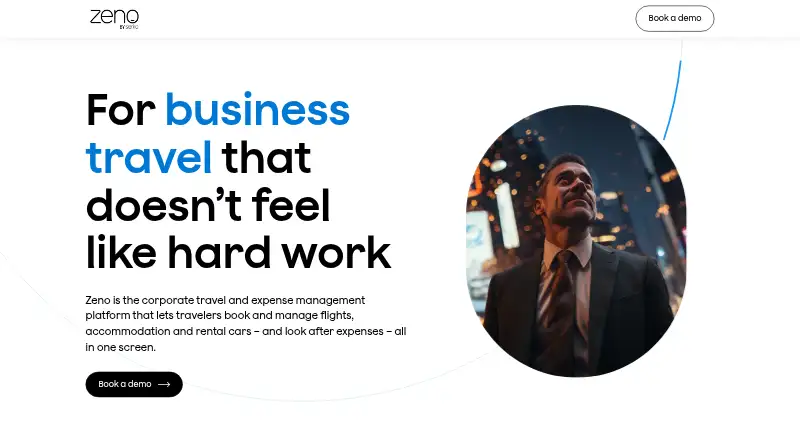
What Zeno is
Zeno is a corporate travel and expense platform for booking and managing flights, accommodation, rental cars, and expenses in one interface. Flight options combine NDC, GDS, direct API connections, and regional carriers; accommodation options include GDS, Booking.com, Expedia, and other providers. Companies can set travel policies, budgets, negotiated rates, preferred suppliers, and approval rules, including multi-level approvals by email or in the app. For expense work, Zeno can extract receipt details, match receipts with credit card transactions, and reconcile unmatched receipts with expense items. Reporting tools support budget management, potential fraud identification, and tax compliance work. Its Android and iOS mobile app supports trip search and booking, itinerary viewing, receipt capture and submission, and claim approvals. Zeno is intended for larger companies and is sold and serviced through Serko’s international travel management company partner network. Pricing is available on request. A group booking can include up to nine travelers, and airport transfers are listed only in Australia and New Zealand.
Who it suits
Zeno is aimed at larger companies managing employee travel and expenses through a travel management company. Its policy controls, approvals, receipt workflows, and reporting are relevant to travel and finance teams.
What it does well
- Combines travel booking and expenses in one interface
- Supports configurable policies, budgets, and approval rules
- Can match receipts to card transactions
- Mobile app supports booking, receipt capture, and approvals
What to know first
- Pricing is available on request
- Group bookings are limited to nine travelers
- Airport transfers are listed only in Australia and New Zealand
- Changes and cancellations are not available in all regions
Limits
A single group booking can include up to nine travelers. Airport transfers are listed only in Australia and New Zealand; changes and cancellations depend on supplier and fare conditions, require a travel management company, and are not available in all regions.
Getting started
- Contact a travel management company in Serko’s network to access Zeno.
- Ask the travel management company about pricing and service availability.
- Configure company travel policies, budgets, preferred suppliers and approval rules.
- Import employee profile and cost-center data from supported enterprise systems.
- Use the web service or Android and iOS app to search, book and manage trips.
Verdict
Zeno combines corporate booking controls with receipt processing and expense reporting. Its availability and support flow through travel management company partners, and some services vary by region or supplier.
Questions
How much does Zeno cost?
Pricing is available on request.
Which platforms does Zeno support?
Zeno is available on Android, iOS and the web.
Who is Zeno for?
It is intended for larger companies and is sold and serviced through Serko’s network of travel management company partners.
Can Zeno manage expenses as well as travel?
Yes. It supports receipt capture, expense reporting, receipt matching and reconciliation, and claim approvals.
Which travel booking options does Zeno include?
Flight content includes NDC, GDS, direct API connections and regional carriers. Accommodation options include GDS, Booking.com, Expedia and other providers.
What booking limits and regional restrictions apply?
A single group booking can include up to nine travelers. Airport transfers are listed only in Australia and New Zealand.
Facts from Zeno's own pages
- Approvals
- Zeno supports multi-level approvals, including approvals by email or in the Zeno app. · serko.com, 5 Oct 2026
- Availability
- Zeno travel management software is available through its network of travel management companies. · zeno.com, 5 Oct 2026
- Booking options
- Zeno combines flight content from NDC, GDS, direct API connections, and regional carriers with hotel options from GDS, Booking.com, Expedia, and other providers. · serko.com, 5 Oct 2026
- Changes and cancellations
- Changes and cancellations depend on supplier and fare conditions, are only available through a travel management company, and are not available in all regions. · serko.com, 5 Oct 2026
- Company
- Zeno is powered by Serko, which says it has developed business travel and expense tools since 2007. · serko, 5 Oct 2026
- Expense automation
- Zeno can extract receipt details, match receipts to credit card transactions, and reconcile unmatched receipts with expense items. · serko.com, 5 Oct 2026
- Founded
- 2007 · zeno.com, 28 Sept 2026
- Headquarters
- Auckland, New Zealand · zeno.com, 28 Sept 2026
- Integrations
- The feature listing names Travelfusion and Sabre for NDC flight content, Booking.com and Expedia for accommodation, and supported enterprise systems for profile and cost-center data imports and exports. · serko.com, 5 Oct 2026
- Integration support
- Zeno supports single sign-on and can import employee data from supported enterprise systems and export itinerary and trip cost details to supported third-party systems. · serko.com, 5 Oct 2026
- Intended customers
- Zeno is for larger companies and is sold and serviced through Serko’s international network of travel management company partners. · serko.com, 5 Oct 2026
- Maker
- Zeno is powered by Serko, which says it has been developing business travel and expense management tools since 2007. · serko.com, 5 Oct 2026
- Mobile app
- The Zeno mobile app supports trip search and booking, itinerary viewing, expense receipt capture and submission, and claim approvals. · serko.com, 5 Oct 2026
- Policy controls
- Companies can configure travel policies, budgets, negotiated rates, preferred suppliers, and approval rules for travelers. · serko.com, 5 Oct 2026
- Product
- Zeno is a corporate travel and expense management platform for booking and managing flights, accommodation, rental cars, and expenses in one screen. · zeno.com, 5 Oct 2026
- Reporting
- Expense analysis tools and detailed reporting help managers and finance teams manage budgets, identify potential fraud, and support tax compliance. · serko.com, 5 Oct 2026
- Scale
- Serko says its platforms are used by corporate customers and travel management companies in 180 countries. · serko.com, 5 Oct 2026
- Security
- Serko says it has put technical and organizational security measures and procedures in place to protect personal information from unauthorized use, access, alteration, or disclosure. · serko.com, 5 Oct 2026
- Support
- For urgent travel support, including ticketing changes or disruptions, Zeno directs customers to contact their travel management company directly. · serko.com, 5 Oct 2026
- Travel limits
- A single group booking can include up to nine travelers, and airport transfers are listed as available only in Australia and New Zealand. · serko.com, 5 Oct 2026
- Travel options
- Zeno combines flight content from GDS, NDC, and direct API connections, plus accommodation from GDS, Booking.com, Expedia, and other providers. · serko.com, 5 Oct 2026