Zathura
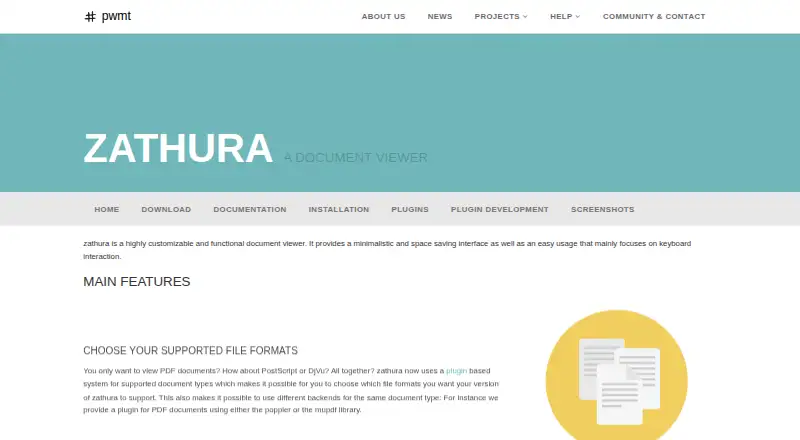
What Zathura is
Zathura is a customizable document viewer for Linux and macOS, built around keyboard use and a compact interface. A plugin system opens formats such as PDF, DjVu, PostScript, and comic books; PDF rendering can use Poppler or MuPDF backends. The formats available depend on installed plugins. Keyboard shortcuts cover navigation, scrolling, zooming, searching, and following document links, with mouse controls available as well. Readers can save persistent bookmarks and letter or number quickmarks to return to pages. Zathura notices changes to an open file and reloads it, while a plain-text configuration file allows settings and shortcuts to be changed.
The viewer supports annotations, printing, image and attachment export, encrypted documents, and document metadata display. Forward and backward SyncTeX synchronization links source documents with typeset output, and documentation describes integrations with Sublime Text LaTeXTools and Atom LaTeX. Zathura works offline. It is free and open-source software, priced at $0. The project lists packages or ports for multiple Linux distributions, OpenBSD, MacPorts, and Source Mage.
Who it suits
Zathura suits readers who want a keyboard-focused document viewer on Linux or macOS and need configurable controls. It is also a fit for LaTeX users who want SyncTeX synchronization and the documented editor integrations.
What it does well
- Keyboard shortcuts cover navigation, search, zoom, and document links.
- Plugins support PDF, DjVu, PostScript, and comic book formats.
- Persistent bookmarks and quickmarks help return to pages.
- SyncTeX supports forward and backward synchronization.
- Works offline and supports annotation.
What to know first
- Available document formats depend on installed plugins.
- OCR support is none.
- Platforms are limited to Linux and macOS.
Plans
| Plan | Billed and limits | Price |
|---|---|---|
| Free and open-source software | Free and open source software · document formats depend on installed plugins | Free |
As pwmt.org lists them, read 9 Oct 2026. The maker's own page has the final word.
Getting started
- Visit the Zathura project website.
- Choose an installation package or port for a supported distribution or platform.
- Install the plugins needed for the document formats you want to open.
- Configure settings or remap shortcuts in the plain-text configuration file.
Verdict
Choose Zathura for a free, offline document viewer with keyboard controls, plugin-based formats, and SyncTeX. Look elsewhere if you need OCR or a platform beyond Linux and macOS.
Questions
How much does Zathura cost?
The free and open-source plan is free.
Which platforms does it support?
Zathura supports Linux and macOS.
Which document formats can it open?
Its plugin system supports PDF, DjVu, PostScript, and comic books. Available formats depend on installed plugins.
Does Zathura work offline?
Yes, offline access is supported.
Does it support OCR?
No. OCR support is listed as none.
Which editor integrations are described?
Documentation describes SyncTeX integrations for Sublime Text LaTeXTools and Atom LaTeX.
Facts from Zathura's own pages
- Annotation tools
- Yes · pwmt.org, 24 Sept 2026
- Bookmarks
- It supports persistent bookmarks and letter or number quickmarks for returning to pages. · pwmt.org, 9 Oct 2026
- Current release
- The project page lists version 2026.10.4 as the latest release. · pwmt.org, 9 Oct 2026
- Customization
- A plain-text configuration file can change settings and remap keyboard shortcuts. · pwmt.org, 9 Oct 2026
- Distribution
- The installation page lists packages or ports for Arch Linux, Debian, Fedora, Gentoo, Ubuntu, openSUSE, OpenBSD, MacPorts, and Source Mage. · pwmt.org, 9 Oct 2026
- Document tools
- The viewer can print documents, export images and attachments, open encrypted documents, and display document metadata. · pwmt.org, 9 Oct 2026
- File formats
- A plugin system supports document formats including PDF, DjVu, PostScript, and comic books, with Poppler or MuPDF PDF backends. · pwmt.org, 9 Oct 2026
- Free plan
- Yes · pwmt.org, 24 Sept 2026
- Integrations
- The documentation describes editor integration for SyncTeX, including Sublime Text LaTeXTools and Atom LaTeX, and the project site says Zathura supports tabbed. · pwmt.org, 9 Oct 2026
- Navigation
- Users can navigate, scroll, zoom, search, and follow document links with keyboard shortcuts; mouse controls are also available. · pwmt.org, 9 Oct 2026
- OCR support
- none · pwmt.org, 24 Sept 2026
- Offline access
- Yes · pwmt.org, 24 Sept 2026
- Platform support
- cross-platform · pwmt.org, 24 Sept 2026
- Product
- Zathura is a customizable document viewer with a minimal, space-saving interface focused on keyboard interaction. · pwmt.org, 9 Oct 2026
- Reloading
- Zathura detects changes to the open file and reloads the document automatically. · pwmt.org, 9 Oct 2026
- Security
- The installation page lists libseccomp as an optional dependency for sandbox support. · pwmt.org, 9 Oct 2026
- Support
- The project directs users to its bug tracker, localization page, and contact page for help. · pwmt.org, 9 Oct 2026
- SyncTeX
- Zathura supports forward and backward SyncTeX synchronization between source documents and typeset output. · pwmt.org, 9 Oct 2026
Where Zathura stands on Freedom251
- PDF Readers#20 of 24