Freedom251 › RCS Business Messaging Software
Yup Chat RCS API
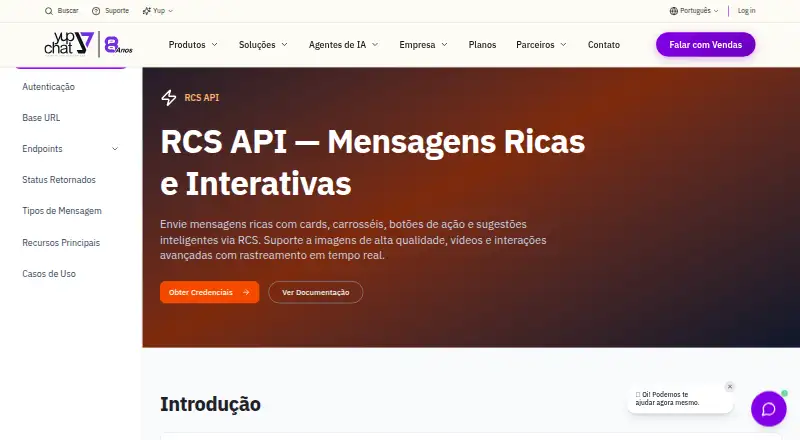
What Yup Chat RCS API is
Yup Chat RCS API creates one or more RCS agents in a single request. It accepts conversational and non-conversational agents for transactional, promotional, and OTP uses. Profiles can define names, descriptions, interaction details, colors, logos, banners, preview images, phone numbers, email addresses, websites, privacy policies, and terms. The create-agent endpoint accepts JSON authenticated with an x-api-key header, while brand-owner details support approval or authorization. RCS messages can include images, videos, GIFs, carousels, and buttons for replies, links, calls, and locations. Businesses can show a verified sender name and logo, view delivery, read, and interaction analytics, and use SMS fallback for unsupported devices. Communications are encrypted in transit. APIs connect with CRM, ERP, and automation systems. Listed devices include Android 5.0+ with Google Messages and iPhones running iOS 18.1+. A web form also supports agent setup.
Who it suits
It suits businesses and developers creating RCS messaging agents through an API or web form. Supported uses include transactional, promotional, and OTP communications.
What it does well
- Creates multiple agents in one request
- Supports rich media and carousels
- Provides delivery and read analytics
- Offers SMS fallback
- Integrates with CRM and ERP systems
What to know first
- No free plan
- Image URLs must use HTTPS
- Display names are limited to 40 characters
- Descriptions are limited to 100 characters
Limits
The web form allows up to two agent types, a display name of 40 characters, and a description of 100 characters. Supported device versions listed are Android 5.0+ with Google Messages and iOS 18.1+ on iPhones.
Getting started
- Choose the API or web-form access route
- For the API, prepare a JSON request with an x-api-key header
- Enter required display name, description, and interaction details
- Add category, appearance, contact, and brand-owner information
- Use HTTPS PNG or JPEG URLs for logo, banner, and preview images
- Connect the API with CRM, ERP, or automation systems
Verdict
Yup Chat RCS API provides programmable agent creation, rich messaging, verification details, analytics, and device fallback. It is a paid, web-and-API service with security and integration information published by Yup Chat.
Questions
Is there a free plan?
No. Yup Chat RCS API is offered as a paid service.
How is the create-agent endpoint authenticated?
It accepts JSON requests authenticated with an x-api-key header.
What message formats are supported?
RCS messages can include images, videos, GIFs, carousels, and clickable actions for replies, links, calls, and locations.
What happens when a device lacks RCS support?
The message is automatically sent as SMS.
Which devices are listed as supported?
Android 5.0+ with Google Messages and iPhones with iOS 18.1+ are listed.
Can it connect to business systems?
Yes. APIs are described for CRM, ERP, and existing automation systems.
Facts from Yup Chat RCS API's own pages
- Agent creation fields
- The API documentation says agent display name, description, and interactions description are required; partner fields and CNPJ document fields are optional. · rcs.yup.chat, 3 Oct 2026
- Agent limits
- The web form says an agent can have up to two types, and limits the display name to 40 characters and description to 100 characters. · rcs.yup.chat, 2 Oct 2026
- Agent profile
- The API can set an agent’s display name, description, interaction details, color, logo, banner, and preview image. · rcs.yup.chat, 2 Oct 2026
- Agent types
- The API accepts conversational and non-conversational agent types. · rcs.yup.chat, 2 Oct 2026
- Analytics
- The RCS page says analytics track deliveries, reads, and interactions in real time. · yup.chat, 3 Oct 2026
- Authentication
- The agent creation endpoint uses an x-api-key header and accepts JSON requests. · rcs.yup.chat, 3 Oct 2026
- Brand verification
- The API includes brand-owner contact fields used for agent approval or authorization; partner details are optional. · rcs.yup.chat, 2 Oct 2026
- Company founded
- Yup Chat's About page says it began in 2018. · yup.chat, 3 Oct 2026
- Company history
- Yup Chat says it was founded in 2018. · yup.chat, 2 Oct 2026
- Contact details
- Agent profile fields include a phone number, email, website, privacy policy, and terms of service. · rcs.yup.chat, 2 Oct 2026
- Device support
- The RCS page lists Android 5.0+ with Google Messages and iPhones with iOS 18.1+ as supported devices. · yup.chat, 3 Oct 2026
- Fallback
- If a device does not support RCS, the page says the message is automatically sent as SMS. · yup.chat, 3 Oct 2026
- Headquarters
- Yup Chat lists its headquarters at Av. Padre Anchieta, 2111, Peruíbe, São Paulo, Brazil. · yup.chat, 3 Oct 2026
- Image requirements
- Logo, banner, and preview image URLs must use HTTPS and return PNG or JPEG images; the logo recommendation is 224×224 pixels and up to 50 KB. · rcs.yup.chat, 2 Oct 2026
- Integrations
- The RCS page describes APIs for integration with CRM, ERP, and existing automation systems. · yup.chat, 3 Oct 2026
- Pricing
- The opened official plans page lists monthly plans in Brazilian reais, but does not identify them as RCS API-specific plans. · yup.chat, 3 Oct 2026
- Product purpose
- The RCS API creates one or more combinations of RCS agents in a single request. · rcs.yup.chat, 3 Oct 2026
- Purpose
- Yup Chat’s RCS API creates one or more RCS agents in a single request. · rcs.yup.chat, 2 Oct 2026
- RCS capabilities
- Yup Chat describes RCS messages with images, videos, GIFs, carousels, and clickable buttons for replies, links, calls, and location. · yup.chat, 3 Oct 2026
- Security
- The RCS page states that communications are encrypted in transit. · yup.chat, 3 Oct 2026
- Security information
- Yup Chat’s security information portal lists documents including its information-security policy, information classification, and identity and access management. · psi.yup.chat, 2 Oct 2026
- Setup options
- The maker offers a web form for creating RCS agents, with fields for agent category, appearance, contact details, and brand information. · rcs.yup.chat, 2 Oct 2026
- Support
- The company lists contact by email at [email protected] and office hours of Monday to Friday, 9:00 to 18:00. · yup.chat, 2 Oct 2026
- Use cases
- Supported agent categories are transactional, promotional, and OTP. · rcs.yup.chat, 2 Oct 2026
Where Yup Chat RCS API stands on Freedom251
- RCS Business Messaging Software#27 of 29