YouCam Online Editor
What YouCam Online Editor is
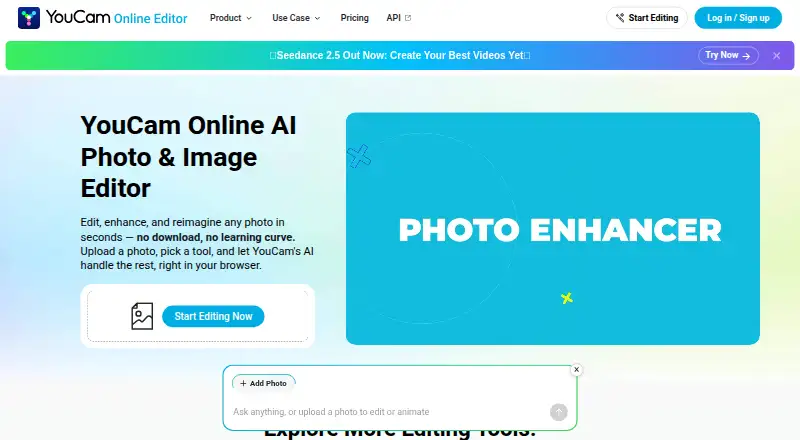
YouCam Online Editor is a browser-based editor for enhancing and generating images and videos with AI. Its Photo Enhancer can sharpen blurry or grainy photos, upscale images to 4K, and process up to 50 photos at once. Magic Eraser removes an unwanted object selected with a brush and reconstructs the area behind it. The editor also generates videos from photos, enhances video with 4K upscaling, and provides virtual hairstyle and outfit try-on tools.
New users get 5 free credits, and some tools are available without a paid plan. Advanced tools may require credits or a membership. The listed plans include Free at $0.00 per free, Plus monthly at $9.99 per month, Plus annual at $39.99 per year, and Pro yearly at $69.99 per year. Plus includes 100 credits per month; Pro includes 300 credits per month and permits commercial use of output. Subscription credits remain usable for 60 days while the subscription is active. The editor accepts JPG and PNG photos and common video formats, with upload limits shown in each tool. It is accessed through a web browser. The maker is YouCam Online Editor, founded in 2015 and headquartered in New Taipei City, Taiwan.
Who it suits
It suits people who want browser-based AI tools for photo enhancement, object removal, video generation, or virtual hairstyle and outfit previews. Users who need commercial use of output should consider the Pro plan.
What it does well
- Enhances up to 50 photos at once.
- Photo and video upscaling reaches 4K.
- Includes object removal with background reconstruction.
- Offers hairstyle and outfit try-on tools.
- New users receive 5 free credits.
What to know first
- Advanced tools use credits or a membership plan.
- Commercial use of output is limited to Pro subscribers.
- The editor is accessed through a web browser; no mobile app is listed.
Limits
The Free plan provides 5 credits for new users, and some advanced tools require credits or a membership. Plus credits are usable for 60 days while the subscription remains active; pay-as-you-go credits expire after one year. Commercial use of output is permitted for Pro subscribers, while pay-as-you-go credits do not permit it unless stated otherwise.
Plans
| Plan | Billed and limits | Price |
|---|---|---|
| Plus | monthly subscription · 100 credits | $9.99 a month |
| Pro | annual subscription · 300 credits | $69.99 a year |
| Free | 5 free credits for new users · no credit card required · some advanced tools use credits or membership | Free |
| Plus annual | annually · 100 credits per month · credits usable for 60 days while subscription remains active | $39.99 a year |
| Pro yearly | annually · 300 credits per month · commercial use permitted | $69.99 a year |
| Plus monthly | monthly · 100 credits per month · credits usable for 60 days while subscription remains active | $9.99 a month |
As yce.perfectcorp.com lists them, read 22 Sept 2026. The maker's own page has the final word.
Getting started
- Open the YouCam Online Editor website in a web browser.
- Create an account to receive 5 free credits; no credit card is required for the Free plan.
- Choose a photo or video tool and upload a supported file.
- Check the tool for its upload limit and available free or credit-based options.
- Choose a Plus or Pro subscription if its credit allowance or commercial-use terms fit your needs.
Overview
YouCam Online Editor is a browser-based tool for AI photo editing, enhancement and generation, with video features and virtual try-ons. It is a strong fit for people who want several kinds of image work in one browser workflow, particularly batch enhancement. Its credit system and Pro-only commercial rights are important constraints for regular or business use.
Key features
Photo Enhancer sharpens blurry or grainy photos, can upscale images to 4K and processes up to 50 photos at once. That batch capacity is useful for cleaning up a collection rather than editing images one by one; occasional users may find the credit model a less comfortable fit. Magic Eraser removes an unwanted object brushed over in a photo and reconstructs the background, a practical option for targeted cleanup.
AI video tools generate videos from photos and enhance video with 4K upscaling. Virtual hairstyle and outfit try-ons add a different use case: exploring looks as well as improving existing images. The range is broader than a single-purpose enhancer, but some advanced features require credits or membership.
The editor accepts JPG and PNG photos and common video formats, with upload limits varying by tool. Uploaded content is not used to train AI models without consent; files are securely processed and automatically deleted after a short period. Users can log in and chat with the support chatbot. Plus, Pro and credit purchases do not include API access.
Pricing
The Free plan costs nothing. New users receive 5 credits, no credit card is required, and some features are free; advanced tools may require credits or membership. It is a low-commitment way to try the editor, but the small initial allowance limits how much paid-style editing a user can do without upgrading.
Plus monthly costs $9.99 a month, billed monthly, and includes 100 credits per month. Plus annual costs $39.99 a year, billed annually, and also includes 100 credits per month. Both plans let credits remain usable for 60 days while the subscription is active. The annual option suits users who expect to return regularly and prefer annual billing; the monthly option avoids committing to a year.
Pro yearly costs $69.99 a year, billed annually, and includes 300 credits per month. It is the relevant choice for users who need commercial rights to their output, which are permitted for Pro subscribers. Pay-as-you-go credits are not for commercial use unless stated otherwise, and expire after one year; subscription credits expire after 60 days if the subscription is active. Payment methods include credit or debit cards, PayPal and Apple Pay, with options varying by region.
Platforms
YouCam Online Editor runs in a web browser. Although Android and iOS appear among its supported platforms, it has no mobile app, so phone users should expect to access it through a browser rather than a dedicated app.
Who it's for
Choose it if you want browser-based photo enhancement, object removal, video tools and virtual try-ons in the same editor, or need to process batches of photos. It is less suitable for business users who need commercial rights on a limited budget, people who want a dedicated mobile app, or developers seeking API access through a consumer plan or credit purchase.
Pros and cons
- Pros: Batch enhancement handles up to 50 photos at once, and the Photo Enhancer supports 4K upscaling.
- Pros: Photo editing is complemented by AI video generation and enhancement, object removal, and hairstyle and outfit try-ons.
- Pros: New users can start with 5 free credits without providing a credit card.
- Cons: Commercial use is permitted only for Pro subscribers; pay-as-you-go credits do not grant it unless stated otherwise.
- Cons: Subscription credits expire after 60 days, even though the subscription remains active.
- Cons: There is no mobile app, and Plus, Pro and credit purchases do not provide API access.
Alternatives
Browse AI Photo Editors if you want to compare this tool with other editors in the category.
Consider PhotoBoost if its free tier's 2 introductory credits and cloud output up to 3 MP better suit a small number of basic edits. PhotoKit Background Remover is a more focused alternative if removing backgrounds is the main task; its free plan has limited image downloads, and its VIP plan excludes API and batch cutout.
PixiFixi offers a free Starter plan with welcome credits and no card or commitment, while Quick Edits costs $2.99 a month; it may suit users comparing lower-cost entry options. Airbrush has a free tier with limited access to several tools and a 512M upload limit, so it is worth considering if that set of constraints fits your editing needs.
PhotoPad offers a freemium editor with annual Pro and Home editions, making it an alternative for users weighing edition-based plans. Photopea has a free editor account and a school ad-free plan, which may fit school-wide use. BeautyPlus offers limited AI features free and a Pro plan with monthly credits, video enhancement and object removal, for users comparing another AI-focused editor. inPixio Photo Studio has an annual Photo Studio 12 plan with crop, adjustments, vignetting, LUTs, frames and textures; consider it if those editing controls are the priority.
Verdict
YouCam Online Editor is best for users who want a broad set of AI photo and video tools in a browser, especially batch enhancement and try-ons. Its breadth and 4K options are the main reasons to choose it; the small free credit allowance, expiring subscription credits and Pro-only commercial rights are good reasons to look elsewhere if those terms do not fit.
Verdict
Choose YouCam Online Editor for its mix of photo enhancement, object removal, video tools, and virtual try-ons in a browser. Look elsewhere if you need commercial output rights without the Pro plan or prefer a mobile app.
Questions
Is YouCam Online Editor free?
Yes. The Free plan costs $0.00 per free and gives new users 5 credits. Some features are free, while advanced tools use credits or a membership.
What are the paid plan prices?
Plus monthly costs $9.99 per month, Plus annual costs $39.99 per year, and Pro yearly costs $69.99 per year.
Which platforms can I use it on?
The editor runs in a web browser. The listed platforms are Android, iOS, Linux, macOS, web, and Windows; a mobile app is listed as unavailable.
Can I use the output commercially?
Commercial use of output is permitted for Pro subscribers. Pay-as-you-go credits do not permit commercial use unless stated otherwise.
What file types does it accept?
It accepts JPG and PNG photos and common video formats. Upload limits are shown within each tool.
Does a subscription include API access?
Plus, Pro, and credit purchases do not provide API access. API units are used for API calls.
Facts from YouCam Online Editor's own pages
- API distinction
- The FAQ says Plus, Pro, and credit purchases do not provide API access; API units are used for API calls. · yce.perfectcorp.com, 8 Oct 2026
- Batch editing
- Yes · perfectcorp.com, 22 Sept 2026
- Commercial use
- The product terms say commercial use of output content is allowed only for Pro subscribers; pay-as-you-go credits are not for commercial use unless stated otherwise. · perfectcorp.com, 8 Oct 2026
- Credit expiration
- Subscription credits remain usable for 60 days while the subscription is active, while pay-as-you-go credits expire after one year. · yce.perfectcorp.com, 8 Oct 2026
- File formats
- The FAQ states that the editor accepts JPG and PNG photos and common video formats, with upload limits shown in each tool. · yce.perfectcorp.com, 8 Oct 2026
- Founded
- 2015 · yce.perfectcorp.com, 28 Sept 2026
- Free credits
- New users receive 5 free credits, and some features are available free while advanced tools use credits or a membership plan. · yce.perfectcorp.com, 8 Oct 2026
- Free plan
- Yes · perfectcorp.com, 22 Sept 2026
- Generative editing
- Yes · perfectcorp.com, 22 Sept 2026
- Mobile app
- No · perfectcorp.com, 22 Sept 2026
- Object removal
- Its Magic Eraser removes unwanted objects by brushing over them and reconstructs the background. · yce.perfectcorp.com, 8 Oct 2026
- Payments
- The FAQ lists credit or debit cards, PayPal, and Apple Pay among supported payment methods, with available options varying by region. · yce.perfectcorp.com, 8 Oct 2026
- Photo enhancement
- Its Photo Enhancer sharpens blurry or grainy photos, can upscale to 4K, and supports enhancing up to 50 photos at once. · yce.perfectcorp.com, 8 Oct 2026
- Platforms
- The editor runs in a browser on Windows, Mac, and Linux, and the page also describes use on a mobile tablet. · yce.perfectcorp.com, 8 Oct 2026
- Privacy
- The FAQ says uploaded content is not used to train AI models without consent and files are securely processed and automatically deleted after a short period. · yce.perfectcorp.com, 8 Oct 2026
- Purpose
- YouCam Online Editor edits, enhances, and generates images using AI in a browser. · yce.perfectcorp.com, 8 Oct 2026
- Paid from
- 9.99 · perfectcorp.com, 22 Sept 2026
- Support
- Users can log in, open Support, and chat with the support chatbot. · yce.perfectcorp.com, 8 Oct 2026
- Supported platforms
- web browser · perfectcorp.com, 22 Sept 2026
- Try-on tools
- The editor includes virtual hairstyle and outfit try-on features. · yce.perfectcorp.com, 8 Oct 2026
- Video tools
- The editor offers AI video generation from photos and AI video enhancement with 4K upscaling. · yce.perfectcorp.com, 8 Oct 2026
Where YouCam Online Editor stands on Freedom251
- Photo editors#16 of 96
- AI Photo Editors#57 of 96