Freedom251 › AI Browser Agents
Yad
What Yad is
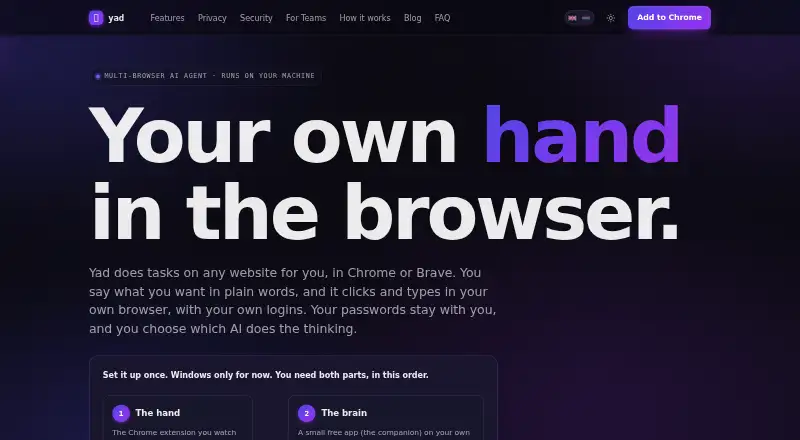
Yad turns plain-language instructions into actions in websites open in your logged-in browser. It can click, type, navigate, fill forms, and handle research tasks, with human approval steps and scheduled tasks available. The extension works in Chrome and Brave and requires a free companion app that the maker says currently runs on Windows. You can provide an AI provider key or use a local model; listed options include Groq, Google Gemini, OpenRouter, and custom endpoints. Yad saves selectors, earlier runs, and learned fixes on your device for later tasks. Its companion also exposes a local API that accepts a goal at POST localhost:3747/goal.
The maker says passwords, card numbers, and sensitive page fields are masked before content reaches an AI. With a local model, page content stays on your computer. The companion encrypts the AI key with Windows DPAPI for the user’s Windows account, while the extension stores only the encrypted blob. Users can set a daily AI-call spending cap and stop calls with one click. Payment and checkout pages are blocked from autonomous action. Yad was built by Abdellah Ouadoudi; the maker says it is not SOC 2 or ISO 27001 certified. Its Free plan costs nothing and supports a supplied AI key or local model. Hosted team setups are arranged by contacting Yad.
Who it suits
Yad suits people who want to automate browser tasks in their own logged-in sessions, including form filling and research. It also fits users who can run a Windows companion app and want to bring an AI key or use a local model.
What it does well
- Works in logged-in browser sessions.
- Supports form filling and research tasks.
- Offers human approval steps and scheduled tasks.
- Stores task selectors and learned fixes on the device.
- Provides a local API for submitting goals.
- Includes a daily AI-call spending cap.
What to know first
- The companion app currently runs only on Windows.
- Hosted runs cannot use personal logged-in sessions.
- Hosted setups require contacting Yad; there is no self-serve signup.
- The maker says Yad is not SOC 2 or ISO 27001 certified.
Limits
The Free plan requires a supplied AI key or a local model. The companion app currently runs on Windows; hosted runs cannot use a personal logged-in session and hosted setups have no self-serve signup.
Plans
| Plan | Billed and limits | Price |
|---|---|---|
| Free | Free; bring your own AI key or use a local model · Chrome extension and Windows companion · hosted team setups are arranged by contacting Yad | Free |
As yadagent.com lists them, read 3 Oct 2026. The maker's own page has the final word.
Getting started
- Visit https://yadagent.com/yad.
- Choose the Free plan at no cost.
- Install the Chrome or Brave extension.
- Install the free Windows companion app.
- Bring an AI provider key or use a local model.
- Submit a task in plain language, or send a goal to the local API at POST localhost:3747/goal.
Verdict
Choose Yad if you want browser automation in your own logged-in session, with local task memory and options for a supplied AI key or local model. Look elsewhere if you need hosted tasks to use your personal session or require SOC 2 or ISO 27001 certification.
Questions
Is Yad free?
Yes. The Free plan is priced at $0. You can bring an AI provider key or use a local model.
Which browsers and platforms does Yad support?
The extension works in Chrome and Brave. Yad also requires a companion app that currently runs on Windows.
Can Yad use a local model?
Yes. The maker says local-model use keeps page content on the computer.
What AI providers are listed?
The security page lists Groq, Google Gemini, OpenRouter, and custom endpoints.
Can hosted Yad runs use my logged-in browser session?
No. Hosted runs cannot use a personal logged-in session; tasks that need it must run locally. Hosted setups are arranged by contacting Yad.
Who built Yad?
The product page says Yad was built by Abdellah Ouadoudi.
Facts from Yad's own pages
- AI options
- You can bring an AI provider key or use a local model; the security page lists Groq, Google Gemini, OpenRouter, and custom endpoints as options. · yadagent.com, 3 Oct 2026
- Automation API
- The companion exposes a local API that accepts a goal at POST localhost:3747/goal. · yadagent.com, 3 Oct 2026
- Browsers
- The extension works in Chrome and Brave. · yadagent.com, 3 Oct 2026
- Certification
- The maker states that Yad is not SOC 2 or ISO 27001 certified. · yadagent.com, 3 Oct 2026
- Hosted limits
- Hosted runs cannot use a user's personal logged-in session; tasks requiring that session must run locally, and hosted setups have no self-serve signup. · yadagent.com, 3 Oct 2026
- Key security
- The companion encrypts the AI key with Windows DPAPI, scoped to the user's Windows account; the extension stores only the encrypted blob. · yadagent.com, 3 Oct 2026
- Local companion
- Yad requires a free companion app that runs on your computer, and the maker says it is currently Windows only. · yadagent.com, 3 Oct 2026
- Maker
- The product page says Yad was built by Abdellah Ouadoudi. · yadagent.com, 3 Oct 2026
- Privacy
- The maker says passwords, card numbers, and sensitive page fields are masked before content reaches an AI, and local-model use keeps page content on the computer. · yadagent.com, 3 Oct 2026
- Spending and actions
- Users can set a daily AI-call spending cap and stop calls with one click, while payment and checkout pages are blocked from autonomous action. · yadagent.com, 3 Oct 2026
- Task memory
- Yad stores selectors, past runs, and learned fixes on your device so it can reuse them on later tasks. · yadagent.com, 3 Oct 2026
- Teams
- The maker offers hosted setups for repeatable jobs using public data or credentials provided for that job, with setup arranged by contacting the team. · yadagent.com, 3 Oct 2026
- What it does
- Yad takes plain-language instructions and clicks, types, and navigates websites in your own logged-in browser. · yadagent.com, 3 Oct 2026
Where Yad stands on Freedom251
- AI Browser Agents#20 of 22