Freedom251 › Remote desktop software
Xtralogic RDP Client for Chrome
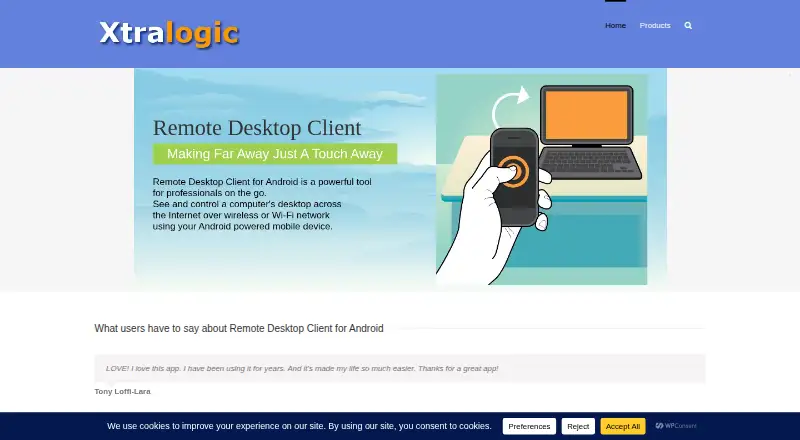
What Xtralogic RDP Client for Chrome is
Xtralogic RDP Client for Chrome connects Chrome OS computers over the Internet to Windows computers through Microsoft Remote Desktop Protocol. During a session, users can view the remote screen and operate it with a mouse and keyboard. The client supports Microsoft Remote Desktop Gateway, Microsoft RemoteApp, and Microsoft Azure Virtual Desktop. It provides file transfer and redirection for USB devices, cameras, printers, audio, filesystems, and smart cards. Multiple monitors, custom resolutions, and text copy and paste between client and server are supported. Version 4.x is an Isolated Web App installable with Chrome flags or through Google Workspace Admin, while managed devices can use kiosk mode and centralized configuration. File transfer in version 4+ requires the Xtralogic File System Provider extension. There is no free plan; an individual installation starts a 30-day trial. Listed volume licenses cost $14.99 a year for 5–99 users, 13.49 USD for 100–999, and 11.99 USD for 1,000 or more.
Who it suits
It suits Chrome OS users who need remote access to Windows computers, including organizations managing Chrome OS devices. It also fits deployments requiring gateways, RemoteApp, Azure Virtual Desktop, or peripheral redirection.
What it does well
- Supports Microsoft Remote Desktop Gateway
- Works with Azure Virtual Desktop
- Multiple-monitor and custom-resolution support
- Peripheral and filesystem redirection
- Kiosk and centralized configuration options
What to know first
- No free plan
- File transfer needs a separate extension
- Version 4.x requires local network permission
- Volume licenses exclude individual Gmail accounts
Plans
| Plan | Billed and limits | Price |
|---|---|---|
| Volume license: 5–99 users | 5–99 users | On request |
| Volume license: 100–999 users | 100–999 users | On request |
| Volume license: 1,000+ users | 1,000 or more users | On request |
| Volume license (1000 and more users) | $11.99 per user per year · Licensed by email domain · Cannot be used with individual @gmail.com accounts | $11.99 a year |
| Volume license (100–999 users) | $13.49 per user per year · Licensed by email domain · Cannot be used with individual @gmail.com accounts | $13.49 a year |
| Volume license (5–99 users) | $14.99 per user per year · Minimum 5 users · Licensed by email domain · Cannot be used with individual @gmail.com accounts | $14.99 a year |
| Individual license | $29.99 for a 1-year subscription · Requires a Chromebook login with the Google account specified in the order | $29.99 a year |
As xtralogic.com lists them, read 20 Sept 2026. The maker's own page has the final word.
Verdict
This client provides broad RDP connectivity and redirection features for Chrome OS. Licensing is paid after the 30-day individual trial, and some capabilities require extra permissions or an extension.
Facts from Xtralogic RDP Client for Chrome's own pages
- Azure integration
- The client supports connectivity to Microsoft Azure Virtual Desktop. · xtralogic.com, 12 Oct 2026
- Current platform
- Version 4.x is an Isolated Web App installable through Google Workspace Admin or individually using Chrome flags; the older 3.x Chrome app using Native Client is described as legacy and deprecated by Google. · xtralogic.com, 12 Oct 2026
- Display and clipboard
- Features include multiple-monitor support, custom screen resolutions, and text copy and paste between client and server. · xtralogic.com, 12 Oct 2026
- File transfer
- Yes · xtralogic.com, 20 Sept 2026
- File transfer dependency
- Version 4+ uses the Xtralogic File System Provider extension to transfer files between Chrome OS and the remote computer. · xtralogic.com, 12 Oct 2026
- Free plan
- No · xtralogic.com, 20 Sept 2026
- Gateways and apps
- The client supports Microsoft Remote Desktop Gateway and Microsoft RemoteApp. · xtralogic.com, 12 Oct 2026
- Installation permissions
- Version 4.x requires local network permission, and certain features require permissions for clipboard, advanced printer features, pop-ups and redirection, window management, or automatic full screen. · xtralogic.com, 12 Oct 2026
- Managed deployments
- Managed Chrome OS devices support kiosk mode and centralized app configuration. · xtralogic.com, 12 Oct 2026
- Privacy policy scope
- The maker's privacy policy describes collection and use of personal data by its website, including contact details and usage data, and says it takes appropriate security measures to prevent unauthorized access, disclosure, modification, or destruction. · xtralogic.com, 12 Oct 2026
- Purpose
- The client connects from Chrome OS computers over the Internet to Windows computers using Microsoft Remote Desktop Protocol. · xtralogic.com, 12 Oct 2026
- Redirection
- Listed redirection features include USB, camera, printer, audio, filesystem, and smart card redirection. · xtralogic.com, 12 Oct 2026
- Remote control
- During a connection, users can see the remote computer's screen and control it with mouse and keyboard. · xtralogic.com, 12 Oct 2026
- Security update
- The download page's version history says version 4.1.0 added SSL server certificate verification and version 4.16.4 added Kerberos authentication support. · xtralogic.com, 12 Oct 2026
- Support
- Technical support is available by email at [email protected], and the support page asks users to include the app version and a detailed problem description. · xtralogic.com, 12 Oct 2026
- Supported platforms
- Chrome OS · xtralogic.com, 20 Sept 2026
- Trial
- A 30-day trial starts automatically after an individual user installs the app; volume license trials are available by contacting support. · xtralogic.com, 12 Oct 2026
Where Xtralogic RDP Client for Chrome stands on Freedom251
- Remote desktop software#118 of 135