Freedom251 › Favicon Generators
xsukax Favicon Generator
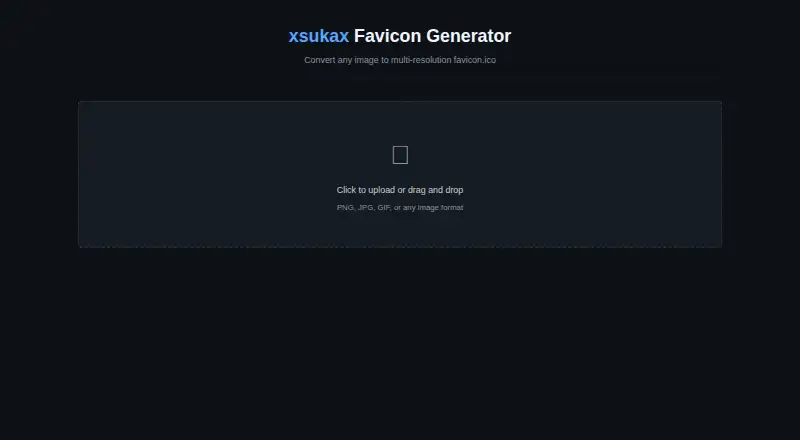
What xsukax Favicon Generator is
xsukax Favicon Generator converts an image into a favicon.ico containing up to seven resolutions: 16×16, 24×24, 32×32, 48×48, 64×64, 128×128, and 256×256. It accepts PNG, JPG, GIF, WebP, and other formats supported by modern browsers. A crop control lets you move and resize a square selection while retaining a 1:1 aspect ratio. The generated ICO downloads automatically to the default downloads folder, and the project README provides an HTML link element for placing it in a site's head section.
Processing takes place in the browser with client-side JavaScript. The project says images remain on the user's device and are not sent to external servers, APIs, or third parties. It also says the tool uses no cookies, browser storage, tracking scripts, analytics, or telemetry. It works in modern Chrome, Firefox, Safari, and Edge on desktop and mobile without installation or plugins. Users can open index.html, serve the files locally, or deploy through GitHub Pages. The project is free and open source under GNU GPL v3.0. Extremely large images may affect performance.
Who it suits
It suits people who need a favicon ICO for a website and want to prepare it in a browser or deploy the project themselves.
What it does well
- Packages up to seven icon resolutions into one ICO.
- Supports PNG, JPG, GIF, and WebP inputs.
- Image processing stays in the browser.
- Free and open source under GNU GPL v3.0.
What to know first
- Exports ICO only, not PNG or SVG.
- Extremely large images may cause performance issues.
Limits
The tool creates one multi-resolution ICO and does not provide PNG, SVG, batch-processing, web-manifest, or app-icon-set output. Extremely large image files may cause performance issues.
Plans
| Plan | Billed and limits | Price |
|---|---|---|
| Free | Free and open source for all users · Creates multi-resolution favicon.ico files · up to seven sizes | Free |
As xsukax.github.io lists them, read 7 Oct 2026. The maker's own page has the final word.
Getting started
- Open the xsukax Favicon Generator website
- Use a modern Chrome, Firefox, Safari, or Edge browser
- Load an image in PNG, JPG, GIF, WebP, or another supported format
- Reposition and resize the square crop
- Generate the favicon.ico file
- Add the downloaded file with an HTML link in your website head
Verdict
xsukax Favicon Generator is a focused, free tool for preparing multi-resolution ICO files. It supports browser-side processing and simple deployment options, but does not export PNG or SVG.
Questions
Is xsukax Favicon Generator free?
Yes. The Free plan costs nothing, and the project is free and open source under GNU GPL v3.0.
Which browsers and platforms does it support?
It works in modern Chrome, Firefox, Safari, and Edge on desktop and mobile, without installation or plugins.
Does the tool upload images?
Processing runs in the browser, and the project says images stay on the device rather than being sent to external servers, APIs, or third-party services.
What file does it export?
It automatically downloads a favicon.ico containing up to seven resolutions from 16×16 through 256×256.
Can it be self-hosted?
Yes. The project can be opened from index.html, served locally, or deployed with GitHub Pages.
How do I add the favicon to a site?
The README provides an HTML link element for placing the generated favicon.ico in a website's head section.
Facts from xsukax Favicon Generator's own pages
- Browser support
- The README says it works in modern Chrome, Firefox, Safari, and Edge on desktop and mobile without installation or plugins. · github.com, 7 Oct 2026
- Cropping
- The crop interface supports repositioning and resizing a square selection while maintaining a 1:1 aspect ratio. · github.com, 7 Oct 2026
- Data handling
- The project says it uses no cookies, localStorage, sessionStorage, tracking scripts, analytics, or telemetry. · github.com, 7 Oct 2026
- Deployment
- The README describes opening index.html directly, serving the files locally, or deploying the project with GitHub Pages. · github.com, 7 Oct 2026
- Download
- Generated resolutions are packaged into a favicon.ico file that automatically downloads to the default downloads folder. · github.com, 7 Oct 2026
- Image inputs
- Supports PNG, JPG, GIF, WebP, and other image formats supported by modern browsers. · github.com, 7 Oct 2026
- License
- The project is licensed under GNU GPL v3.0 and described as free and open source for all users. · github.com, 7 Oct 2026
- Limit
- The README notes that extremely large image files may cause performance issues. · github.com, 7 Oct 2026
- Output sizes
- Can package up to seven resolutions—16×16, 24×24, 32×32, 48×48, 64×64, 128×128, and 256×256—into one ICO file. · github.com, 7 Oct 2026
- Privacy
- The project says images stay on the user's device and are not transmitted to external servers, APIs, or third-party services. · github.com, 7 Oct 2026
- Processing
- Image processing runs in the browser using client-side JavaScript and does not require backend infrastructure. · github.com, 7 Oct 2026
- Purpose
- Converts images into multi-resolution favicon.ico files. · github.com, 7 Oct 2026
- Support
- The README directs users to the GitHub repository for issues, feature requests, and contributions. · github.com, 7 Oct 2026
- Website integration
- The README shows an HTML link element for adding the generated favicon.ico to a website's head section. · github.com, 7 Oct 2026
Where xsukax Favicon Generator stands on Freedom251
- Favicon Generators#26 of 30