Freedom251 › Peer-to-Peer File Sharing Software
Xender
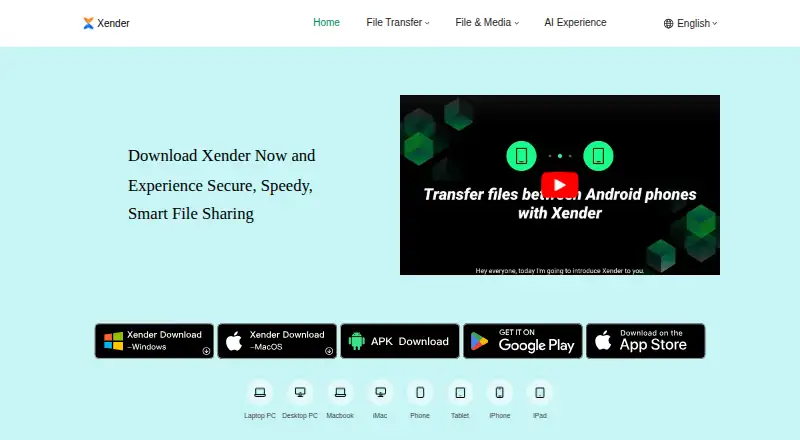
What Xender is
Xender is a free app for transferring apps, photos, videos, music, and documents between Android, iOS, Windows, and macOS devices. Transfers can work without mobile data or Wi-Fi, and the support page says there is no file-size restriction. Listed file examples include MP3, MP4, JPEG, PDF, and DOCX. Xender says files move directly between devices, are encrypted, and are not stored in the cloud; its support page claims speeds of up to 40Mb/s. You can begin sharing without creating an account, and send material from third-party apps through the “Share via Xender” option.
Beyond device-to-device sharing, Xender describes tools for downloading social media videos and statuses, converting YouTube videos to MP3 through Tomp3, and backing up or copying data from an old phone to a new one. Help resources include website support, FAQs, in-app materials, and troubleshooting guides. The app is free, with no subscription fees, and has no web interface. Its privacy notice says it collects device details and app activity, and may collect coarse location data subject to applicable law.
Who it suits
Xender suits people who want to move files among Android, iOS, Windows, or Mac devices, including when mobile data and Wi-Fi are unavailable. It may also suit someone moving data to a new phone or looking for the listed media download and conversion tools.
What it does well
- Transfers work without mobile data or Wi-Fi.
- Supports Android, iOS, Windows, and macOS devices.
- No account is needed to start sharing.
- Transfers are described as encrypted and direct between devices.
- No file-size restriction is stated by the support page.
What to know first
- There is no web interface.
- The privacy notice describes collection of device details and app activity.
- Coarse location data may be collected subject to applicable law.
Plans
| Plan | Billed and limits | Price |
|---|---|---|
| Free | No subscription fees · no file-size limit stated | Free |
As xender.com lists them, read 9 Oct 2026. The maker's own page has the final word.
Getting started
- Visit the Xender website for product information and support.
- Get started on Android, iOS, Windows, or macOS.
- Share files without creating an account.
- Send content from another app using “Share via Xender.”
Verdict
Choose Xender if you need free, cross-platform file transfers that can operate without mobile data or Wi-Fi. Consider the lack of a web interface and its stated data collection when deciding whether it fits your needs.
Questions
Is Xender free?
Yes. Xender is free, with no subscription fees.
Which platforms does Xender support?
The listed platforms are Android, iOS, Windows, and macOS. Xender does not have a web interface.
Can Xender transfer files offline?
Xender says files can be transferred without mobile data or Wi-Fi.
Does Xender limit file size?
Its support page says large files can be transferred without size restrictions.
Do I need an account to share files?
No. Xender says an account is not required to start sharing.
What data does Xender collect?
Its privacy notice says it collects device details and app activity, and may collect coarse location data subject to applicable law.
Facts from Xender's own pages
- Account requirement
- The maker says users do not need an account to start sharing files. · xender.com, 9 Oct 2026
- Cross-platform
- The maker lists transfers between Android, iOS, Windows, and Mac devices. · xender.com, 9 Oct 2026
- File sharing
- Xender wirelessly transfers apps, photos, videos, music, and documents between devices. · xender.com, 9 Oct 2026
- File size
- The support page says large files can be transferred without size restrictions. · xender.com, 9 Oct 2026
- Founded
- 2011 · xender.com, 28 Sept 2026
- Headquarters
- Hong Kong · xender.com, 28 Sept 2026
- Media downloads
- The home page describes downloading social media videos and statuses, and converting YouTube videos to MP3 with its Tomp3 feature. · xender.com, 9 Oct 2026
- Offline transfers
- The maker says files can be transferred without mobile data or Wi-Fi. · xender.com, 9 Oct 2026
- Phone migration
- The home page lists backing up, cloning, and replicating phone data from an old phone to a new one. · xender.com, 9 Oct 2026
- Privacy and security
- The support page says transferred files are encrypted and transfers happen directly between devices without cloud storage. · xender.com, 9 Oct 2026
- Privacy policy data practices
- The privacy notice says Xender collects information including device details, app activity, and—subject to applicable law—coarse location data. · xender.com, 9 Oct 2026
- Sharing integration
- Users can share content from third-party apps with the “Share via Xender” option. · xender.com, 9 Oct 2026
- Support
- The support page lists website support, FAQs, in-app help resources, and troubleshooting guides. · xender.com, 9 Oct 2026
- Supported formats
- Examples listed include MP3, MP4, JPEG, PDF, and DOCX. · xender.com, 9 Oct 2026
- Transfer speed
- The support page claims transfer speeds up to 40Mb/s. · xender.com, 9 Oct 2026
Where Xender stands on Freedom251
- Peer-to-Peer File Sharing Software#28 of 36