Freedom251 › Email Security Gateways
Xeams
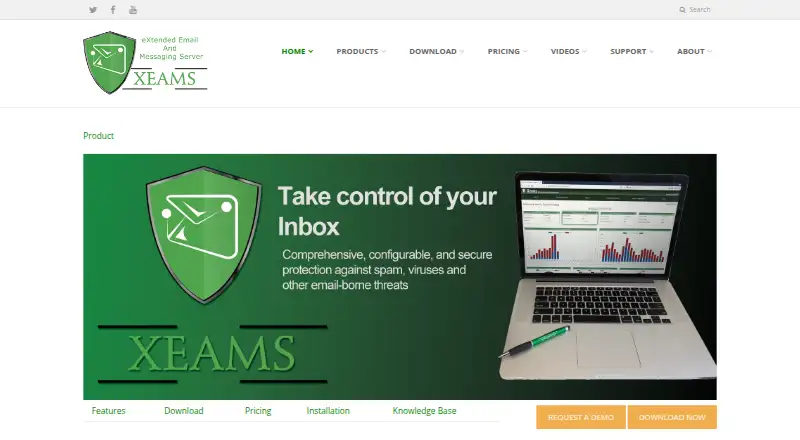
What Xeams is
Xeams is an email server and spam firewall that can run on its own, sit in front of another mail server, or operate in hybrid mode. It supports SMTP, POP3, and IMAP, with email technologies including SPF, DKIM, DMARC, STARTTLS, and MTA-STS. Filtering combines sender reputation, authentication checks, attachment and content rules, Bayesian analysis, and virus checks. Administrators use a web interface for live monitoring, logs, reports, retention settings, and tiered access. Quarantined messages stay on the server for 15 days by default and can be retrieved through the web interface or IMAP. Xeams also offers outbound filtering, Microsoft 365 support, malware sandboxing, APIs, webhooks, campaign tools, read receipts, and header sanitization. It integrates with Active Directory and supports OAuth 2.0 outbound relaying for services such as Microsoft Exchange Online and Google Workspace. The Community Edition is free for up to five personal hobby users when filtering spam; otherwise its spam filtering is limited to five users. Enterprise pricing varies by tier, and a 30-day Enterprise trial converts to Community Edition unless licensed.
Who it suits
Xeams suits organizations that need a mail server or gateway with spam filtering, quarantine, and web-based administration. It also fits teams looking to integrate directory services or relay outbound mail through Microsoft 365 or Google Workspace.
What it does well
- Can run standalone, as a gateway, or in hybrid mode
- Quarantine accessible through web or IMAP
- Includes outbound filtering and malware sandboxing
- Supports SMTP, POP3, IMAP, and major email standards
What to know first
- Community spam filtering is limited to five users
- Enterprise pricing varies by user tier
- Shared cloud adds $100/month per machine
- Community phone and email support costs $300/year
Limits
Community Edition is free for personal hobby use up to five users when spam filtering is enabled; spam filtering is limited to five users. A new installation has Enterprise Edition features for 30 days before converting to Community Edition unless a license is purchased.
Plans
| Plan | Billed and limits | Price |
|---|---|---|
| Community Edition | indefinitely · Personal/home use · spam filtering up to 5 users · unlimited users when junk filtering is not used · no AI filtering | Free |
| Enterprise Edition, 1–9 users, annual | paid yearly · 1–9 users · Enterprise features | $1.67 a month |
| Enterprise Edition, 1–9 users, monthly | paid monthly · 1–9 users · Enterprise features | $1.92 a month |
| Enterprise Edition with Support | per Xeams instance · Community support upgrade · telephone and email support | $300 a year |
| Enterprise Edition | Paid Monthly; per-user monthly prices vary by tier from $1.9167 (1–9 users) to $0.1438 (over 5000 users) · Tiered per-user pricing; no minimum cost; on-premise or cloud; shared cloud costs $100/month/machine with 20GB disk space in addition to subscription | On request |
| Enterprise Edition | Paid Yearly; per-user monthly prices vary by tier from $1.6667 (1–9 users) to $0.1250 (over 5000 users) · Tiered per-user pricing; no minimum cost; on-premise or cloud; shared cloud costs $100/month/machine with 20GB disk space in addition to subscription | On request |
As xeams.com lists them, read 15 Oct 2026. The maker's own page has the final word.
Getting started
- Visit the Xeams website.
- Choose a supported platform such as Windows, Linux, or macOS, or use a self-hosted or web deployment.
- Install Xeams; the first 30 days run with Enterprise Edition features.
- Use the web interface to administer mail and filtering.
- After 30 days, continue with Community Edition or purchase a license.
Overview
Xeams combines an email server and spam firewall, running on its own, in front of an existing mail server, or in hybrid mode. It suits organizations that want control over mail filtering and administration, especially those comfortable managing a self-hosted deployment. Its appeal is the breadth of mail and filtering tools; the key trade-off is matching its user limits and deployment-based or tiered costs to your setup.
Key features
Xeams supports SMTP, POP3, and IMAP, as well as DKIM, SPF, DMARC, and MTA-STS. Its spam filtering draws on sender reputation, authentication checks, attachment and content rules, Bayesian analysis, and virus checks. That layered approach is useful for organizations that want to tune filtering at the gateway rather than rely on a single screening method.
Quarantined messages stay on the server for 15 days by default and can be reached through the web interface or an IMAP client. Administrators get live email monitoring, logs, reporting, configurable retention, and tiered administration through a web interface. Xeams also describes Active Directory integration and OAuth 2.0 outbound relaying for services such as Microsoft Exchange Online and Google Workspace.
Outbound tools include DKIM signing, REST APIs, event webhooks, email campaigns, read receipts, and header sanitization. End-to-end email encryption is an Enterprise feature; certain plugins are limited to on-premise or dedicated cloud systems. The maker says Xeams can help with regulations including HIPAA, GLBA, CFPB, FERPA, Sarbanes-Oxley, and Safe Harbor, but that should not be read as a guarantee of compliance.
Pricing
The Community Edition is free for up to 5 users when used personally as a hobby. Spam filtering is limited to 5 users; it allows unlimited users if junk filtering is not used. That makes it a practical way to run a small personal mail setup, but not a free route to filtering mail for a larger organization.
Enterprise Edition has tiered per-user monthly pricing, from $1.9167 (1–9 users) to $0.1438 (over 5000 users), with no minimum cost. The subscription can be on-premise or cloud; shared cloud adds $100/month/machine with 20GB disk space. The lower per-user rate applies at the largest stated tier, so compare the actual tier and any shared-cloud cost against your deployment before choosing.
Enterprise Edition with Support costs $300/year for every deployed instance and includes phone and email support. It is priced per instance rather than per user, so the cost grows with deployments, not directly with the number of mailboxes. Community Edition phone and email support is also listed at $300/year.
A new installation gets Enterprise Edition features for 30 days, then converts to Community Edition unless a license is purchased. This provides a time-limited way to evaluate Enterprise features, but the post-trial user and spam-filtering caps still matter if you continue without a license.
Platforms
Xeams is offered for API, Linux, macOS, self-hosted, web, and Windows environments. Its download page also offers installers for UNIX/BSD, virtual machines, and QNAP. The range gives administrators several deployment options, though Xeams is a gateway product rather than a hosted-only service.
Who it's for
Xeams is best suited to teams that want a configurable mail gateway or mail server, need quarantine and administrative visibility, and can manage on-premise or cloud deployment. Its free edition is most relevant to personal hobby use; organizations needing spam filtering beyond five users should assess Enterprise pricing and the cost of support per instance.
Pros and cons
- Pros: It can run standalone, in front of another mail server, or in hybrid mode, accommodating different mail architectures.
- Pros: Filtering combines authentication checks, reputation, content rules, Bayesian analysis, and virus checks rather than relying on one signal.
- Pros: Quarantine access through either web or IMAP, plus monitoring and reporting, gives administrators multiple ways to review mail flow.
- Cons: Free spam filtering stops at five users, making the Community Edition a poor fit for larger filtering deployments.
- Cons: Shared cloud adds $100/month/machine to the subscription, and support pricing is separate for Community Edition or charged per Enterprise instance.
- Cons: End-to-end encryption is reserved for Enterprise, with some plugins further limited to on-premise or dedicated cloud systems.
Alternatives
For a directory of comparable products, browse Email Security Gateways.
Choose MailScanner if you want a free, open-source email gateway for Linux and self-hosted use. Consider Mailprotector if a free email security check is useful before discussing its products with an account manager. VM Backup is a backup option rather than a mail-security alternative. Mimecast Data Leak Prevention, Proxmox Backup Server, Abnormal Email Security, Check Point Harmony SASE, and Symantec IT Management Suite are other listed products to compare.
Verdict
Look elsewhere if you need free spam filtering for more than five users or prefer not to manage a gateway deployment and its associated costs.
Verdict
Xeams combines mail-server functions with layered spam filtering, quarantine, and administration tools. Check the Community Edition limits and instance or user-based Enterprise costs against your deployment needs.
Questions
Is Xeams free?
Yes. Community Edition is free for personal hobby use up to five users when spam filtering is used. Spam filtering is limited to five users.
How much do the paid plans cost?
The pricing note lists paid plans from $1.67/user/mo (annual). Enterprise Edition with Support is $300 a year per deployed instance. Enterprise Edition has tiered per-user monthly prices and a shared cloud machine cost of $100/month in addition to the subscription.
Does Xeams have a free trial?
Yes. A new installation runs Enterprise Edition features for 30 days, then converts to Community Edition unless a license is purchased.
Which platforms does it support?
Listed platforms include API, Linux, macOS, self-hosted, web, and Windows. Download installers are also offered for UNIX/BSD, virtual machines, and QNAP.
Does Xeams work with Microsoft 365 or Google Workspace?
Xeams supports Microsoft 365 and describes OAuth 2.0 outbound relaying for services such as Microsoft Exchange Online and Google Workspace.
What support is available?
Support includes telephone, email, and public forums. Phone and email support for the Community Edition is listed at $300/year.
Facts from Xeams's own pages
- Administration
- The administration interface is entirely web based and supports delegated administration by domain. · xeams.com, 15 Oct 2026
- API
- Xeams exposes an OpenAPI 3.0 REST API for sending mail, validating addresses, checking delivery status and administering users, domains and lists. · xeams.com, 15 Oct 2026
- API restriction
- The REST API requires on-premise Xeams 9.3 or newer with an Enterprise licence covering at least 20 users and is unavailable in Xeams Cloud. · xeams.com, 15 Oct 2026
- Archiving
- Messages can be archived for a configurable period or indefinitely and are indexed for searching. · xeams.com, 15 Oct 2026
- Cloud mail relay
- It relays mail from legacy devices to Microsoft Exchange Online or Google Workspace using OAuth 2.0. · xeams.com, 15 Oct 2026
- Company founded
- LinkedIn lists Synametrics Technologies as founded in 1997. · linkedin.com, 15 Oct 2026
- Company headquarters
- The vendor lists its headquarters at 490 State Route 33, Millstone, New Jersey, USA. · xeams.com, 15 Oct 2026
- Company history
- Synametrics says it has provided IT solutions since 1997. · xeams.com, 15 Oct 2026
- Company legal name
- Xeams is published by Synametrics Technologies, Inc. · xeams.com, 15 Oct 2026
- Company size
- LinkedIn lists Synametrics Technologies as an 11–50 employee software-development company headquartered in Plainsboro, New Jersey. · linkedin.com, 15 Oct 2026
- Compliance
- The maker says Xeams can help with regulations including HIPAA, GLBA, CFPB, FERPA, Sarbanes-Oxley, and Safe Harbor. · xeams.com, 5 Oct 2026
- Deployment modes
- The product can run as a standalone server, a firewall in front of another mail server, or in hybrid configurations. · xeams.com, 15 Oct 2026
- Directory integration
- Xeams integrates with Active Directory and other LDAP servers for user creation, authentication and recipient validation. · xeams.com, 15 Oct 2026
- DNS integrations
- The DNS automation feature supports AWS Route 53, GoDaddy DNS and Cloudflare for A, AAAA, CNAME and TXT records. · xeams.com, 15 Oct 2026
- Documentation and support
- Support includes telephone, email and public forums for Enterprise users; Community telephone and email support costs $300 per year. · xeams.com, 15 Oct 2026
- Encryption
- Outbound end-to-end encryption works with recipients on any domain, including when the sender uses Microsoft or Google cloud mail. · xeams.com, 15 Oct 2026
- Filtering
- Xeams provides spam, virus, phishing, URL and outbound-message filtering. · xeams.com, 15 Oct 2026
- Headquarters
- Millstone, New Jersey, United States · xeams.com, 28 Sept 2026
- Installation
- Windows installation uses setup.exe, while Linux uses Install.sh; no separate database or software package is required. · xeams.com, 15 Oct 2026
- Integrations
- Xeams describes Active Directory integration and outbound email relaying with OAuth 2.0 for services such as Microsoft Exchange Online or Google Workspace. · xeams.com, 5 Oct 2026
- Licence
- Xeams is proprietary freeware/shareware; the Community Edition is non-commercial and the Enterprise Edition is subscription licensed. · xeams.com, 15 Oct 2026
- Limit: complexity and documentation
- SoftwareFinder reviewers report that powerful features can be complex, some capabilities are not documented, and search can be difficult to use. · softwarefinder.com, 15 Oct 2026
- Limit: licensing clarity
- A Capterra reviewer said the licensing model can be confusing until the documentation is studied. · capterra.co.uk, 15 Oct 2026
- Limit: restart behavior
- Capterra lists reports that GUI-triggered server restarts can hang without explaining the delay. · capterra.co.uk, 15 Oct 2026
Where Xeams stands on Freedom251
- Email Security Gateways#6 of 35
- Anti-spam Software#7 of 17