Freedom251 › Mobile Development IDEs

Xcode Cloud
What Xcode Cloud is
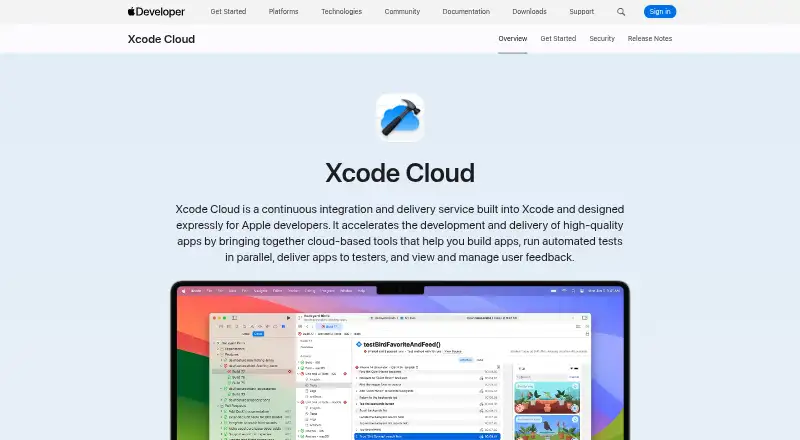
Xcode Cloud is Apple’s continuous integration and delivery service for developers using Xcode. It builds committed code changes and runs automated tests in parallel on cloud resources. Teams can tailor workflows or begin with a built-in workflow, then see build and test results, live status, and user crash feedback inside Xcode. The App Store Connect web dashboard also shows build and test information and lets users edit workflows and launch builds. Xcode Cloud can deliver builds to team members and selected external testers through TestFlight. It supports Git repositories hosted on Bitbucket, GitHub, and GitLab, including supported self-hosted versions. Apple says builds run in temporary isolated environments, source code is not persisted, credentials are not directly exposed to build environments, and data is encrypted in transit and at rest. Use requires Apple Developer Program membership, Xcode 15 or later, and a remote Git repository. The included plan provides 25 compute hours per month; paid plans begin at $49.99 a month for 100 hours. Unused compute hours do not carry into the next month. Teams can review usage in the Apple Developer app and App Store Connect, including build counts and duration, and export usage data as CSV.
Who it suits
Xcode Cloud suits Apple developers and teams who want cloud builds and parallel automated tests connected to their Xcode workflows. It also fits teams that distribute builds to internal members or selected external testers through TestFlight.
What it does well
- Builds committed code and runs automated tests in parallel.
- Offers customizable workflows and a built-in starting workflow.
- Shows build results, live status, and crash feedback in Xcode.
- Delivers builds to team members and selected testers through TestFlight.
- Supports Git repositories on Bitbucket, GitHub, and GitLab.
- Includes usage reporting and CSV export.
What to know first
- Requires Apple Developer Program membership, Xcode 15 or later, and remote Git.
- Unused monthly compute hours do not roll over.
- The included plan is limited to 25 compute hours monthly.
Limits
The included plan provides 25 compute hours per month, and unused hours do not roll over. Paid plans begin at $49.99 a month for 100 compute hours; higher listed plans provide 250, 1,000, or 10,000 monthly hours.
Plans
| Plan | Billed and limits | Price |
|---|---|---|
| 25 compute hours/month | Included with Apple Developer Program membership · 25 compute hours/month · unused hours don’t roll over | Free |
| 1000 compute hours/month | US$399.99/month · 1000 compute hours/month | $399.99 a month |
| 10000 compute hours/month | US$3999.99/month · 10000 compute hours/month | $3,999.99 a month |
| 100 compute hours/month | US$49.99/month · 100 compute hours/month | $49.99 a month |
| 250 compute hours/month | US$99.99/month · 250 compute hours/month | $99.99 a month |
As developer.apple.com lists them, read 3 Oct 2026. The maker's own page has the final word.
Getting started
- Join the Apple Developer Program.
- Use Xcode 15 or later.
- Connect a remote Git repository hosted on Bitbucket, GitHub, or GitLab.
- Choose the included 25-hour plan or a paid compute-hours plan.
- Customize a workflow or begin with a built-in workflow.
- Review build information in Xcode or App Store Connect.
Verdict
Choose Xcode Cloud if your team uses Xcode and wants cloud builds, parallel tests, and TestFlight delivery within connected Apple development tools. Look elsewhere if you cannot meet its membership, Xcode, or remote Git requirements, or need unused compute hours to carry forward.
Questions
Is there a free plan?
Yes. The included plan provides 25 compute hours per month with Apple Developer Program membership. Unused hours do not roll over.
How much do paid plans cost?
The listed paid plans are $49.99 a month for 100 hours, $99.99 a month for 250 hours, $399.99 a month for 1,000 hours, and $3,999.99 a month for 10,000 hours.
Which platforms does Xcode Cloud support?
Its listed platforms are iOS, macOS, and web.
Which source control hosts are supported?
Xcode Cloud supports Git repositories hosted on Bitbucket, GitHub, and GitLab, including supported self-hosted versions.
What is required to use Xcode Cloud?
Use requires Apple Developer Program membership, Xcode 15 or later, and a remote Git repository.
Can it send builds to testers?
Yes. It can deliver builds to team members and selected external testers through TestFlight.
Facts from Xcode Cloud's own pages
- App Store Connect
- The App Store Connect web dashboard displays build and test information and lets users edit workflows and launch builds. · developer.apple.com, 3 Oct 2026
- Builds and tests
- It builds committed code changes and runs automated tests in parallel using cloud resources. · developer.apple.com, 3 Oct 2026
- Purpose
- Xcode Cloud is a continuous integration and delivery service built into Xcode for Apple developers. · developer.apple.com, 3 Oct 2026
- Requirements
- Using Xcode Cloud requires Apple Developer Program membership, Xcode 15 or later, and a remote Git repository. · developer.apple.com, 3 Oct 2026
- Security
- Apple says builds use ephemeral isolated environments, source code is not persisted, credentials are not exposed directly to build environments, and data is encrypted in transit and at rest. · developer.apple.com, 3 Oct 2026
- Source control
- Xcode Cloud supports Git repositories hosted on Bitbucket, GitHub, and GitLab, including supported self-hosted versions. · developer.apple.com, 3 Oct 2026
- TestFlight
- Xcode Cloud can deliver builds to team members and selected external testers through TestFlight. · developer.apple.com, 3 Oct 2026
- Usage limits
- Unused compute hours do not roll over to the next month, and cancelling a paid subscription returns the team to 25 monthly hours after the current billing period. · developer.apple.com, 3 Oct 2026
- Usage reporting
- Teams can review usage information in the Apple Developer app and App Store Connect, including build counts and duration, and export usage data as CSV. · developer.apple.com, 3 Oct 2026
- Workflows
- Teams can customize workflows or start with a built-in workflow. · developer.apple.com, 3 Oct 2026
- Xcode integration
- Build and test results, live status, and user crash feedback appear inside Xcode. · developer.apple.com, 3 Oct 2026
Where Xcode Cloud stands on Freedom251
- Mobile Development IDEs#29 of 41
- Continuous Integration Software#42 of 58
- Debugging Software#22 of 30
- Developer Tools#25 of 33
- Mobile CI/CD Software#17 of 22
- Integrated Development Environment Ide Software#25 of 31