Freedom251 › CRM Data Migration Software
Xappex XL-Connector
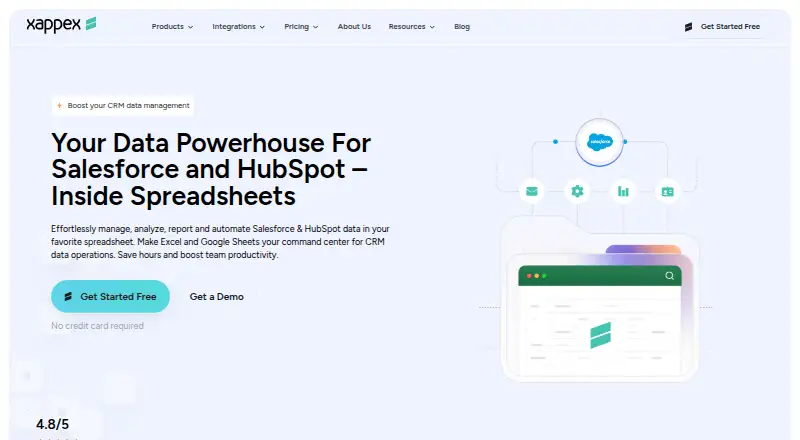
What Xappex XL-Connector is
Xappex XL-Connector is a Salesforce administration and data-management toolkit used from desktop Microsoft Excel. Its Windows add-in connects to Salesforce through an API for exporting, importing, refreshing, and transforming data. Users can query, insert, update, and delete records from Excel, with bulk operations presented for 50K+ records. For analysis, the product supports unlimited SOQL queries, joins between unrelated Salesforce objects in one workbook, and Excel formulas and pivot tables on live data. Enterprise tools let administrators manage Salesforce metadata such as fields, validation rules, processes, security settings, picklists, and layouts. The COM add-in is for Windows desktop Excel, typically Excel 2016 and newer, and is not supported on macOS. Authentication supports OAuth2 client-server login and two-factor authentication with a username, password, and Salesforce security token. Xappex says XL-Connector is installed locally, uses a direct encrypted Salesforce connection, and does not store business data on third-party servers. The free plan limits Salesforce reports to 2,000 rows; Team Player costs $10 a month billed monthly, and Enterprise Admin costs $30 a month billed monthly.
Who it suits
XL-Connector suits Salesforce administrators, developers, consultants, data analysts, and business users who work in Excel. It is designed for Windows desktop Excel users who need to manage or analyze Salesforce data in spreadsheets.
What it does well
- Queries, inserts, updates, and deletes Salesforce data
- Supports bulk operations presented for 50K+ records
- Runs unlimited SOQL queries
- Joins unrelated Salesforce objects in one workbook
- Free plan is available
What to know first
- Does not support macOS
- Free plan limits Salesforce reports to 2,000 rows
- Windows desktop Excel add-in, typically Excel 2016 and newer
Limits
The Free plan limits Salesforce reports to 2,000 rows and refreshes one worksheet at a time. Team Player costs $10 a month billed monthly, while Enterprise Admin costs $30 a month billed monthly; a 14-day trial is available.
Plans
| Plan | Billed and limits | Price |
|---|---|---|
| Team Player | monthly · Unlimited pull operations · refresh all worksheets · controlled create/update/delete flows · centralized feature visibility | $10 a month |
| Enterprise Admin | monthly · 3,000,000 report records per hour per org · scheduled offline refresh and mass operations · metadata tools · Slack and email notifications | $30 a month |
| Free | monthly · Salesforce reports limited to 2,000 rows · SOQL pulls · refresh one worksheet at a time | On request |
As xappex.com lists them, read 30 Sept 2026. The maker's own page has the final word.
Getting started
- Open the Xappex website
- Use a Windows desktop computer with Excel, typically 2016 or newer
- Install the locally deployed COM add-in
- Connect Excel to Salesforce through the API
- Sign in with OAuth2 or Salesforce credentials and security token
- Choose the Free, Team Player, or Enterprise Admin plan
Verdict
XL-Connector brings Salesforce record and metadata work into Excel, with data analysis tools and a free tier. Its platform restriction is important: it does not support macOS.
Questions
Is there a free plan?
Yes. The Free plan is billed monthly, with Salesforce reports limited to 2,000 rows and refresh limited to one worksheet at a time.
What does XL-Connector cost?
Paid plans start at $10 per user per month, billed monthly. Enterprise Admin is $30 a month billed monthly, and a 14-day trial is available.
Which platforms are supported?
The COM add-in supports Windows desktop Excel, typically Excel 2016 and newer. It is not supported on macOS.
How does Salesforce authentication work?
Authentication supports OAuth2 client-server login or two-factor authentication using a username, password, and Salesforce security token.
Can it manage Salesforce metadata?
Enterprise features manage fields, validation rules, processes, security settings, picklists, layouts, and other Salesforce metadata from Excel.
Facts from Xappex XL-Connector's own pages
- Analysis
- Users can run unlimited SOQL queries, join unrelated Salesforce objects in one workbook, and use Excel formulas and pivot tables on live data. · xappex.com, 30 Sept 2026
- Audience
- The product is positioned for Salesforce administrators, developers, consultants, data analysts, and business users who work in Excel. · xappex.com, 30 Sept 2026
- Authentication
- Salesforce authentication supports OAuth2 client-server login and two-factor authentication using a username, password, and Salesforce security token. · xappex.com, 30 Sept 2026
- Bulk data
- XL-Connector supports bulk operations and is presented as handling 50K+ records. · xappex.com, 30 Sept 2026
- Compliance
- Xappex follows the SOC 2 framework and says it undergoes independent third-party security and compliance assessments. · xappex.com, 30 Sept 2026
- Core operations
- The add-in lets users query, insert, update, and delete Salesforce data directly from desktop Excel. · xappex.com, 30 Sept 2026
- Headquarters
- Las Vegas, Nevada, United States · xappex.com, 28 Sept 2026
- Integration
- XL-Connector connects Microsoft Excel with Salesforce through an API connection for export, import, refresh, and transformation. · xappex.com, 30 Sept 2026
- Metadata
- Enterprise features manage fields, validation rules, processes, security settings, picklists, layouts, and other Salesforce metadata from Excel. · xappex.com, 30 Sept 2026
- Platform limit
- The COM add-in supports Windows desktop Excel, typically Excel 2016 and newer, and is not supported on macOS. · xappex.com, 30 Sept 2026
- Purpose
- XL-Connector is a Salesforce administration and data-management toolkit used from Microsoft Excel. · xappex.com, 30 Sept 2026
- Security
- Xappex states that XL-Connector is locally installed, uses a direct encrypted Salesforce connection, and does not store business data on third-party servers. · xappex.com, 30 Sept 2026
- Support
- Xappex offers Salesforce professional customer support at [email protected] and asks users to contact that address for help. · xappex.com, 30 Sept 2026
Where Xappex XL-Connector stands on Freedom251
- CRM Data Migration Software#23 of 41