Freedom251 › Taskbar Customization Software
Winzoo
What Winzoo is
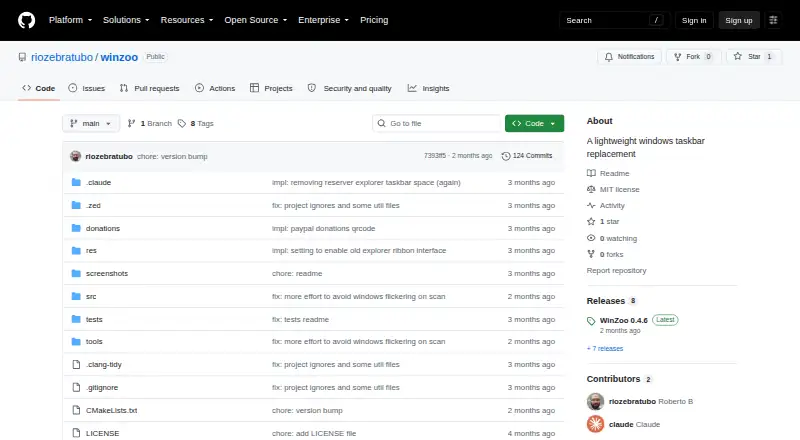
Winzoo is a lightweight taskbar replacement for Windows 10 and 11. While it runs, it hides the native taskbar and reserves the same desktop space; exiting restores the native bar. Its custom task buttons show app icons and titles, and its apps menu supports keyboard navigation and search. The taskbar can sit at the top, bottom, left, or right of the screen, or float. Winzoo is per-monitor DPI aware, with separate pinning for each monitor in both the taskbar and apps menu. It works with Jump Lists and shows progress bars for apps that support them. Settings are stored in the Windows registry and can be imported or exported. The project describes Winzoo as a single executable with no installer and no third-party libraries or runtime dependencies beyond Windows. It is written in C++20 using Win32 APIs, and its repository lists an MIT license. The maker welcomes donations through PayPal.
Who it suits
Winzoo suits Windows 10 or 11 users who want a repositionable taskbar and per-monitor pinning. It may also suit people who prefer a single executable without an installer.
What it does well
- Taskbar can be placed on any screen edge or floated.
- Separate pinning is supported for each monitor.
- Apps menu offers keyboard navigation and search.
- Restores the native taskbar when it exits.
- Single executable with no installer.
What to know first
- Requires Windows 10 or Windows 11.
- Replaces the native taskbar while running.
Limits
Winzoo's stated requirement is Windows 10 or Windows 11. While it is running, the native Windows taskbar is hidden; it returns when Winzoo exits.
Getting started
- Open the Winzoo GitHub project page
- Download the single executable
- Run it on Windows 10 or Windows 11
- Position the taskbar at the top, bottom, left, right, or as a floating bar
- Import settings from the registry when sharing a configuration
Verdict
Winzoo offers a flexible taskbar layout, per-monitor pinning, and app-menu search for Windows 10 and 11. Keep in mind that it hides the native taskbar while active, though it restores it when the program exits.
Questions
How much does Winzoo cost?
Winzoo is free and has a free plan.
Which Windows versions are supported?
The stated requirement is Windows 10 or Windows 11.
Does Winzoo need an installer?
No. The project describes it as a single executable with no installer.
Can I move the taskbar?
Yes. It can be placed at the top, bottom, left, right, or used as a floating bar.
Does Winzoo support multiple monitors?
Yes. It is per-monitor DPI aware and supports separate pinning for each monitor.
What license does Winzoo use?
The repository lists an MIT license.
Facts from Winzoo's own pages
- App features
- It works with Jump Lists and shows progress bars for apps that support them. · github.com, 8 Oct 2026
- App menu
- Its custom-drawn apps menu includes keyboard navigation and search. · github.com, 8 Oct 2026
- Features
- It has custom-drawn task buttons with app icons and titles, plus an apps menu with keyboard navigation and search. · github.com, 8 Oct 2026
- Implementation
- It is written in C++20 using Win32 APIs and has no third-party libraries or runtime dependencies beyond Windows. · github.com, 8 Oct 2026
- Installation
- The project describes Winzoo as a single executable that needs no installer. · github.com, 8 Oct 2026
- License
- The repository lists an MIT license. · github.com, 8 Oct 2026
- Monitor support
- Winzoo is per-monitor DPI aware and supports separate pinning for each monitor on the taskbar and apps menu. · github.com, 8 Oct 2026
- Per-monitor controls
- Winzoo is per-monitor DPI aware and supports separate pinning on each monitor. · github.com, 8 Oct 2026
- Positioning
- The taskbar can be positioned at the top, bottom, left, right, or as a floating bar. · github.com, 8 Oct 2026
- Product
- Winzoo is a lightweight taskbar replacement for Windows 10 and 11. · github.com, 8 Oct 2026
- Purpose
- Winzoo is a lightweight taskbar replacement for Windows 10 and 11. · github.com, 8 Oct 2026
- Requirements
- The stated usage requirement is Windows 10 or Windows 11. · github.com, 8 Oct 2026
- Settings
- Settings are stored in the registry and can be imported or exported to share across people or machines. · github.com, 8 Oct 2026
- Support
- The maker welcomes donations through a PayPal link and says any amount is appreciated. · github.com, 8 Oct 2026
- Taskbar behavior
- When running, Winzoo hides the native Windows taskbar and reserves the same desktop space through the Windows AppBar API. · github.com, 8 Oct 2026
- Usage
- The native taskbar is restored when Winzoo exits. · github.com, 8 Oct 2026
- Window features
- It supports Jump Lists and progress bars for apps that support them. · github.com, 8 Oct 2026
Where Winzoo stands on Freedom251
- Taskbar Customization Software#24 of 34