Freedom251 › Window Management Software
Actual Multiple Monitors
What Actual Multiple Monitors is
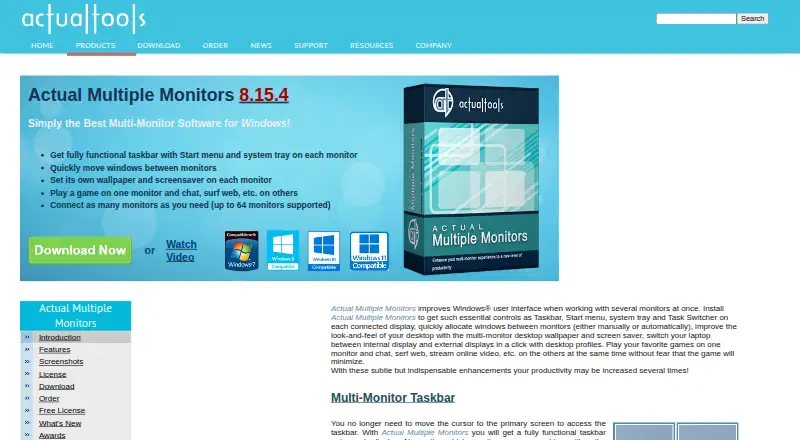
Actual Multiple Monitors enhances the Windows interface for people using several displays. It adds a full taskbar, including the Start menu and system tray, to every monitor, with controls for taskbar position, size, transparency, and application grouping. Windows can move between screens manually or automatically. Each monitor can have its own wallpaper and screensaver, and slideshows can use Google Image Search or Flickr. Desktop profiles switch between internal and external display arrangements in one click. For gaming, a game can remain on one monitor while users chat, browse, or stream on others without minimizing it. The software supports up to 64 monitors and includes a multi-monitor task switcher, Desktop Divider, desktop management tools, desktop mirroring, and Multi-Monitor Mouse. Version 8.15.4 supports listed Windows versions from 2000 through Windows 11 and listed Windows Server editions; ARM64 is unsupported. It is paid Windows software from $34.95, paid once, with a 30-day trial.
Who it suits
It suits home and corporate Windows users who manage multiple displays, including gaming setups and changing internal or external monitor arrangements.
What it does well
- Taskbar with Start menu on every monitor
- Supports up to 64 monitors
- Separate wallpapers and screensavers per display
- One-click desktop profiles
- 30-day trial available
What to know first
- No free plan
- Windows only
- ARM64 is not supported
- Paid from $34.95, paid once
Limits
The trial lasts 30 days. The software supports up to 64 monitors, and ARM64 systems are not supported.
Plans
| Plan | Billed and limits | Price |
|---|---|---|
| Single-User License | Registration code removes the trial-period limitation · 30-day money-back guarantee | $34.95, paid once |
| Actual Multiple Monitors | single-user license · 1 year Free Updates Subscription · 30-day money-back guarantee | $34.95, paid once |
As actualtools.com lists them, read 20 Sept 2026. The maker's own page has the final word.
Getting started
- Open the Actual Multiple Monitors website
- Download the Windows trial
- Install it on a supported Windows system
- Configure taskbars, window movement, and display profiles
- Register a license before trial limitations continue
Verdict
Actual Multiple Monitors bundles taskbars, window movement, display profiles, and other multi-monitor controls for Windows. Its 64-monitor limit and gaming behavior address complex setups, while ARM64 users and people seeking a free plan are excluded.
Questions
How much does Actual Multiple Monitors cost?
The listed Single-User License costs 34.95 USD once. The Actual Multiple Monitors plan also costs 34.95 USD once and includes one year of free updates.
Is there a free plan?
No. A 30-day trial is available, with a 30-day money-back guarantee on the listed licenses.
Which systems are supported?
Version 8.15.4 supports Windows 11, 10, 8.1, 8, 7, Vista, XP, 2000, and listed Windows Server versions. ARM64 is unsupported.
How many monitors can it handle?
The product supports up to 64 monitors.
Who is it designed for?
Actual Tools describes it for both home and corporate users.
What wallpaper sources can slideshows use?
Wallpaper slideshows can use Google Image Search and Flickr as online sources.
Facts from Actual Multiple Monitors's own pages
- Desktop profiles
- Desktop profiles let users switch between internal and external display arrangements in one click. · actualtools.com, 30 Sept 2026
- Founded
- 2001 · actualtools.com, 28 Sept 2026
- Gaming
- Users can play a game on one monitor while chatting, browsing or streaming on others without the game minimizing. · actualtools.com, 30 Sept 2026
- Monitor limit
- The product supports up to 64 monitors. · actualtools.com, 30 Sept 2026
- Multi-monitor taskbar
- It provides a fully functional taskbar with Start menu and system tray on each monitor. · actualtools.com, 30 Sept 2026
- Multi-monitor tools
- Its feature set includes a multi-monitor task switcher, Desktop Divider, desktop management tools, desktop mirroring and Multi-Monitor Mouse. · actualtools.com, 30 Sept 2026
- Privacy
- Actual Tools says personally identifiable information is kept confidential and is not shared with partners, sponsors or third parties. · actualtools.com, 30 Sept 2026
- Purpose
- Actual Multiple Monitors enhances the Windows user interface for working with several monitors. · actualtools.com, 30 Sept 2026
- Security hardening
- Actual Tools lists DEP and ASLR support as hardened-security features. · actualtools.com, 30 Sept 2026
- Support
- The support center provides FAQs, an online user manual, forums, feedback, beta testing information, upgrade help and license-key restoration. · actualtools.com, 30 Sept 2026
- Supported systems
- Version 8.15.4 works on Windows 11, 10, 8.1, 8, 7, Vista, XP and 2000, plus listed Windows Server versions; ARM64 is not supported. · actualtools.com, 30 Sept 2026
- Target users
- Actual Tools says it serves both home and corporate users. · actualtools.com, 30 Sept 2026
- Wallpaper integrations
- Wallpaper slideshows can use Google Image Search and Flickr as online sources. · actualtools.com, 30 Sept 2026
- Wallpapers and screensavers
- It supports separate wallpapers and screensavers on each monitor. · actualtools.com, 30 Sept 2026
- Window movement
- It lets users quickly move windows between monitors manually or automatically. · actualtools.com, 30 Sept 2026
Where Actual Multiple Monitors stands on Freedom251
- Window Management Software#41 of 65
- Taskbar Customization Software#25 of 34