Freedom251 › Window Management Software
ScreenFocus
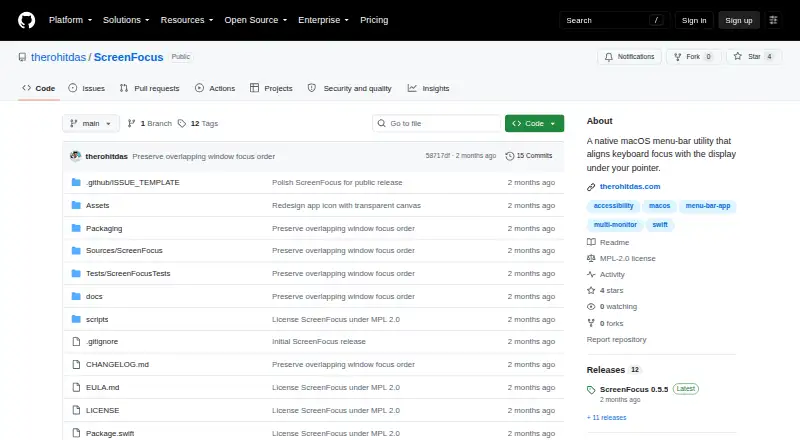
What ScreenFocus is
ScreenFocus is a free, open-source macOS menu-bar utility for moving keyboard focus between displays. When the pointer crosses to another connected display, it focuses the window beneath the pointer. If windows overlap, it chooses the topmost usable destination instead of raising a larger background window. When no suitable window is under the pointer, a transparent focus-guard window helps stop ordinary typing from reaching a text field on the previous display. You can mark displays with a full border or corner markers, adjusting color, edge gap, thickness, and opacity, and hide the overlay without disabling focus transfer. ScreenFocus does not intercept global keyboard events, leaving shortcuts from macOS, Raycast, Karabiner-Elements, and Logitech software available. It can pause automatically with one display and resume when a second reconnects. macOS 14 or later is required on Apple Silicon or Intel Macs. Accessibility access is required; Screen Recording and Input Monitoring are not.
Who it suits
It suits Mac users who move a pointer between multiple displays and want focus to follow it. It is also relevant to people seeking local-only, open-source software with configurable display indicators.
What it does well
- Free and open source
- Focuses the topmost usable overlapping window
- Configurable border or corner markers
- Does not intercept global keyboard shortcuts
- Runs locally without analytics or telemetry
What to know first
- Requires macOS 14 or later
- Accessibility permission is required
- Official releases are not Apple-notarized
- Supports macOS only
Verdict
ScreenFocus targets a specific multi-display focus problem with window selection, empty-desktop protection, and optional visual cues. Its macOS requirement and Accessibility permission should be checked before installation.
Facts from ScreenFocus's own pages
- Compatibility
- The app requires macOS 14 or later and supports Apple Silicon and Intel Macs. · github.com, 5 Oct 2026
- Data handling
- The app does not capture display pixels, take screenshots, use OCR, log global keystrokes, or capture audio; it stores preferences in macOS UserDefaults. · github.com, 5 Oct 2026
- Display behavior
- ScreenFocus can pause automatically when only one display is connected and resume when another display reconnects. · github.com, 11 Oct 2026
- Display highlight
- It can show a full-display border or corner markers, with configurable color, edge gap, thickness, and opacity. · github.com, 11 Oct 2026
- Distribution
- The maker provides downloadable ZIP releases and says the app is locally signed rather than Apple-notarized. · github.com, 11 Oct 2026
- Empty desktop
- When no suitable window is under the pointer, a transparent focus-guard window prevents ordinary typing from going to a text field on the previous display. · github.com, 5 Oct 2026
- Empty space
- When no suitable window is under the pointer, it activates a transparent focus-guard window to protect the previous text field from ordinary typing. · github.com, 11 Oct 2026
- Highlights
- It shows a configurable display border or corner markers, and can hide the overlay while keeping focus transfer enabled. · github.com, 5 Oct 2026
- License
- The source code and build scripts use the Mozilla Public License 2.0, while official prebuilt releases are also subject to an End User License Agreement. · github.com, 11 Oct 2026
- Local data
- The app stores its preferences in macOS UserDefaults, including overlay settings, focus-transfer state, and launch-at-login preference. · github.com, 11 Oct 2026
- Maker
- The repository credits Rohit Das; his personal site identifies him as being in Uttarpara, India. · therohitdas.com, 5 Oct 2026
- Permissions
- Focus transfer requires macOS Accessibility permission; ScreenFocus says it does not require Screen Recording or Input Monitoring permission. · github.com, 11 Oct 2026
- Privacy
- The maker describes ScreenFocus as local-only and says it makes no network requests and collects no analytics or telemetry. · github.com, 11 Oct 2026
- Purpose
- ScreenFocus is a native macOS menu-bar utility that moves keyboard focus to the window under the pointer when it crosses to another display. · github.com, 11 Oct 2026
- Shortcuts
- It does not intercept global keyboard events, so system-wide shortcuts from macOS, Raycast, Karabiner-Elements, and Logitech software remain available. · github.com, 11 Oct 2026
- Support
- The Help page asks users reporting a problem to include their macOS version, Mac model and processor, display arrangement, and relevant app and menu status. · github.com, 11 Oct 2026
- System requirements
- The app requires macOS 14 or later and supports Apple Silicon and Intel Macs. · github.com, 11 Oct 2026
- Window handling
- When destination windows overlap, ScreenFocus focuses the topmost overlapping window. · github.com, 11 Oct 2026
- Window stacking
- When the pointer is over an overlapped window, it focuses the topmost usable window instead of raising a larger background window. · github.com, 5 Oct 2026
Where ScreenFocus stands on Freedom251
- Window Management Software#38 of 65