WinLaunch
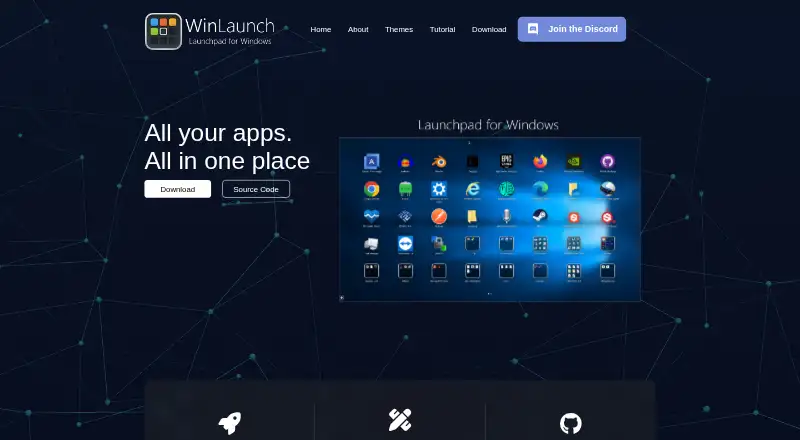
What WinLaunch is
WinLaunch is a free, open-source Windows launcher inspired by macOS Launchpad. It organizes apps and documents by letting you pin applications, files, directories and links for quick launching. Dragging one item onto another creates a folder, and editing the folder title changes its name. Multiple pages can be navigated by dragging with either mouse button or using the scroll wheel. Default activation methods are Shift+Tab, moving the pointer to the upper-left screen corner, or double-clicking the middle mouse button. The maker describes the launcher as customizable, with community-translated and maintained code. Listed themes include Yosemite, Yosemite Dark, Lion, Pirelli, Alien, Shelfs and Mavericks; custom themes can be purchased or unlocked by becoming a Patron, with no prices stated. Downloads and source code are linked by the maker, and questions are directed to Discord.
Who it suits
WinLaunch fits Windows users who want a Launchpad-style way to organize and open apps, files and links. It also suits people interested in open-source software and theme customization.
What it does well
- Free and open source
- Pins apps, files, folders and links
- Folders are created by dragging items together
- Supports multiple navigation pages
- Offers several listed visual themes
What to know first
- Supports Windows only
- Website privacy policy covers online activity only
- Support is directed to Discord
Plans
| Plan | Billed and limits | Price |
|---|---|---|
| WinLaunch | Free and open source; Windows launcher | Free |
| Custom themes | Custom themes can be purchased; prices not stated on the page | On request |
As winlaunch.org lists them, read 5 Oct 2026. The maker's own page has the final word.
Verdict
WinLaunch offers a free Windows launcher with folders, page navigation and theme choices. Its open-source model and source-code access appeal to users who want a customizable app organizer.
Facts from WinLaunch's own pages
- Activation
- Default activation methods are Shift+Tab, moving the mouse to the upper-left screen corner, and double-clicking the middle mouse button. · winlaunch.org, 5 Oct 2026
- Customization
- The maker describes WinLaunch as highly customizable and says users can adjust their experience and use custom themes. · winlaunch.org, 5 Oct 2026
- Developer
- The About page says WinLaunch is software developed by Jens Roth. · winlaunch.org, 5 Oct 2026
- Download and code
- The maker's download page links to downloads and source code, while the About page links to Discord, GitHub, and Patreon. · winlaunch.org, 5 Oct 2026
- Folders
- Users can create folders by dragging one item onto another and rename folders by editing the title. · winlaunch.org, 5 Oct 2026
- Launch targets
- Users can pin apps, files, directories, and links and launch them instantly. · winlaunch.org, 5 Oct 2026
- Navigation
- Users can navigate multiple pages by dragging with either mouse button or using the scroll wheel. · winlaunch.org, 5 Oct 2026
- Open source
- The maker describes WinLaunch as free and open source, translated and maintained by the community. · winlaunch.org, 5 Oct 2026
- Platform scope
- WinLaunch is presented as a launcher for Windows. · winlaunch.org, 5 Oct 2026
- Purpose
- WinLaunch is a Windows launcher inspired by macOS Launchpad for organizing and accessing apps and documents. · patreon.com, 5 Oct 2026
- Security and privacy
- The published privacy policy applies to the website's online activities and says the site uses log files and cookies; it does not cover information collected offline or through other channels. · winlaunch.org, 5 Oct 2026
- Support
- The maker directs users with questions to its Discord community. · winlaunch.org, 5 Oct 2026
- Themes
- The themes page lists Yosemite, Yosemite Dark, Lion, Pirelli, Alien, Shelfs, and Mavericks themes and says custom themes can be purchased or unlocked by becoming a Patron. · winlaunch.org, 5 Oct 2026
Where WinLaunch stands on Freedom251
- App Launchers#31 of 40
- App Launcher Software#31 of 40
- App launchers#31 of 40