Freedom251 › Remote desktop software
WinConn
What WinConn is
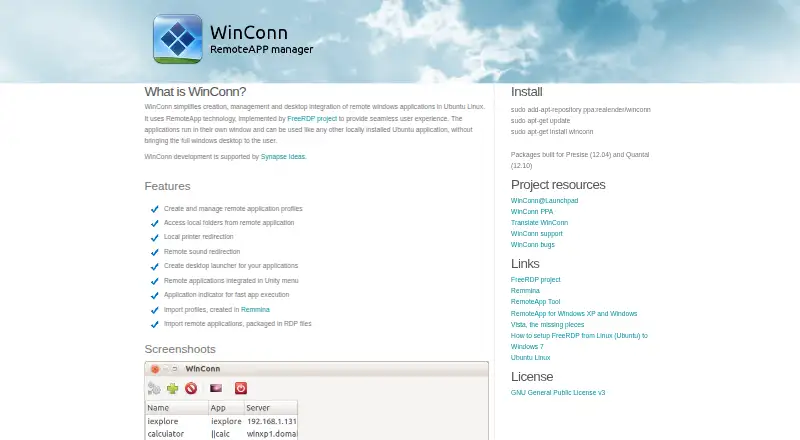
WinConn is a free, open-source Linux utility that places remote Windows applications inside an Ubuntu desktop, with each application shown in its own window. It uses RemoteApp technology implemented by the FreeRDP project. Users can create and manage remote application profiles, import profiles from Remmina, or import remote applications packaged in RDP files. WinConn supports local folder access, local printer redirection, and remote sound redirection. It can create desktop launchers, add remote applications to the Unity menu, and provide an application indicator for launching them. The project lists Windows XP SP3, Windows Vista SP1 or later, Windows 7, and Windows Server 2008 as supported RemoteApp server versions. Clipboard redirection currently does not work. Installation instructions use the realender/winconn PPA and apt-get. Listed packages were built for Ubuntu Precise 12.04 and Quantal 12.10. WinConn is licensed under GNU General Public License v3, with support and bug tracking linked through Launchpad. Development support is attributed to Synapse Ideas. The listed plan costs nothing.
Who it suits
It suits Ubuntu users who need remote Windows applications integrated into their Linux desktop. It is most relevant when the listed RemoteApp server versions and Unity-oriented launch options fit the environment.
What it does well
- Free and open source under GNU GPL v3
- Opens remote apps in separate windows
- Imports Remmina and RDP profiles
- Redirects folders, printers, and sound
- Creates desktop and Unity launchers
What to know first
- Clipboard redirection does not work
- Listed packages target Ubuntu 12.04 and 12.10
- Ubuntu Linux is the supported platform
- Requires a supported RemoteApp server
Plans
| Plan | Billed and limits | Price |
|---|---|---|
| WinConn | GNU General Public License v3 · packages listed for Ubuntu Precise (12.04) and Quantal (12.10) | Free |
As stanev.org lists them, read 5 Oct 2026. The maker's own page has the final word.
Verdict
WinConn provides focused RemoteApp integration for Ubuntu, including profiles, redirection, and desktop launchers. Its old listed package targets and clipboard limitation are important constraints for current deployments.
Facts from WinConn's own pages
- Desktop integration
- It can create desktop launchers, add remote applications to the Unity menu, and provide an application indicator for launching apps. · stanev.org, 5 Oct 2026
- Development support
- The maker's page says WinConn development is supported by Synapse Ideas. · stanev.org, 5 Oct 2026
- Host requirements
- The page lists Windows XP SP3, Windows Vista SP1 or later, Windows 7, and Windows Server 2008 as supported RemoteApp server versions. · stanev.org, 5 Oct 2026
- Imports
- It can import profiles created in Remmina and remote applications packaged in RDP files. · stanev.org, 5 Oct 2026
- Installation
- The page provides Ubuntu installation commands using the realender/winconn PPA and apt-get. · stanev.org, 5 Oct 2026
- Known limitation
- Clipboard redirection currently does not work. · stanev.org, 5 Oct 2026
- License
- WinConn is licensed under GNU General Public License v3. · stanev.org, 5 Oct 2026
- Package versions
- The page says packages were built for Ubuntu Precise (12.04) and Quantal (12.10). · stanev.org, 5 Oct 2026
- Profiles
- Users can create and manage remote application profiles. · stanev.org, 5 Oct 2026
- Purpose
- WinConn manages and integrates remote Windows applications into the Ubuntu Linux desktop, displaying each application in its own window. · stanev.org, 5 Oct 2026
- Redirection
- Features include local folder access, local printer redirection, and remote sound redirection. · stanev.org, 5 Oct 2026
- Support
- The project page links to WinConn support and bug tracking on Launchpad. · stanev.org, 5 Oct 2026
- Supported platforms
- Ubuntu Linux · stanev.org, 22 Sept 2026
- Technology
- It uses RemoteApp technology implemented by the FreeRDP project. · stanev.org, 5 Oct 2026
Where WinConn stands on Freedom251
- Remote desktop software#85 of 135