Freedom251 › Coding Playgrounds
Web Maker
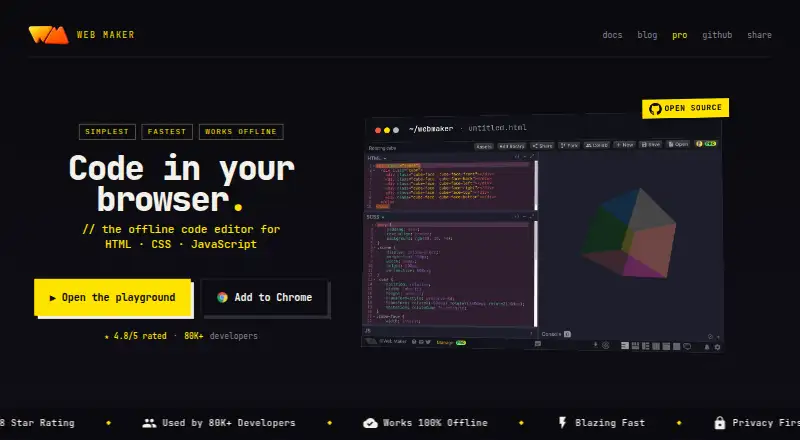
What Web Maker is
Web Maker is an offline frontend playground for building and prototyping HTML, CSS, and JavaScript projects in a browser. The editor works without an internet connection and shows an instant preview as you edit. It supports preprocessors such as SCSS, SASS, Less, Stylus, TypeScript, CoffeeScript, Pug, and Markdown. JavaScript and CSS libraries can be added through CDNJS search, popular choices including React or Tailwind CSS, or a pasted CDN URL. You can export a project to CodePen or capture its preview as a PNG. Real-time multi-user editing is available: free users join sessions, while PRO users can host and join. The free plan costs nothing, allows one public creation and two file-mode projects, stores assets locally, shows ads, and includes community support. PRO costs $4 a month and adds unlimited creations and projects, up to 5 GB cloud asset hosting, session hosting, no ads, and priority direct support. Web Maker runs on the web and as an extension.
Who it suits
It suits people learning frontend development, prototyping, interviewing, teaching, or running workshops. It also fits users who want offline editing and browser previews.
What it does well
- Works offline with instant browser preview
- Supports many frontend preprocessors
- Adds libraries through CDNJS or URLs
- Exports to CodePen and PNG
- Real-time collaboration is available
What to know first
- Free plan limits public creations to one
- Free plan allows two file-mode projects
- Free users cannot host collaboration sessions
- Free plan shows ads
Limits
The Free plan allows one public creation, two file-mode projects, local assets, and joining—but not hosting—collaboration sessions.
Plans
| Plan | Billed and limits | Price |
|---|---|---|
| Free | 1 public creation · 2 file-mode projects · local assets · join collab sessions · ads shown · community support | Free |
| PRO | $4/month · Unlimited public creations · unlimited file-mode projects · up to 5 GB cloud asset hosting · host and join real-time collab sessions · no ads · priority direct support | $4 a month |
| PRO Lifetime | PRO access for as long as Web Maker exists | On request |
As webmaker.app lists them, read 3 Oct 2026. The maker's own page has the final word.
Getting started
- Open https://webmaker.app/ or use the extension.
- Start without creating an account.
- Create a project using HTML, CSS, and JavaScript.
- Add supported preprocessors or JavaScript and CSS libraries as needed.
- Choose Free or PRO depending on project limits and collaboration needs.
Verdict
Web Maker combines offline frontend editing, broad preprocessor support, library selection, and collaboration in a browser-based workspace. The free plan is limited, while PRO expands projects, hosting, and collaboration for $4 a month.
Questions
Is Web Maker free?
Yes. The Free plan costs nothing and includes one public creation, two file-mode projects, local assets, ads, community support, and the ability to join collaboration sessions.
How much does PRO cost?
PRO is $4 a month, billed at $4/month. It includes unlimited public creations and file-mode projects, up to 5 GB of cloud asset hosting, collaboration hosting and joining, no ads, and priority direct support.
What platforms does Web Maker support?
It is available on the web and as an extension.
Can I use it offline?
Yes. The editor works offline and provides an instant browser preview.
Does Web Maker support collaboration?
Yes. Free users can join real-time editing sessions; PRO users can host and join them.
Who makes Web Maker?
Frontend developer Kushagra Gour created and maintains Web Maker.
Facts from Web Maker's own pages
- Analytics
- The site says it uses Google Analytics for aggregated events and offers an opt-out route; it says it does not track user-specific data. · webmaker.app, 3 Oct 2026
- Collaboration
- Web Maker supports real-time multi-user editing; free users can join sessions and PRO users can host them. · webmaker.app, 3 Oct 2026
- Creator
- Web Maker is created and maintained by frontend developer Kushagra Gour, whom the about page identifies as being from India. · webmaker.app, 3 Oct 2026
- Export and capture
- The homepage describes one-click export to CodePen and one-click PNG capture of a preview. · webmaker.app, 3 Oct 2026
- Extension permission
- The maker says the extension's read-and-change-sites permission is used for new-tab replacement and that nothing is read, stored, or changed through that feature. · webmaker.app, 3 Oct 2026
- Free plan
- Yes · webmaker.app, 20 Sept 2026
- Libraries
- Users can add JavaScript and CSS libraries by searching CDNJS, choosing popular libraries such as React or Tailwind CSS, or pasting a CDN URL. · webmaker.app, 3 Oct 2026
- Notable limits
- The free plan allows one public creation, two file-mode projects, local-only assets, and joining but not hosting collab sessions. · webmaker.app, 3 Oct 2026
- Offline use
- The editor works offline and provides an instant real-time preview in the browser. · webmaker.app, 3 Oct 2026
- Platforms
- The maker lists Web Maker as available as a web app and a Chrome extension. · webmaker.app, 3 Oct 2026
- Preprocessors
- It supports preprocessors including SCSS, SASS, Less, Stylus, TypeScript, CoffeeScript, Pug, and Markdown. · webmaker.app, 3 Oct 2026
- Privacy
- The maker says code stays on the device by default and that no account is required to start. · webmaker.app, 3 Oct 2026
- Private projects
- Yes · webmaker.app, 20 Sept 2026
- Product
- Web Maker is an offline frontend playground for building and prototyping HTML, CSS, and JavaScript projects in a browser. · webmaker.app, 3 Oct 2026
- Project limit
- 2 · webmaker.app, 20 Sept 2026
- Paid from
- 4 · webmaker.app, 20 Sept 2026
- Support
- The maker says PRO support comes directly from the creator, while free users receive community support. · webmaker.app, 3 Oct 2026
- Use cases
- The maker describes Web Maker for learning web development, quick prototyping, technical interviews, and teaching or workshops. · webmaker.app, 3 Oct 2026
Where Web Maker stands on Freedom251
- Coding Playgrounds#78 of 138
- Code Playground Software#44 of 58