Freedom251 › Job Scheduler Software
VisualCron
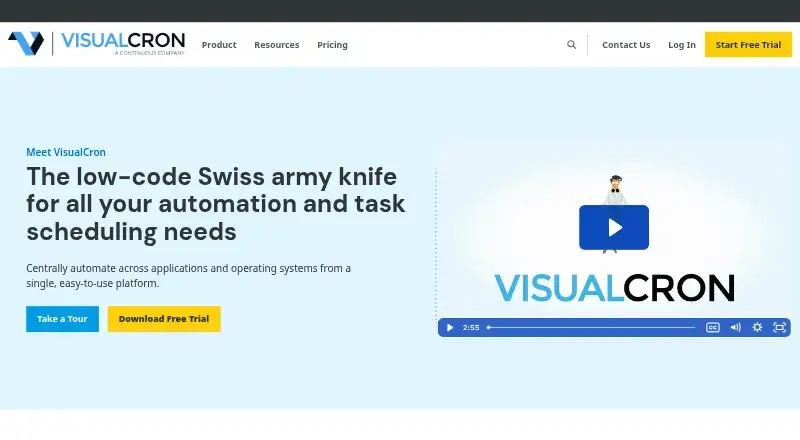
What VisualCron is
VisualCron is a Windows automation, integration, and job-scheduling tool deployed on a self-hosted basis. It can run jobs on a schedule or in response to events, automate scripts, and handle file transfer, encryption, compression, and transformation. Listed connections include SFTP, FTP, SCP, SSH, SQL, Amazon S3, Google Drive, OneDrive, Slack, SAP, Azure, Oracle, and MySQL. Its low-code interface and library of 300+ custom tasks are intended to help users automate workloads without programming experience. It can send SMS or email alerts when processes fail, and the maker says it meets compliance standards including SOC 2 Type 2. Plans are annual subscriptions for a single server: Essentials is $3,299 a year, Advanced is $4,949 a year, and Pro is $6,599 a year. A full-functionality 30-day trial is available, but there is no free plan. The maker lists priority technical support by email, with requests received 24/7.
Who it suits
VisualCron suits organizations that need to schedule or trigger automated jobs, scripts, and file workflows in a self-hosted Windows environment. Its low-code interface is aimed at users without programming experience.
What it does well
- Schedules jobs by time or events
- Supports file transfer, encryption, compression, and transformation
- Includes 300+ custom tasks
- Sends SMS or email failure alerts
- Offers a full-functionality 30-day trial
What to know first
- No free plan
- Essentials starts at $3,299 a year
- Subscription jobs stop if renewal lapses
Limits
There is no free plan. Essentials, the lowest-priced listed plan, is $3,299 a year and includes basic functionality, 132 task types, 20 trigger types, unlimited jobs, Web Client, and .NET API. Subscription jobs stop executing if the license subscription is not renewed.
Plans
| Plan | Billed and limits | Price |
|---|---|---|
| Essentials Single Server Subscription | annual subscription · Single Server license · basic functionality · 132 task types · 20 trigger types · unlimited jobs · Web Client · .NET API | $3,299 a year |
| Advanced Single Server Subscription | annual subscription · Single Server license · advanced functionality · 355 task types · 36 trigger types · MFT · server monitor · task repository · REST and Web Service API | $4,949 a year |
| Pro Single Server Subscription | annual subscription · Single Server license · all functionality · 359 task types · 37 trigger types · RPA · load balancing Server | $6,599 a year |
As visualcron.com lists them, read 8 Oct 2026. The maker's own page has the final word.
Getting started
- Visit the VisualCron website.
- Choose a single-server subscription plan: Essentials, Advanced, or Pro.
- Use the 30-day full-functionality trial to evaluate the product.
- Set up VisualCron in a self-hosted Windows environment.
- Configure scheduled or event-triggered jobs and tasks.
Verdict
VisualCron combines job scheduling, script automation, file operations, and a broad set of listed integrations in a self-hosted Windows product. Buyers should account for its annual subscription pricing and the requirement to renew subscriptions to keep jobs running.
Questions
How much does VisualCron cost?
The Essentials Single Server Subscription costs $3,299 a year. Advanced costs $4,949 a year, and Pro costs $6,599 a year.
Is there a free plan or trial?
There is no free plan. A free 30-day trial provides full functionality.
What platforms does VisualCron support?
The listed platforms are API, self-hosted, web, and Windows. It is described as an automation tool for Windows environments.
What is included in Essentials?
Essentials is a single-server subscription with basic functionality, 132 task types, 20 trigger types, unlimited jobs, Web Client, and .NET API.
Is VisualCron open source?
The listed facts do not establish whether VisualCron is open source.
Who makes VisualCron?
VisualCron was first developed in Sweden in 2004 and was acquired by Continuous in November 2022.
Facts from VisualCron's own pages
- Company history
- VisualCron was first developed in Sweden in 2004 and was acquired by Continuous in November 2022. · visualcron.com, 8 Oct 2026
- Failure alerts
- VisualCron can send automated SMS or email alerts when a process fails. · visualcron.com, 8 Oct 2026
- File operations
- It supports file transfer, encryption, compression, and transformation. · visualcron.com, 8 Oct 2026
- Founded
- 2004 · visualcron.com, 28 Sept 2026
- Integrations
- The maker lists protocols and services including SFTP, FTP, SCP, SSH, SQL, Amazon S3, Google Drive, OneDrive, Slack, SAP, Azure, Oracle, and MySQL. · visualcron.com, 8 Oct 2026
- Intended users
- The maker describes VisualCron as an industry-agnostic product used across sectors, with 18% of users in legal and finance. · visualcron.com, 8 Oct 2026
- Low-code interface
- The maker says its interface and pre-programmed tasks are designed to let users automate workloads without programming experience. · visualcron.com, 8 Oct 2026
- Purpose
- VisualCron is an automation, integration, and task scheduling tool for Windows environments. · visualcron.com, 8 Oct 2026
- Security
- The maker says VisualCron meets security compliance standards including SOC 2 Type 2. · visualcron.com, 8 Oct 2026
- Subscription requirement
- For subscription licenses, jobs stop executing if the subscription is not renewed. · visualcron.com, 8 Oct 2026
- Support
- Priority technical support is provided by email, and support requests are received 24/7. · visualcron.com, 8 Oct 2026
- Task library
- The product features page describes 300+ custom tasks for common workflows and technologies. · visualcron.com, 8 Oct 2026
- Transfer protocols
- Listed file-transfer protocols include FTP, FTPS, SFTP, HTTP, and SSH. · visualcron.com, 8 Oct 2026
- Trial
- The maker offers a free 30-day trial with full functionality. · visualcron.com, 8 Oct 2026
- Workflows
- It schedules jobs by time or events and automates scripts through job tasks. · visualcron.com, 8 Oct 2026
Where VisualCron stands on Freedom251
- Job Scheduler Software#16 of 26
- IT Automation Software#48 of 77
- Workload Automation Software#19 of 24
- Task Automation Software#29 of 35