Freedom251 › AI Face Swap Tools
VisoMaster
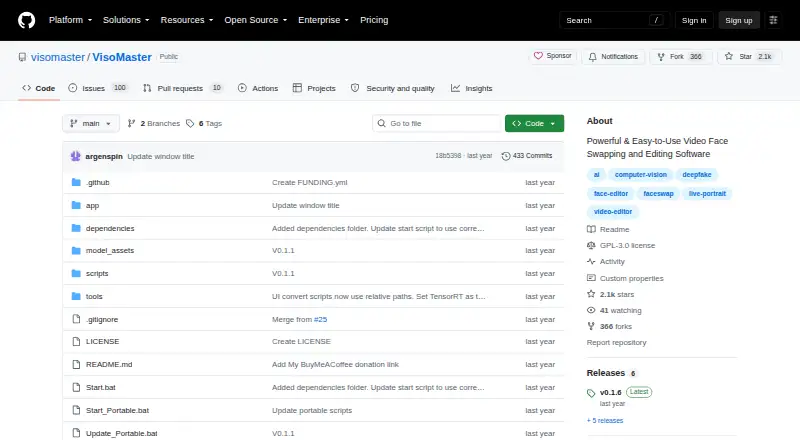
What VisoMaster is
VisoMaster is a free tool for swapping and editing faces in images and videos on Linux and Windows. It supports several face-swapper models, DeepFaceLab-trained DFM models, multi-face swaps, and masking for individual face parts. Expression restoration transfers expressions from the original face, while restoration models can enhance and upscale faces. Its LivePortrait-model editor lets users adjust expressions and poses, as well as RGB colors for faces, hair, eyebrows, and lips. Processed video can be previewed in real time before saving. The software also supports webcam swapping and sending output to a virtual camera for applications such as Twitch, YouTube, and Zoom. Video markers allow settings to change by frame. TensorRT support is listed for faster processing on supported GPUs. Windows users with Nvidia GPUs can use an automatic installer, and manual Nvidia installation is documented; Linux users can launch it with `python main.py`. Processed frames can be sent to OBS Virtual Cam or Unity Capture for external applications. VisoMaster is released under GPL-3.0. Its maintainers put responsibility for consent and likeness permissions on users and discourage creating content without explicit consent.
Who it suits
VisoMaster may suit casual users and professionals working on creative projects such as movies, visual effects, or virtual reality. It requires users to follow the maintainers’ guidance on consent and likeness permissions.
What it does well
- Free and released under GPL-3.0.
- Supports multi-face swapping and per-part masking.
- Includes expression editing and face restoration tools.
- Previews processed video before saving.
- Supports webcam output to a virtual camera.
What to know first
- The documented automatic installer is for Windows users with Nvidia GPUs.
- Manual Nvidia installation is documented; Linux launch uses Python.
- Faster TensorRT processing is listed for supported GPUs.
Plans
| Plan | Billed and limits | Price |
|---|---|---|
| VisoMaster | Open-source hobby project; no paid plans or usage limits stated | Free |
As github.com lists them, read 11 Oct 2026. The maker's own page has the final word.
Getting started
- Open the VisoMaster repository at https://github.com/visomaster/VisoMaster
- On Windows with an Nvidia GPU, use the automatic installer
- Use the documented manual Nvidia installation when needed
- On Linux, launch the project with python main.py
- Connect OBS Virtual Cam or Unity Capture when sending frames to another application
- Join the project Discord for community support
Verdict
VisoMaster offers face swapping, editing, and live-output tools without a listed paid plan. Consider the platform-specific installation instructions and obtain consent for likenesses before creating content.
Questions
How much does VisoMaster cost?
VisoMaster is free, with a listed price of $0. No paid plans or usage limits are stated.
Which operating systems are supported?
VisoMaster supports Linux and Windows.
Is VisoMaster open source?
Yes. The repository is published under the GPL-3.0 license.
Can it swap more than one face?
Yes. It supports multi-face swapping, several face-swapper models, DFM models, and per-part masking.
Can it work with a webcam?
Yes. Live swapping can use a webcam and stream to a virtual camera for Twitch, YouTube, Zoom, and other applications.
What are the consent requirements?
The maintainers make users responsible for obtaining consent and permissions for likenesses and discourage creating content without explicit consent.
Facts from VisoMaster's own pages
- Expression and restoration
- It offers expression restoration that transfers original expressions to swapped faces, plus face restoration with upscaling and enhancement models. · github.com, 11 Oct 2026
- Face editor
- Its LivePortrait-model face editor lets users adjust facial expressions, poses, and RGB colors for the face, hair, eyebrows, and lips. · github.com, 11 Oct 2026
- Face swapping
- It supports multiple face swapper models, DeepFaceLab-trained DFM models, multi-face swapping, and per-part masking. · github.com, 11 Oct 2026
- GPU acceleration
- The project lists TensorRT support for faster processing on supported GPUs. · github.com, 11 Oct 2026
- Integration
- The project documents sending processed frames to OBS Virtual Cam or Unity Capture for use in external applications. · github.com, 11 Oct 2026
- Intended users
- The README describes the software as suitable for casual users and professionals and suggests creative uses such as movies, visual effects, and virtual reality. · github.com, 11 Oct 2026
- License
- The repository is published under the GPL-3.0 license. · github.com, 11 Oct 2026
- Live playback
- Users can preview processed video in real time before saving it. · github.com, 11 Oct 2026
- Platforms and installation
- The maintainers provide an automatic installer for Windows users with Nvidia GPUs, document manual Nvidia installation, and say Linux users can launch it with python main.py. · github.com, 11 Oct 2026
- Privacy and consent
- The maintainers say users are responsible for obtaining consent and permissions for likenesses and discourage creating content without explicit consent. · github.com, 11 Oct 2026
- Purpose
- VisoMaster is a tool for face swapping and editing in images and videos, using AI to produce natural-looking results. · github.com, 11 Oct 2026
- Support
- The README directs users to join the project's Discord community and describes the project as supported by community members. · github.com, 11 Oct 2026
- Video controls
- Video markers let users adjust settings per frame, and the release notes describe frame seeking and marker controls. · github.com, 11 Oct 2026
- Webcam output
- It supports live swapping through a webcam and streaming to a virtual camera for applications such as Twitch, YouTube, and Zoom. · github.com, 11 Oct 2026
Where VisoMaster stands on Freedom251
- AI Face Swap Tools#43 of 57