Freedom251 › Remote desktop software
Virtual Desktop
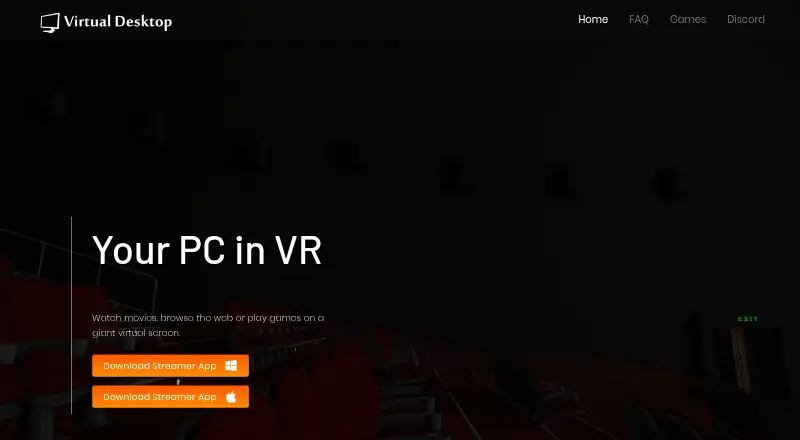
What Virtual Desktop is
Virtual Desktop connects a compatible VR headset wirelessly to a computer for web browsing, movies, games on a large virtual screen, and PCVR streaming. Its Videos tab can stream or download regular, 180-degree, and 360-degree video, including 3D Side-by-Side and Over-Under content. Physical or virtual multi-monitor setups are supported, along with Bluetooth mice, keyboards, gamepads, and microphone passthrough. Remote internet connections require UPnP on the router; the maker says remote traffic uses end-to-end encryption. The computer must run Windows 10 or 11 64-bit or macOS Catalina or later, use an Intel Core i5-2500k equivalent, and connect by Gigabit Ethernet to a 5 GHz AC or AX router. PCVR streaming needs a VR-ready Windows PC, and not all games work. The Virtual Desktop plan costs $24.99, paid once; there is no free plan.
Who it suits
Virtual Desktop suits VR headset owners who want wireless computer access, virtual displays, video playback, or PCVR streaming. It is also relevant to users needing remote connections or multi-monitor workspaces.
What it does well
- Supports regular, 180-degree, and 360-degree video
- Offers physical and virtual multi-monitor setups
- Works with Bluetooth peripherals and microphone passthrough
- Remote traffic uses end-to-end encryption
- Available across several VR headset families
What to know first
- No free plan
- PCVR streaming requires a VR-ready Windows PC
- SteamVR and Oculus Rift games do not work on Mac
- Not all games are compatible
Plans
| Plan | Billed and limits | Price |
|---|---|---|
| Virtual Desktop Classic | Use a computer in VR · Browse the web and watch movies · Play games on a virtual screen | On request |
| Virtual Desktop | Connects to one or more computers · Requires a compatible VR headset and computer | $24.99, paid once |
As vrdesktop.net lists them, read 22 Sept 2026. The maker's own page has the final word.
Verdict
Virtual Desktop provides broad VR display, media, peripheral, and remote-access functions. Buyers need compatible hardware, a wired network setup, and should check game compatibility before purchasing.
Facts from Virtual Desktop's own pages
- Classic edition
- The Steam listing describes Virtual Desktop Classic for Oculus Rift/Rift S, HTC Vive, Valve Index, and Windows Mixed Reality headsets, and says it is not for Quest or Pico. · store.steampowered.com, 12 Oct 2026
- Computer requirements
- The maker lists Windows 10 or 11 64-bit or macOS Catalina or later, an Intel Core i5-2500k or equivalent, and a wired computer connection to a 5 GHz AC or AX Wi-Fi router. · vrdesktop.net, 12 Oct 2026
- Displays and peripherals
- The app supports physical or virtual multi-monitor setups, Bluetooth mice, keyboards, gamepads, and microphone passthrough. · meta.com, 12 Oct 2026
- Free plan
- No · vrdesktop.net, 22 Sept 2026
- Headquarters
- Los Angeles, California, United States · vrdesktop.net, 28 Sept 2026
- Headsets
- The maker lists Meta Quest, Pico, HTC Vive Focus, Play for Dream MR, and Samsung Galaxy XR headsets for the standalone version. · vrdesktop.net, 12 Oct 2026
- Known compatibility limit
- The maker’s FAQ says DRM in Microsoft Edge, Internet Explorer, Chrome, and some Windows Store apps can prevent streaming services from being captured, and suggests Firefox. · vrdesktop.net, 12 Oct 2026
- Mobile apps
- Yes · vrdesktop.net, 22 Sept 2026
- Networking requirement
- The product page says the computer must be wired with Gigabit Ethernet to a 5 GHz router. · meta.com, 12 Oct 2026
- PCVR limit
- PCVR game streaming requires a VR-ready PC running Windows; the maker’s FAQ says SteamVR or Oculus Rift games do not work on a Mac and that not all games are compatible. · vrdesktop.net, 12 Oct 2026
- Privacy
- The maker’s privacy policy says it may collect information such as email address, IP address, and Oculus account ID, and says personal information is not shared with third parties except as described in the policy or as legally required. · vrdesktop.net, 12 Oct 2026
- Privacy policy date
- The maker’s privacy policy says it was last updated in September 2018. · vrdesktop.net, 12 Oct 2026
- Purpose
- Virtual Desktop connects wirelessly to a computer so users can browse the web, watch movies, play games on a giant virtual screen, or stream PCVR games. · meta.com, 12 Oct 2026
- Remote access
- It supports remote connections over the internet; the maker’s FAQ says to enable UPnP on the router and that remote traffic uses end-to-end encryption. · vrdesktop.net, 12 Oct 2026
- Store availability
- The maker links to Quest, Pico, Viveport, Vive Business Store, Play Store, and Steam listings or downloads. · vrdesktop.net, 12 Oct 2026
- Support
- The maker directs users to its FAQ and Discord for help; Google Play lists [email protected] as the support email. · play.google.com, 12 Oct 2026
- Supported platforms
- Windows,macOS,Meta Quest,Pico,HTC Vive,Play for Dream MR,Samsung Galaxy XR,Android · vrdesktop.net, 22 Sept 2026
- Video features
- The Videos tab can download or stream regular, 180-degree, and 360-degree videos from a computer, and the app supports 3D Side-by-Side and Over-Under content. · meta.com, 12 Oct 2026
Where Virtual Desktop stands on Freedom251
- Remote desktop software#129 of 135