Freedom251 › Projection Mapping Software

VIOSO
What VIOSO is
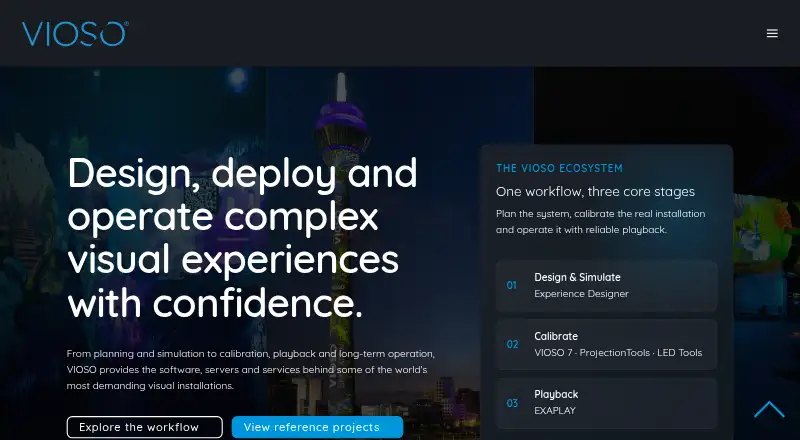
VIOSO provides tools for projection system design, calibration, playback, and deployment, with a focus on integrators in professional AV and simulation. VIOSO 7 automatically aligns, warps, and blends projectors across flat screens, domes, and projection-mapping surfaces. Calibration covers geometry, soft-edge blending, colour, black level, and linearity correction, with support for projector systems and direct-view LED workflows. VIOSO 7 runs on Windows 10 and Windows 11; calibration can be embedded into Windows Desktop or exported to AV products, media servers, projectors, and signage workflows. Experience Designer is a browser-based tool for designing, simulating, and validating projection systems before installation. VIOSO also offers a free SDK/API for parsing its data; VIOSO 6 supports more than 50 applications, MPCDI, and data export. The Free plan costs nothing and includes up to 10 saved projects, 250 MB storage, a generic projector library, and watermark link sharing. Pro is €49 a month; Team is €129 a month and includes three seats. A free trial download is available, but no duration is stated.
Who it suits
It suits AV and simulation integrators designing or deploying projection systems. Experience Designer may also suit teams that want to simulate and validate a projection system before installation.
What it does well
- Automatically aligns, warps, and blends projectors
- Supports flat screens, domes, and projection mapping surfaces
- Calibration includes geometry and soft-edge correction
- Supports projector systems and direct-view LED workflows
- Free plan allows up to 10 saved projects
What to know first
- VIOSO 7 runs on Windows 10 and Windows 11
- Free plan includes watermark link sharing
- Free plan storage is limited to 250 MB
Limits
The Free plan allows up to 10 saved projects and 250 MB storage, and includes a generic projector library and watermark link sharing. Pro is the least expensive paid plan at €49 a month; it includes unlimited projects and screens, 1 GB storage, priority support, PDF reports, and advanced analysis.
Plans
| Plan | Billed and limits | Price |
|---|---|---|
| Free | Up to 10 saved projects · 250 MB storage · generic projector library · watermark link sharing | Free |
| Team | 3 seats included · €43 / extra seat · 5 GB storage · shared projects and projector library | €129 a month |
| Pro | Unlimited projects and screens · 1 GB storage · priority support · PDF reports and advanced analysis | €49 a month |
As vioso.com lists them, read 2 Oct 2026. The maker's own page has the final word.
Getting started
- Visit the VIOSO website.
- Download the free trial, or start with the Free plan.
- Use Experience Designer in a browser to design, simulate, and validate a projection system.
- Choose a plan based on project, screen, storage, and seat needs.
- Use VIOSO 7 on Windows 10 or Windows 11 for calibration.
Verdict
VIOSO combines projection calibration with design, playback, and deployment tools for professional AV and simulation work. Its free plan has project and storage limits, while Pro and Team add paid options.
Questions
Is VIOSO free?
Yes. Its Free plan costs nothing and includes up to 10 saved projects, 250 MB storage, a generic projector library, and watermark link sharing.
How much do the paid plans cost?
Pro costs €49 a month. Team costs €129 a month and includes three seats; each extra seat costs €43.
Which platforms does VIOSO support?
The listed platforms are Linux, web, and Windows. VIOSO 7 specifically runs on Windows 10 and Windows 11, and Experience Designer is browser-based.
Is there a free trial?
Yes. VIOSO's site offers a free trial download.
Does VIOSO offer an SDK or API?
Yes. VIOSO offers a free SDK/API for parsing its data. VIOSO 6 supports more than 50 applications, MPCDI, and data export.
Who makes VIOSO?
VIOSO was founded as a university start-up in 2007 and is headquartered in Düsseldorf, Germany.
Facts from VIOSO's own pages
- Calibration features
- VIOSO 7 supports geometry correction, soft-edge blending, colour, black level, and linearity correction. · vioso.com, 2 Oct 2026
- Company history
- VIOSO says it was founded as a university start-up in 2007. · vioso.com, 2 Oct 2026
- Display support
- VIOSO 7 supports projector systems and direct-view LED workflows. · vioso.com, 2 Oct 2026
- Experience Designer
- Experience Designer is a browser-based tool for designing, simulating, and validating projection systems before installation. · vioso.com, 2 Oct 2026
- Founded
- 2007 · vioso.com, 23 Sept 2026
- Headquarters
- Düsseldorf, Germany · vioso.com, 23 Sept 2026
- Integrations
- VIOSO 7 can embed calibration into Windows Desktop or export data to AV products, media servers, projectors, and signage workflows. · vioso.com, 2 Oct 2026
- Product scope
- VIOSO offers tools for projection system design, calibration, playback, and deployment. · vioso.com, 2 Oct 2026
- Projection calibration
- VIOSO 7 automatically aligns, warps, and blends projectors across flat screens, domes, and projection mapping surfaces. · vioso.com, 2 Oct 2026
- SDK/API
- VIOSO offers a free SDK/API for parsing its data and says VIOSO 6 supports more than 50 applications, MPCDI, and data export. · vioso.com, 2 Oct 2026
- Security and privacy
- VIOSO says it uses appropriate technical and organizational measures to protect personal data submitted with product support requests. · vioso.com, 2 Oct 2026
- Support
- VIOSO lists planning, consulting, on-site and remote service, support, and training for integration partners. · vioso.com, 2 Oct 2026
- Target users
- VIOSO describes its software, servers, and services as tools for integrators working in professional AV and simulation. · vioso.com, 2 Oct 2026
- Trial
- VIOSO's site offers a free trial download, but the page does not state a trial duration. · vioso.com, 2 Oct 2026
- Windows support
- VIOSO 7 runs on Windows 10 and Windows 11. · vioso.com, 2 Oct 2026
Where VIOSO stands on Freedom251
- Projection Mapping Software#13 of 24