Freedom251 › Video Upscaling Software
VideoAscend
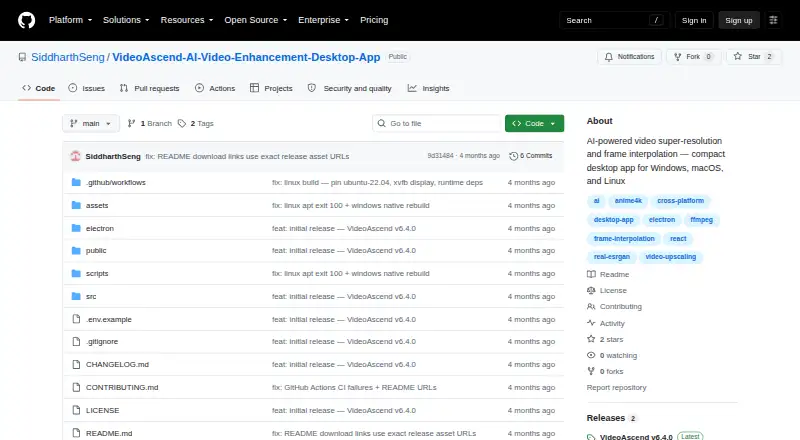
What VideoAscend is
VideoAscend is a free desktop application for upscaling low-resolution video and interpolating frames on the user's computer. It runs on Windows, macOS, and Linux and supports output up to 4K. Upscaling choices include Anime4K v4, Real-ESRGAN, and Real-CUGAN, while frame interpolation uses RIFE-style processing through FFmpeg minterpolate. Multiple files can be placed in a sequential queue and reordered by dragging. Five built-in presets and unlimited custom presets organize processing settings. GPU encoding options include NVENC, AMF, VideoToolbox, and QuickSync, with CPU fallback. The maker says video processing stays local, with no cloud upload or video data leaving the computer. An optional Claude-powered AI Advisor can recommend algorithms, estimate processing time, and apply settings. It requires a separate Anthropic API key, encrypted and stored locally and sent directly to Anthropic's API. Downloads include Windows installer and portable builds, macOS Intel and Apple Silicon builds, and Linux packages. The project is licensed AGPL-3.0-or-later.
Who it suits
VideoAscend suits users who want local desktop enhancement, upscaling, or frame interpolation on Windows, macOS, or Linux. It also suits workflows needing queues, GPU acceleration, and custom presets.
What it does well
- Free and licensed under AGPL-3.0-or-later
- Supports Windows, macOS, and Linux
- Offers several upscaling algorithms
- Processes multiple files in a reorderable queue
- Video processing stays on the computer
What to know first
- AI Advisor requires a separate Anthropic API key
- Minimum requirements include 4GB RAM
- Processing falls back to CPU when needed
- The application is desktop-only
Verdict
VideoAscend provides local, free video enhancement with multiple algorithms, frame interpolation, queues, and GPU options. The optional AI Advisor adds guidance but requires its own Anthropic credential.
Facts from VideoAscend's own pages
- Advisor security
- The optional Anthropic API key is encrypted and stored locally, and the project says it is sent only to Anthropic's API. · github.com, 4 Oct 2026
- AI Advisor
- An optional Claude-powered advisor can recommend algorithms, estimate processing time, and apply settings. · github.com, 4 Oct 2026
- AI Advisor data
- The README says an AI Advisor key is encrypted and stored locally, and sent only directly to Anthropic's API. · github.com, 4 Oct 2026
- Batch processing
- The app supports multiple files in a sequential queue, with drag-and-drop reordering. · github.com, 4 Oct 2026
- Downloads
- The repository lists Windows installer and portable builds, macOS Intel and Apple Silicon builds, and Linux AppImage, deb, and rpm packages. · github.com, 4 Oct 2026
- Frame interpolation
- Frame interpolation is described as RIFE-style processing via FFmpeg minterpolate. · github.com, 4 Oct 2026
- GPU acceleration
- It lists NVENC, AMF, VideoToolbox, and QuickSync acceleration, with CPU fallback. · github.com, 4 Oct 2026
- GPU support
- GPU encoding options include NVENC, AMF, VideoToolbox, and QuickSync, with CPU fallback. · github.com, 4 Oct 2026
- License
- The repository identifies the project as AGPL-3.0 and describes it as free and open source. · github.com, 4 Oct 2026
- Limits
- The AI Advisor is optional and requires a separate Anthropic API key; video processing works without it. · github.com, 4 Oct 2026
- Optional integration
- The optional AI Advisor uses Claude by Anthropic and can recommend algorithms, estimate processing time, and apply settings. · github.com, 4 Oct 2026
- Platforms
- Downloads are listed for Windows, macOS, and Linux, including Intel and Apple Silicon macOS builds. · github.com, 4 Oct 2026
- Presets
- The app includes five built-in presets and supports unlimited custom presets. · github.com, 4 Oct 2026
- Privacy
- The maker says video processing runs locally, with no cloud upload and no video data leaving the computer. · github.com, 4 Oct 2026
- Purpose
- VideoAscend uses AI-based algorithms to upscale low-resolution videos and perform frame interpolation on the user's computer. · github.com, 4 Oct 2026
- Requirements
- Minimum requirements listed are Windows 10, macOS 11, or Ubuntu 20.04, 4 GB RAM, any GPU with CPU fallback, and 500 MB free storage. · github.com, 4 Oct 2026
- Updates
- The app lists in-app update notifications with one-click installation as a feature. · github.com, 4 Oct 2026
- Upscaling
- Upscaling options include Anime4K v4, Real-ESRGAN, and Real-CUGAN. · github.com, 4 Oct 2026
Where VideoAscend stands on Freedom251
- Video Upscaling Software#25 of 40