Freedom251 › Video Upscaling Software
BigMP4 Video Enhancer
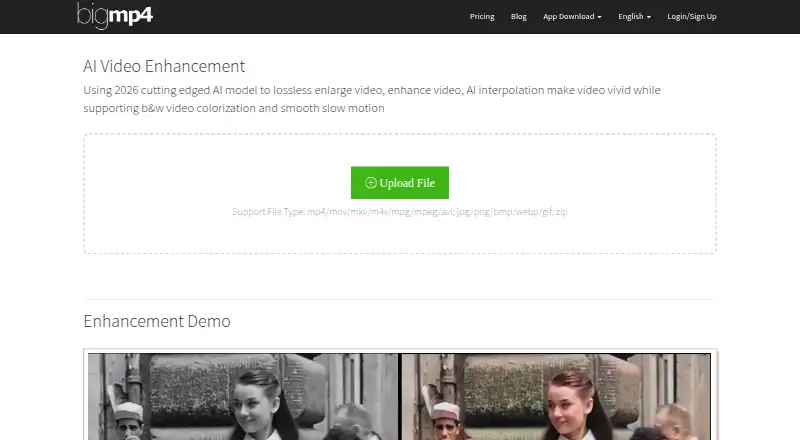
What BigMP4 Video Enhancer is
BigMP4 Video Enhancer is an AI video enhancement tool available on the web, Windows, and macOS. It supports upscaling by up to 4.0x and output resolution up to 8K. Its listed capabilities also include frame interpolation and batch processing, for workflows involving individual videos or multiple files. The product uses a freemium model. The free plan provides 30 GPU points and has a 10 MB upload limit. A one-time GPU points pack costs $6.00 USD and includes 300 GPU points with a 100 MB upload limit. The points in that pack expire after one year. The listed processing mode is both. Users can work through a browser or on a Windows or macOS computer, with the same stated enhancement capabilities available across the listed platforms. The free allowance provides a way to start within its point and upload limits; the paid pack raises both allowances. The product listing does not specify additional plan details beyond these point allocations and upload limits.
Who it suits
BigMP4 suits users looking to upscale videos, interpolate frames, or process batches through a browser or Windows or macOS computer. The free allowance is for work within 30 GPU points and a 10 MB upload limit.
What it does well
- Upscales by up to 4.0x.
- Supports output resolution up to 8K.
- Includes frame interpolation and batch processing.
- Available on web, Windows, and macOS.
What to know first
- Free uploads are limited to 10 MB.
- The free plan includes 30 GPU points.
- Paid-pack points expire after one year.
Plans
| Plan | Billed and limits | Price |
|---|---|---|
| Free | 30 GPU points · 10 MB upload limit | Free |
| GPU points pack | Points expire in 1 year. · 300 GPU points · 100 MB upload limit | $6, paid once |
As bigmp4.com lists them, read 24 Sept 2026. The maker's own page has the final word.
Verdict
BigMP4 lists AI enhancement, upscaling, frame interpolation, and batch processing across browser and desktop platforms. Compare the free upload and point limits with the one-time pack before deciding which allowance fits.
Where BigMP4 Video Enhancer stands on Freedom251
- Video Upscaling Software#23 of 40