Freedom251 › PDF Converter Software
VeryPDF PDF to Word OCR Converter
Visit VeryPDF PDF to Word OCR Converter Alternatives Pricing
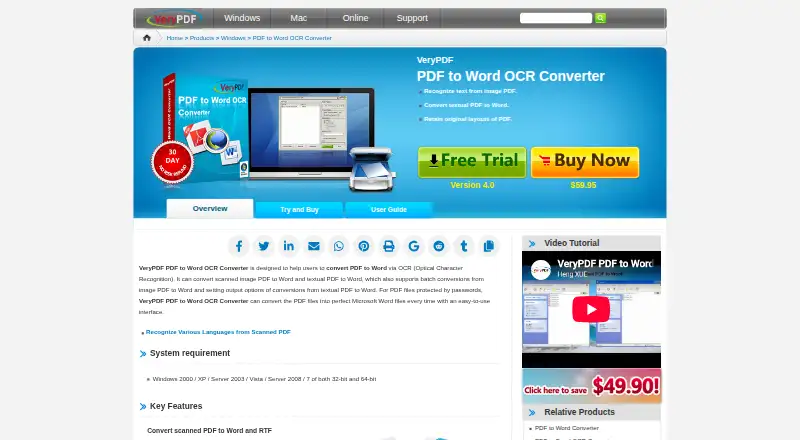
What VeryPDF PDF to Word OCR Converter is
VeryPDF PDF to Word OCR Converter is paid Windows software that turns scanned image PDFs and text PDFs into Word documents. OCR can recognize text and save results as Microsoft Word or RTF, with English, French, German, Italian, Spanish, and Portuguese listed as supported languages. For textual PDFs, the converter can retain original text and block layouts in the resulting Word files. Users can select a page range, process password-protected PDFs, or batch-convert dozens of files. Drag-and-drop input and previews of created Word documents are part of the interface. The product supports PDF-to-Word and PDF-to-RTF conversion. Listed system requirements cover Windows 2000, XP, Server 2003, Vista, Server 2008, and Windows 7, in 32-bit or 64-bit editions. One-time licenses range from the $59.95 Single Personal User License to organizational site licensing. Personal licenses restrict use to private, non-commercial purposes.
Who it suits
This converter suits Windows users who need OCR for scanned PDFs, editable Word or RTF output, selected-page conversion, or batch processing. License choices also cover commercial users and organizations.
What it does well
- OCR for scanned and textual PDFs
- Word and RTF output
- Batch conversion for dozens of files
- Selected page-range processing
- Supports password-protected PDFs
What to know first
- Windows-only platform
- Listed requirements stop at Windows 7
- No free plan
- Personal single-user license is non-commercial
Plans
| Plan | Billed and limits | Price |
|---|---|---|
| 2-5 Personal User License | Private non-commercial use · up to five personal computers | $119.95, paid once |
| Single Commercial User License | Commercial use · one computer | $119.95, paid once |
| 2-5 Commercial User License | Commercial use · up to five computers | $249.95, paid once |
| Site License | Multiple copies · computers of one organization | $499.95, paid once |
| Single Personal User License | Private non-commercial use · one personal computer | $59.95, paid once |
As verypdf.com lists them, read 11 Oct 2026. The maker's own page has the final word.
Verdict
VeryPDF PDF to Word OCR Converter focuses on converting scanned or textual PDFs into editable Word or RTF files. Its page selection, batch handling, language support, and license options are useful, but buyers should check the listed legacy Windows requirements and usage restrictions.
Facts from VeryPDF PDF to Word OCR Converter's own pages
- Batch processing
- Batch conversion can process dozens of PDF files at one time. · verypdf.com, 11 Oct 2026
- Company
- VeryPDF describes its work as software development for PDF tools, business document processing, mobile applications, and related online services. · verypdf.com, 11 Oct 2026
- Founded
- 1998 · verypdf.com, 28 Sept 2026
- Interface
- The feature list says users can drag and drop PDF files and preview created Word documents after conversion. · verypdf.com, 11 Oct 2026
- Languages
- The product page lists English, French, German, Italian, Spanish, and Portuguese as supported OCR languages. · verypdf.com, 11 Oct 2026
- Layout retention
- For textual PDFs, it can retain the original text and block layouts in the created Word documents. · verypdf.com, 11 Oct 2026
- Licensing limits
- A Single Personal User License permits private non-commercial use on exactly one personal computer. · verypdf.com, 11 Oct 2026
- Output formats
- It can save recognized scanned PDF text as Microsoft Word or RTF. · verypdf.com, 11 Oct 2026
- Page selection
- Users can specify a page range so the application processes only selected pages. · verypdf.com, 11 Oct 2026
- Password protected PDFs
- The converter can convert password-protected PDF files. · verypdf.com, 11 Oct 2026
- Privacy and security
- VeryPDF says sensitive payment information is transmitted using SSL and stored in payment gateway providers' databases, and that private financial information is not stored on its servers after a transaction. · verypdf.com, 11 Oct 2026
- Purpose
- The converter uses OCR to convert scanned image PDFs and textual PDFs to Word documents. · verypdf.com, 11 Oct 2026
- Refund
- The product page displays a 30-day no-risk refund badge. · verypdf.com, 11 Oct 2026
- Support
- The product purchase page directs customers to the VeryPDF support team for purchase requirements and custom solutions. · verypdf.com, 11 Oct 2026
- System requirements
- The listed requirements are Windows 2000, XP, Server 2003, Vista, Server 2008, or 7, in 32-bit or 64-bit editions. · verypdf.com, 11 Oct 2026
Where VeryPDF PDF to Word OCR Converter stands on Freedom251
- PDF Converter Software#44 of 47