Freedom251 › Computer-Assisted Translation Software

Verto
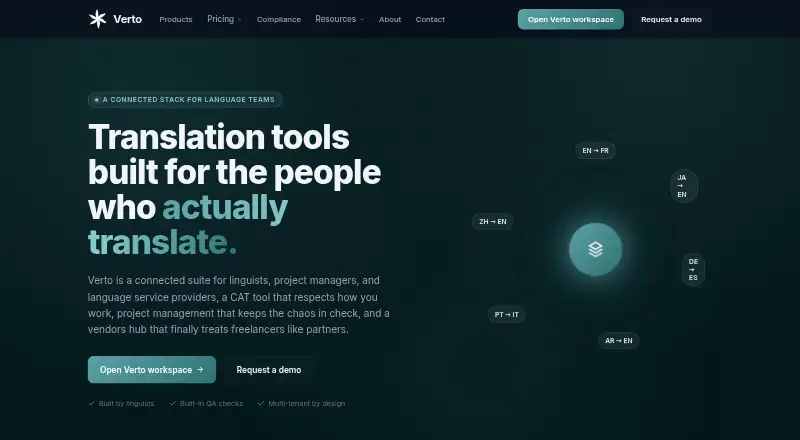
What Verto is
Verto is a web-based computer-assisted translation tool for linguists, project managers, and language service providers. Verto Workspace combines a bilingual editor with translation memory, glossary management, smart suggestions, and quality assurance. The editor displays source and target segments side by side, preserves inline tags, supports keyboard-first navigation, and provides live access to translation memory, machine translation, and glossary lookups.
The editor runs eleven quality assurance rules, including checks for missing tags, empty target segments, number mismatches, forbidden terms, and Arabic-specific issues. Verto describes right-to-left handling for Arabic, Hebrew, Persian, Urdu, and Yiddish across its editor, file filters, quality checks, and export process. Supported file types include Office documents, PDF, HTML, Markdown, plain text, data, and localization formats. Trados bilingual and project package formats require Pro or above. Translation memories and glossaries can be imported from TMX, TBX, Excel, and CSV, and Verto translation memories can be exported as TMX 1.4.
Listed translation and AI providers include DeepL, Google Translate, Microsoft Azure Translator, LibreTranslate, MyMemory, OpenAI, Anthropic, Google Gemini, Mistral, and GitHub Models. Users can configure provider API keys. Verto says each customer has an isolated workspace and uploaded files are not visible to other customers. The Free plan allows one user, five active projects, 10,000 translation memory segments, 500 term base entries, and 25,000 processed words per month. Paid plans start at $15/user/mo when billed annually; a 30-day trial is also listed.
Who it suits
Verto is suited to linguists, project managers, and language service providers who need a bilingual translation workflow with translation memory, terminology tools, and quality checks. Its right-to-left language handling may suit teams translating Arabic, Hebrew, Persian, Urdu, or Yiddish.
What it does well
- Bilingual editor preserves inline tags and supports keyboard-first navigation.
- Eleven QA rules check tags, numbers, forbidden terms, and other issues.
- Imports translation memories and glossaries from TMX, TBX, Excel, and CSV.
- Lists a broad set of machine translation and AI providers.
- Supports RTL handling through editing, checks, and export.
- Customer workspaces are isolated, according to Verto.
What to know first
- Free plan is limited to one user and five active projects.
- Trados bilingual and project package formats require Pro or above.
- OCR-extracted text translations in Word and PowerPoint images are not returned to the original images on export.
- Free plan support is documentation only.
Limits
The Free plan includes one user, five active projects, 10,000 translation memory segments, 500 term base entries, and 25,000 processed words per month. Trados bilingual and project package formats require Pro or above.
Plans
| Plan | Billed and limits | Price |
|---|---|---|
| Free | Free forever · 5 active projects · 1 user · 10,000 TM segments · 500 term base entries · 25,000 processed words / month | Free |
| Pro | Billed monthly · Unlimited projects · 1 user · Limitless processed words · Machine translation · Email support | $17 a month |
| Pro | Billed $180/year · save $24 · Unlimited projects · 1 user · Limitless processed words · Machine translation · Email support | $180 a year |
| Team | Billed monthly · Unlimited members (5 active at a time) · Shared TMs & glossaries · Reviewer workflow & assignments · Priority support | $75 a month |
| Team | Billed $800/year · save $100 · Unlimited members (5 active at a time) · Shared TMs & glossaries · Reviewer workflow & assignments · Priority support | $800 a year |
| Custom | Tailored to your contract · Volume-based pricing · Negotiated seat count · Dedicated CSM · Custom contract & SLA | On request |
As goforverto.com lists them, read 8 Oct 2026. The maker's own page has the final word.
Getting started
- Visit https://goforverto.com/.
- Start with the Free plan or use the listed 30-day trial.
- Create a web workspace and import supported files, translation memories, or glossaries.
- Configure provider API keys if you want to use your own keys.
- Choose Pro for Trados bilingual and project package formats, or a higher plan for team features.
Verdict
Choose Verto if you need a web translation workspace with bilingual editing, translation memory, terminology management, and built-in QA. Check the plan limits if you need multiple users, more active projects, or Trados package formats; image-embedded OCR text is not baked back into source images on export.
Questions
Is Verto free?
Yes. The Free plan is listed as free forever and includes one user, five active projects, 10,000 TM segments, 500 term base entries, and 25,000 processed words per month.
How much do paid plans cost?
Paid plans start at $15/user/mo when billed annually, and a 30-day trial is listed. The Pro plan lists $15 a year and says it is billed at $180/year; Team lists $67 a year and says it is billed at $800/year.
Which file formats does Verto support?
Supported formats include Office documents, PDF, HTML, Markdown, plain text, data, and localization formats. Trados bilingual and project package formats require Pro or above.
Can Verto handle right-to-left languages?
Verto describes RTL support for Arabic, Hebrew, Persian, Urdu, and Yiddish in the editor, file filters, quality checks, and export process.
Can I use my own AI provider keys?
Yes. Users can configure their own provider API keys. Verto says text goes directly to the provider and it does not proxy or log prompt content when customers use their own keys.
What support comes with each plan?
Free includes documentation only, Pro includes email support, and Team includes priority support.
Facts from Verto's own pages
- AI privacy
- Verto says that when customers bring their own API keys, text goes directly to the provider and Verto does not proxy or log prompt content. · goforverto.com, 8 Oct 2026
- Bring your own keys
- Users can configure their own provider API keys, and when a workspace key is set it overrides the system default for that provider. · goforverto.com, 8 Oct 2026
- File support
- Supported formats include Office documents, PDF, HTML, Markdown, plain text, data, and localization formats; Trados bilingual and project package formats require Pro or above. · goforverto.com, 8 Oct 2026
- Import and export
- Translation memories and glossaries can be imported from TMX, TBX, Excel, and CSV, and Verto translation memories can be exported as TMX 1.4. · goforverto.com, 8 Oct 2026
- Intended users
- Verto describes its suite as built for linguists, project managers, and language service providers. · goforverto.com, 8 Oct 2026
- Machine translation and AI integrations
- Listed providers include DeepL, Google Translate, Microsoft Azure Translator, LibreTranslate, MyMemory, OpenAI, Anthropic, Google Gemini, Mistral, and GitHub Models. · goforverto.com, 8 Oct 2026
- Notable limitation
- Translations of OCR-extracted text embedded in Word and PowerPoint images are not baked back into the original images on export. · goforverto.com, 8 Oct 2026
- Privacy
- Verto says each customer receives an isolated workspace and that uploaded files are not visible to other customers. · goforverto.com, 8 Oct 2026
- Product
- Verto Workspace is a computer-assisted translation tool with a bilingual editor, translation memory, glossary, smart suggestions, and quality assurance. · goforverto.com, 8 Oct 2026
- Quality checks
- Verto says its editor runs eleven quality assurance rules, including checks for missing tags, empty targets, number mismatches, forbidden terms, and Arabic-specific issues. · goforverto.com, 8 Oct 2026
- Right-to-left support
- Verto treats Arabic, Hebrew, Persian, Urdu, and Yiddish as right-to-left languages and describes RTL handling in its editor, file filters, quality checks, and export process. · goforverto.com, 8 Oct 2026
- Support
- The Free plan includes documentation only, Pro includes email support, and Team includes priority support. · goforverto.com, 8 Oct 2026
- Translation workflow
- The editor provides side-by-side segments, inline tag preservation, keyboard-first navigation, and live translation memory, machine translation, and glossary lookup. · goforverto.com, 8 Oct 2026