Freedom251 › Game Boy Emulators
VaporBoy
What VaporBoy is
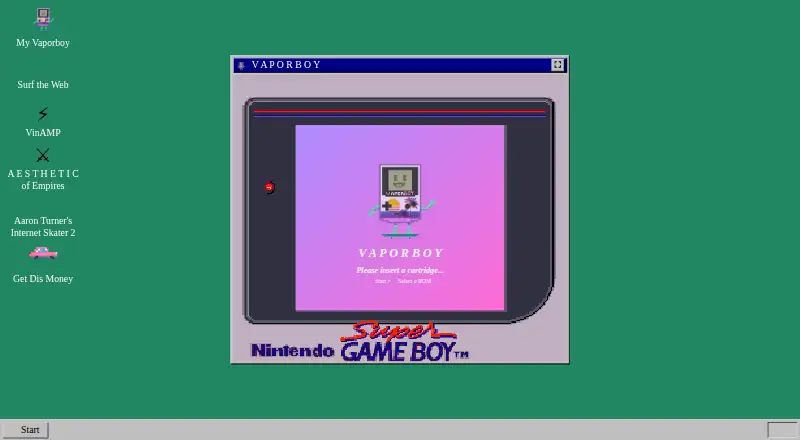
VaporBoy is a free web app that emulates Game Boy and Game Boy Color systems as a progressive web app. It uses wasmBoy and WebAssembly, and can load ROMs from a local device, preloaded open source choices, or cloud services. Keyboard, touch, and gamepad controls are supported, with portrait, landscape, and desktop layouts. The project says it works in Chrome, Firefox, and Safari, and it can be installed where desktop PWA support is available or added to a mobile home screen through a browser. Settings cover emulation and performance, while save states let users preserve progress. Video and audio effects can alter the systems' output. The project describes the app as still in beta and a work in progress, warning that some ROMs may not run correctly and bugs should be expected. It also says Google Analytics is used for performance monitoring and popularity tracking; listed events send only event names and include ROM loads, save creation, and settings changes. The repository displays an AGPL-3.0 license. The maker says it has aimed for screen-reader and keyboard usability and invites accessibility issues in the project repository.
Who it suits
VaporBoy suits people looking to play Game Boy or Game Boy Color ROMs in a browser, with keyboard, touch, or gamepad controls. It may also suit users who want a PWA they can install on supported desktop or mobile browsers.
What it does well
- Free to use as a web app.
- Loads local, preloaded, and cloud ROMs.
- Supports keyboard, touch, and gamepad input.
- Offers save states and configurable settings.
- Includes portrait, landscape, and desktop layouts.
What to know first
- The product is still in beta.
- Some ROMs may not run correctly.
- The project says bugs should be expected.
- Google Analytics receives event names for listed actions.
Limits
The product is free, but it is still in beta. The maker says not all ROMs run correctly and that bugs should be expected.
Getting started
- Open https://vaporboy.net/ in Chrome, Firefox, or Safari
- Load a ROM from your device, a preloaded open-source selection, or a cloud service
- Choose keyboard, touch, or gamepad controls
- Select portrait, landscape, or desktop layout
- Install through desktop PWA support or use Add to Homescreen on mobile
Verdict
VaporBoy offers multiple ways to load games and control play, along with save states and adjustable effects. Its beta status is important to consider, since the maker warns of compatibility problems and expected bugs.
Questions
Is VaporBoy free?
Yes. VaporBoy has a free plan.
Which systems does it emulate?
It emulates Game Boy and Game Boy Color.
Which browsers are supported?
The project says it supports Chrome, Firefox, and Safari.
Can I use a controller?
Yes. Input supports keyboards, touch controls, and gamepads.
Can I install it?
Yes. Desktop PWA support and a mobile browser’s Add to Homescreen option are available.
What license does it use?
The GitHub repository displays an AGPL-3.0 license.
Facts from VaporBoy's own pages
- Accessibility
- The maker says it aimed to make the app usable with a screen reader and keyboard, and invites accessibility issues in the project repository. · vaporboy.net, 8 Oct 2026
- Analytics
- The project says Google Analytics receives event names for listed actions such as saving a state and loading a ROM. · github.com, 8 Oct 2026
- Analytics events
- Listed analytics events include ROM loads, save state creation, settings changes, and Google Drive ROM loads. · github.com, 8 Oct 2026
- Audio and video effects
- It offers effects that alter Game Boy video and audio. · github.com, 8 Oct 2026
- Beta status
- The product site says VaporBoy is still in beta, is a work in progress, and that not all ROMs run correctly and bugs should be expected. · vaporboy.net, 8 Oct 2026
- Browser support
- The project says it supports Chrome, Firefox, and Safari. · github.com, 8 Oct 2026
- Cloud integration
- The project’s privacy notes identify Google Drive ROM loading. · github.com, 8 Oct 2026
- Controls
- It supports keyboard, touch, and gamepad input. · github.com, 8 Oct 2026
- Effects
- It offers video and audio altering effects. · github.com, 8 Oct 2026
- Emulation
- It uses wasmBoy and WebAssembly to emulate Game Boy and Game Boy Color. · github.com, 8 Oct 2026
- Installability
- It can be installed with desktop PWA support or a mobile browser’s Add to Homescreen feature. · github.com, 8 Oct 2026
- Installation
- It can be installed through desktop PWA support or a mobile browser’s Add to Homescreen option. · github.com, 8 Oct 2026
- Layouts
- It provides portrait, landscape, and desktop layouts. · github.com, 8 Oct 2026
- License
- The GitHub repository displays an AGPL-3.0 license. · github.com, 8 Oct 2026
- Privacy
- The project says Google Analytics is used for performance monitoring and popularity tracking, and that the listed events send only the event name. · github.com, 8 Oct 2026
- Product
- VaporBoy is a Game Boy and Game Boy Color emulator delivered as a progressive web app. · github.com, 8 Oct 2026
- ROM loading
- ROMs can be uploaded from a local device, preloaded open source ROMs, and cloud services. · github.com, 8 Oct 2026
- Settings and saves
- It offers configurable emulation and performance settings and save states. · github.com, 8 Oct 2026
Where VaporBoy stands on Freedom251
- Game Boy Emulators#19 of 23