Freedom251 › Game Boy Emulators
PHPBoy
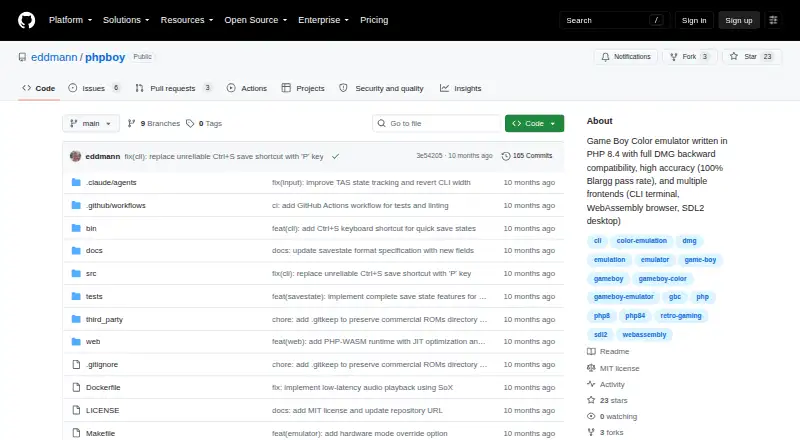
What PHPBoy is
PHPBoy is a Game Boy Color emulator written in PHP 8.4, with compatibility for original Game Boy games. It offers a CLI terminal frontend, a browser version built with WebAssembly, and an SDL2 desktop frontend that is still in progress. The emulator supports GBC color palettes and MBC1, MBC3, and MBC5 cartridges. It passes all 11 of Blargg’s CPU instruction tests; 10 of 39 Mooneye tests pass, with further support in progress. The README reports 25–30 FPS without JIT and 60+ FPS with PHP JIT enabled. In a browser, PHPBoy runs without a backend and provides keyboard controls, speed adjustment, and pause and resume. That version is described as slow due to WebAssembly overhead, and browser audio is still being developed. CLI audio uses SoX. The SDL2 frontend is experimental and not fully tested or integrated. Setup requires Docker, Docker Compose, and Make; CLI audio also needs SoX. PHPBoy is free and released under the MIT License.
Who it suits
PHPBoy suits people seeking a free emulator for Game Boy or Game Boy Color games, with browser and CLI options. Browser users need WebAssembly support; the listed browser versions are Chrome 90+, Firefox 88+, Safari 14+, or Edge 90+.
What it does well
- Supports original Game Boy and Game Boy Color games
- Browser version runs without a backend
- Supports MBC1, MBC3, and MBC5 cartridges
- Passes all 11 Blargg CPU instruction tests
What to know first
- Browser version is described as slow
- Browser audio output is in progress
- SDL2 desktop frontend is experimental
- Setup requires Docker, Docker Compose, and Make
Limits
The browser version is described as slow because of WebAssembly overhead, and browser audio output is in progress. The SDL2 desktop frontend is experimental and not fully tested or integrated.
Getting started
- Open the PHPBoy project at https://github.com/eddmann/phpboy.
- Prepare Docker, Docker Compose, and Make, which the project lists as requirements.
- Choose the CLI terminal frontend or the browser WebAssembly frontend.
- For CLI audio playback, also install or provide SoX.
- For browser use, choose a WebAssembly-capable browser: Chrome 90+, Firefox 88+, Safari 14+, or Edge 90+.
Verdict
PHPBoy provides multiple ways to run Game Boy and Game Boy Color games, including a backend-free browser option. The browser version’s stated speed limitation and the experimental status of desktop support are worth noting.
Questions
How much does PHPBoy cost?
PHPBoy is free and open source.
Which systems does PHPBoy emulate?
It supports Game Boy Color and original Game Boy games.
What platforms can I use?
PHPBoy provides a CLI terminal frontend, a browser WebAssembly frontend, and an experimental SDL2 desktop frontend.
Which browsers are listed for the WebAssembly version?
It requires WebAssembly support; the listed versions are Chrome 90+, Firefox 88+, Safari 14+, or Edge 90+.
What do I need to set it up?
The project lists Docker, Docker Compose, and Make as requirements. CLI audio playback also needs SoX.
Who makes PHPBoy, and what license does it use?
The maker is Edd Mann, and the repository is released under the MIT License.
Facts from PHPBoy's own pages
- Accuracy
- The project reports passing all 11 Blargg CPU instruction tests, while 10 of 39 Mooneye tests pass and Acid test support is in progress. · github.com, 9 Oct 2026
- Audio
- The CLI frontend supports audio playback using SoX, while browser audio integration is still in progress. · github.com, 9 Oct 2026
- Browser limits
- The README describes the browser version as slow due to WebAssembly overhead and lists Chrome 90+, Firefox 88+, Safari 14+, or Edge 90+ with WebAssembly support. · github.com, 4 Oct 2026
- Browser requirements
- The WebAssembly frontend requires a browser with WebAssembly support; listed browser versions are Chrome 90+, Firefox 88+, Safari 14+, or Edge 90+. · github.com, 9 Oct 2026
- Browser use
- The WebAssembly version runs in a browser without a backend and supports keyboard controls, speed control, and pause/resume. · github.com, 4 Oct 2026
- Cartridges
- Its cartridge support includes MBC1, MBC3, and MBC5. · github.com, 9 Oct 2026
- Dependencies
- The documented setup requires Docker, Docker Compose, and Make, with SoX needed for CLI audio playback. · github.com, 9 Oct 2026
- Desktop status
- The SDL2 desktop frontend is experimental and is not fully tested or integrated. · github.com, 4 Oct 2026
- Development tools
- The project describes a Docker-based development workflow using PHPUnit 10 and PHPStan level 9. · github.com, 4 Oct 2026
- Emulation
- The emulator supports GBC color palettes, VRAM bank switching, DMG compatibility, and automatic colorization of original Game Boy games. · github.com, 9 Oct 2026
- Frontends
- It offers a CLI terminal frontend, a browser WebAssembly frontend, and an SDL2 native desktop frontend that is marked work in progress. · github.com, 9 Oct 2026
- License
- PHPBoy is distributed under the MIT License, which permits use, copying, modification, distribution, sublicensing, and sale subject to its stated conditions. · github.com, 9 Oct 2026
- Maker
- The GitHub profile identifies the maker as Edd Mann and lists London, UK as the location. · github.com, 9 Oct 2026
- Performance
- The README reports 25–30 FPS without JIT and 60+ FPS with PHP 8.4 JIT enabled. · github.com, 9 Oct 2026
- Product
- PHPBoy is a Game Boy Color emulator written in PHP 8.4 with backward compatibility for original Game Boy games. · github.com, 4 Oct 2026
- Purpose
- PHPBoy is a Game Boy Color emulator written in PHP 8.4 with backward compatibility for original Game Boy games. · github.com, 9 Oct 2026
- Requirements
- The project lists Docker, Docker Compose, and Make as requirements, with SoX needed for CLI audio playback. · github.com, 4 Oct 2026
- Security and warranty
- The MIT license provides the software as-is without warranty; the repository page shows zero security advisories. · github.com, 9 Oct 2026
Where PHPBoy stands on Freedom251
- Game Boy Emulators#21 of 23