Freedom251 › 3D Avatar Software
UMA 3
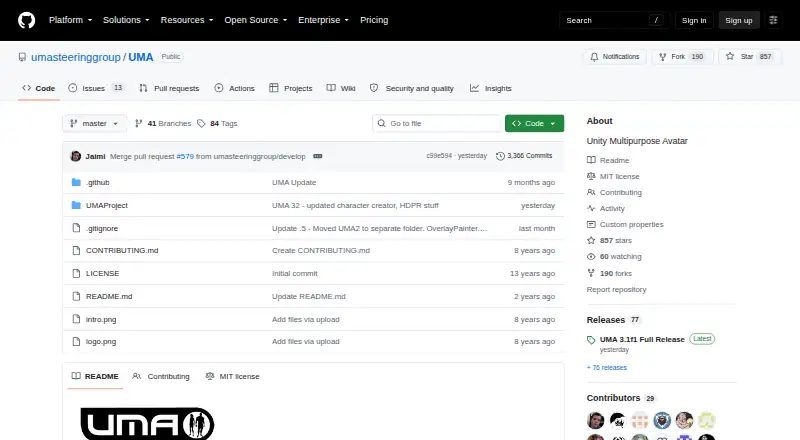
What UMA 3 is
UMA 3 is a free, open avatar creation framework for building and modifying customizable game characters. It focuses primarily on humanoids but can adapt to other models. Its modular DNA system supports modifiers, blendshapes, bone changes and poses, color adjustments, and live editor work. Clothing and accessories can be shared between avatars that use the same base mesh, while overlays combine textures into a final atlas. UMA assembles avatar parts into a mesh and can use one material with a texture atlas to generate an avatar with a single draw call. Overlay Painter provides synchronized 2D and 3D painting, masks, layer groups, and texture or overlay export. For multiplayer projects, the framework includes code for sharing UMA data between clients and a server, though reducing serialized data may require custom work. It installs through Unity Package Manager or by copying files into a project's Assets/UMA folder. UMA 3.1 supports Unity 6.3 and newer; UMA 2 content is available as a separate optional package. The project uses the MIT license and permits commercial use.
Who it suits
UMA 3 suits game developers who want to create and modify customizable avatars, especially humanoid characters. Its Unity installation options, editor tools, and multiplayer data support are relevant to teams building character workflows into projects.
What it does well
- Free under the MIT license.
- Supports modular character customization and live editing.
- Includes synchronized 2D and 3D painting tools.
- Can share clothing and accessories across matching base meshes.
- Supports commercial use and rigged exports.
What to know first
- Many avatars may require memory management work.
- Multiplayer projects may need custom data-size solutions.
- UMA 3.1 requires Unity 6.3 or newer.
- Community wiki upkeep depends on volunteers.
Limits
Each avatar has its own mesh and atlas by default, so projects generating many avatars may need lower atlas resolution or shared mesh and atlas data to manage memory. Multiplayer projects may need custom solutions to reduce serialized data.
Plans
| Plan | Billed and limits | Price |
|---|---|---|
| UMA 3 | Free character creation and modification system · MIT license | Free |
As github.com lists them, read 2 Oct 2026. The maker's own page has the final word.
Getting started
- Open the UMA GitHub project.
- Use Unity 6.3 or newer for UMA 3.1.
- Install through Unity Package Manager or copy UMA into the project's Assets/UMA folder.
- Use the base code and example content to begin creating avatars.
- Add the optional UMA 2 content package if needed.
Verdict
UMA 3 offers customizable avatar authoring, texture tools, and runtime mesh assembly as a free framework. Projects generating many avatars or sharing data in multiplayer may need additional optimization work.
Questions
Is UMA 3 free?
Yes. The listed UMA 3 plan is free, and the project uses the MIT license.
Which Unity versions does UMA 3 support?
UMA 3.1 supports Unity 6.3 and newer.
How can I install UMA?
Install it through Unity Package Manager or copy it into a project's Assets/UMA folder.
Can UMA be used commercially?
The listed facts identify commercial use as supported.
What export formats and rigs are supported?
Export formats include OBJ, FBX, ZTL, 3ds Max, and Blend. Rigged exports are listed as supported.
Does UMA include multiplayer support?
It includes code to package UMA data for sharing the same avatar between clients and a server. Projects may need custom solutions to reduce serialized data.
Facts from UMA 3's own pages
- Avatar authoring
- UMA supports sharing clothing and accessories across avatars built on the same base mesh, with overlays that combine textures into a final atlas. · github.com, 2 Oct 2026
- Customization
- Its modular DNA system supports modifiers, blendshapes, bone adjustments, bone poses, color changes, and live editing in the editor. · github.com, 2 Oct 2026
- Framework
- The project describes UMA as an open avatar creation framework that provides base code and example content. · github.com, 2 Oct 2026
- Install options
- UMA can be installed through Unity Package Manager or copied into a project's Assets/UMA folder. · github.com, 2 Oct 2026
- Integrations
- The maker's integration guide covers Invector 3rd Person Controller and RootMotion Final IK, including FullBodyIK and VRIK. · github.com, 2 Oct 2026
- Legacy content
- UMA 2 content is available as an optional separate package. · github.com, 2 Oct 2026
- License and support
- The repository uses the MIT license and describes UMA as a community project whose wiki depends on volunteer upkeep. · github.com, 2 Oct 2026
- Multiplayer
- The framework includes code to package UMA data for sharing the same avatar between clients and a server, though projects may need custom solutions to reduce serialized data. · github.com, 2 Oct 2026
- Performance limit
- Each avatar has its own mesh and atlas by default, so projects generating many avatars may need lower atlas resolution or shared mesh and atlas data to manage memory. · github.com, 2 Oct 2026
- Purpose
- UMA is a character creation and modification system for creating customizable, optimized game characters, primarily humanoid but adaptable to other models. · github.com, 2 Oct 2026
- Rendering and authoring
- UMA 3 includes Overlay Painter tools for synchronized 2D and 3D painting, masks, layer groups, and texture or overlay export. · github.com, 2 Oct 2026
- Runtime and performance
- UMA combines avatar parts into a final mesh and can use a texture atlas to generate an avatar with a single draw call when one material is used. · github.com, 2 Oct 2026
- Unity compatibility
- UMA 3.1 supports Unity 6.3 and newer. · github.com, 2 Oct 2026
Where UMA 3 stands on Freedom251
- 3D Avatar Software#20 of 26