Freedom251 › AI Stem Splitters
Ultimate Vocal Remover
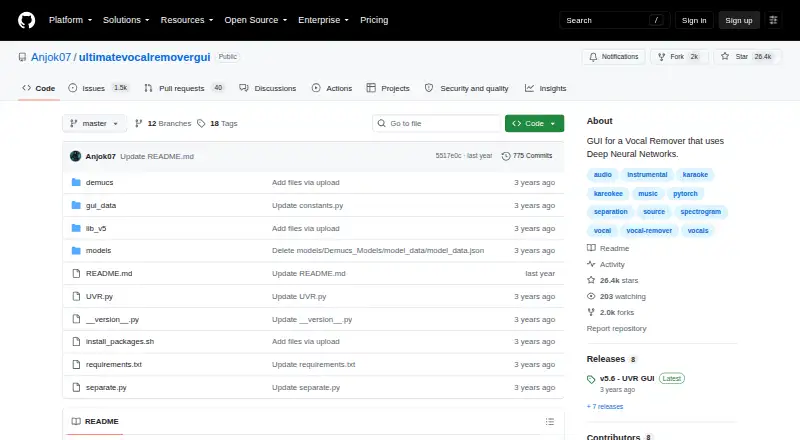
What Ultimate Vocal Remover is
Ultimate Vocal Remover (UVR) is a free desktop application that uses deep neural network models to separate audio sources and remove vocals. It supports batch processing and exports WAV, FLAC, and MP3 files. Available stem types include vocals, instrumental, other, bass, drums, guitar, piano, synthesizer, strings, woodwinds, brass, and wind instruments. UVR runs on Windows, macOS, and Linux, and the project says it is open source and free to use and modify. The GUI code is MIT-licensed; developers using its models are asked to credit UVR and its developers. Its core developers trained the included models apart from the Demucs v3 and v4 4-stem models. Windows installation targets Windows 10 or later and should use the main C: drive. The bundled macOS release targets Big Sur and newer, with separate Apple Silicon and Intel downloads; Linux instructions cover Debian- and Arch-based systems. GPU conversion requires at least an Nvidia GTX 1060 with 6GB, while 8GB or more of Nvidia VRAM is recommended. Conversion time varies with hardware, and non-WAV processing requires FFmpeg.
Who it suits
UVR suits people who want a free desktop tool for vocal removal and audio stem separation on Windows, macOS, or Linux. GPU conversions require suitable Nvidia hardware, while AMD Radeon support is limited.
What it does well
- Free to use and modify.
- Batch processing is available.
- Exports WAV, FLAC, and MP3.
- Runs on Windows, macOS, and Linux.
- Includes many stem types, including vocals and instruments.
What to know first
- Windows installation targets Windows 10 or higher.
- Windows installation should use the main C: drive.
- GPU conversion requires an Nvidia GTX 1060 with 6GB.
- AMD Radeon GPU support is limited.
Limits
GPU conversions require at least an Nvidia GTX 1060 with 6GB; the project recommends Nvidia GPUs with at least 8GB of VRAM. Conversion times depend significantly on hardware, and the models are computationally intensive.
Plans
| Plan | Billed and limits | Price |
|---|---|---|
| Ultimate Vocal Remover GUI | Free to use and modify · 64-bit platforms · GPU conversions require at least an Nvidia GTX 1060 6GB | Free |
As github.com lists them, read 3 Oct 2026. The maker's own page has the final word.
Getting started
- Open the project's GitHub page.
- Choose the download or installation instructions for Windows, macOS, or Linux.
- On Windows 10 or higher, install to the main C: drive.
- On macOS Big Sur or above, choose the Apple Silicon or Intel download that matches your Mac.
- For Debian- or Arch-based Linux, follow the repository's manual installation instructions.
- Install FFmpeg if you need to process non-WAV files.
- Use GitHub Issues for help, including detailed reports and error logs when possible.
Verdict
UVR offers free, open-source vocal removal with batch processing and several export formats. Before installing, check the platform-specific requirements and GPU limitations; non-WAV files need FFmpeg.
Questions
How much does Ultimate Vocal Remover cost?
The listed plan is free. The project says it is free to use and modify.
Which platforms does UVR support?
It runs on Linux, macOS, and Windows. The bundled macOS version targets Big Sur and above; Windows installation targets Windows 10 or higher.
Is Ultimate Vocal Remover open source?
The project describes UVR as 100% open source and free to use and modify. The GUI code is MIT-licensed; developers using its models are asked to credit UVR and its developers.
Which audio formats can it export?
UVR exports WAV, FLAC, and MP3 files.
What hardware is required for GPU conversion?
The project lists an Nvidia GTX 1060 with 6GB as the minimum and recommends Nvidia GPUs with at least 8GB of VRAM. AMD Radeon GPU support is limited.
Does UVR need other software to process audio?
FFmpeg is needed to process non-WAV files. Rubber Band is used for time-stretch and pitch-shift tools.
Facts from Ultimate Vocal Remover's own pages
- AMD support
- AMD Radeon GPU support is limited, though the project links to a working branch for AMD GPU users. · github.com, 3 Oct 2026
- Dependencies
- UVR relies on FFmpeg to process non-WAV files and Rubber Band for time-stretch and pitch-shift tools. · github.com, 3 Oct 2026
- GPU requirements
- The project lists an Nvidia GTX 1060 with 6GB as the minimum for GPU conversions and recommends Nvidia GPUs with at least 8GB of VRAM. · github.com, 3 Oct 2026
- License
- The UVR GUI code is MIT-licensed, and developers using its models are asked to credit UVR and its developers. · github.com, 3 Oct 2026
- Linux
- The repository provides manual installation instructions for Debian- and Arch-based Linux systems. · github.com, 3 Oct 2026
- macOS
- The bundled macOS version targets Big Sur and above and has separate downloads for Apple Silicon and Intel Macs. · github.com, 3 Oct 2026
- Model training
- UVR's core developers trained the models included in the package, except the Demucs v3 and v4 4-stem models. · github.com, 3 Oct 2026
- Open source
- The project says it is 100% open source and free for anyone to use and modify. · github.com, 3 Oct 2026
- Performance
- The project says conversion times depend significantly on hardware and that its models are computationally intensive. · github.com, 3 Oct 2026
- Purpose
- The application uses deep neural network source separation models to remove vocals from audio files. · github.com, 3 Oct 2026
- Security note
- The macOS opening instructions advise that users may need to disable Gatekeeper checks and remove the app's quarantine attribute to bypass notarization. · github.com, 3 Oct 2026
- Support
- Users are directed to GitHub Issues for help and asked to include detailed reports, with error logs when possible. · github.com, 3 Oct 2026
- Windows
- The Windows installer targets Windows 10 or higher, and installation to the main C: drive is required to avoid instability. · github.com, 3 Oct 2026
Where Ultimate Vocal Remover stands on Freedom251
- AI Stem Splitters#20 of 26
- Stem Separation Software#18 of 21