Freedom251 › AI Document Processing Software
UiPath Document Understanding
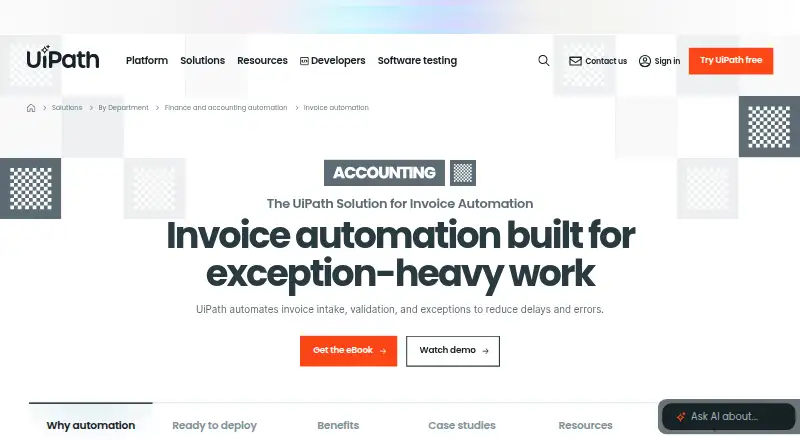
What UiPath Document Understanding is
UiPath Document Understanding uses robotic process automation and AI to turn documents into structured information by classifying, extracting, and validating content. It works with images, PDFs, handwriting, signatures, checkboxes, and tables, using rules, templates, and specialized or generative models. For invoices, the model extracts 27 fields and 7 items, including vendor, payment, product, and currency details; customers can adapt its field schema. UiPath describes an invoice workflow covering intake, validation, exception routing, approvals, ERP posting, and payment preparation. Human review, audit trails, and PII controls are supported, and integrations include SAP, Oracle, NetSuite, Workday, and Dynamics. OCR choices include UiPath engines, Microsoft Azure Computer Vision OCR, and Google Cloud Vision OCR. Delivery is available through Automation Cloud or Automation Suite, an on-premises package. The free Community plan is available to eligible users, with limits of 50 documents per hour, 2 pages and 4 MB per document, and no UiPath Support. Basic starts at $25 a month; Standard pricing is on request.
Who it suits
It suits finance and accounts-payable teams processing invoices and handling exceptions across existing systems. Community may suit eligible individuals and organizations within its document limits; larger needs can consider paid plans.
What it does well
- Extracts invoice details across 27 fields and 7 items.
- Supports human review, audit trails, and PII controls.
- Connects with major ERP and AP systems.
- Offers Automation Cloud and on-premises deployment.
- Free Community plan is available to eligible users.
What to know first
- Community has no UiPath Support.
- Community allows 2 pages per document.
- Basic starts at $25 a month.
- Helix Extractor models cap documents at 100 pages.
Limits
The free Community plan allows 50 documents per hour, with a maximum of 2 pages and 4 MB per document, and includes no UiPath Support. Basic starts at $25 per month and has limited scale, such as users and robots; modern Document Understanding projects use 0.2 Platform Units per page under Unified Pricing.
Plans
| Plan | Billed and limits | Price |
|---|---|---|
| Community | 1 tenant · EU data residency · maximum 50 documents/hour · documents limited to 2 pages and 4 MB · no UiPath Support | Free |
| Basic | Starting at $25 per month · Up to 5 Basic, 5 Plus and 1 Pro user · 2 robots · 1 tenant · 1 folder · 6-month cold-data retention | $25 a month |
| Enterprise | Contact Sales for pricing · No limits to scale · multi-region or on-premises hosting · customer-managed encryption keys and credential vaults · CI/CD support | On request |
| Standard | Contact Sales for pricing · No limits to scale · customer-choice hosting region or on-premises · opt out of data collection · Bronze Support | On request |
As uipath.com lists them, read 15 Oct 2026. The maker's own page has the final word.
Getting started
- Visit UiPath's invoice automation page.
- Choose the Community plan if eligible, or review Basic and contact sales about Standard pricing.
- Use DocumentUnderstanding.Activities in Studio Web or Studio Desktop, or use IntelligentOCR.Activities in Studio Desktop for Windows and Windows Legacy projects.
- Use Automation Cloud or Automation Suite, documented delivery options for UiPath.
Overview
UiPath Document Understanding applies AI and robotic process automation to document-heavy work, with invoice automation aimed especially at finance and accounts-payable teams. Its appeal is the ability to pair configurable extraction with review, routing and ERP steps in a broader workflow.
It handles images and PDFs, including handwriting, signatures, checkboxes and tables, using rules, templates, specialized models or generative models. For invoices, the model extracts 27 fields, 7 items and currency information, covering vendor, payment and product details; customers can adjust the field schema. That breadth can suit varied invoice formats, but page-based usage and document limits matter when estimating throughput. For more options, see AI Document Processing Software.
Key features
Extraction, OCR and workflow
UiPath includes its own OCR engines and offers Microsoft Azure Computer Vision OCR and Google Cloud Vision OCR. Document classification, data validation, workflow routing and API access support use beyond a single extraction step. Invoice automation can carry work from intake through validation, exception routing and approvals to ERP posting and payment preparation, connecting with SAP, Oracle, NetSuite, Workday, Dynamics and other ERP and accounts-payable systems. This makes it a stronger fit for teams joining document capture to established finance processes than for buyers seeking only a standalone OCR endpoint.
Human review, audit trails, durable execution and PII controls provide oversight for exceptions and sensitive information. UiPath says customer data is encrypted, access is restricted and logged, and customers can request deletion at contract end or earlier. Integrations with third-party generative AI services pass through the UiPath AI Trust Layer, and related features can be disabled through its policies.
Usage and deployment
Helix Extractor models have a maximum of 100 pages per document, and modern projects have a 30,000-page limit. Under Unified Pricing, modern Document Understanding projects use 0.2 Platform Units per page, so ongoing volume is a meaningful planning consideration. Delivery is through Automation Cloud or Automation Suite, which UiPath describes as an on-premises package. DocumentUnderstanding.Activities is available in Studio Web and Studio Desktop for Windows and cross-platform projects; IntelligentOCR.Activities is available in Studio Desktop for Windows and Windows Legacy projects. The build options therefore vary by project type and environment.
Pricing
UiPath offers a free Community plan and paid plans, with pricing on request for the product overall. Community is free, at no cost for eligible individuals and organizations. It allows 50 documents per hour, up to 2 pages per document and 4 MB per document, but includes no UiPath Support; users are directed to the Community Forum. Those caps make it suitable for eligible users with modest needs, not a substitute for higher-volume production support.
Basic is $25 a month, starting at $25 per month. It has limited scale for users and robots, is hosted in the European region, includes 99.9% service uptime and UiPath Bronze Support. It offers a defined starting price and support, but the limited scale may not fit larger operations. Standard has custom pricing; it is positioned for classifying and extracting enterprise data from documents and communications at scale. A free trial is also available.
Platforms
Document Understanding supports API, Linux, self-hosted, web and Windows environments. Its Automation Cloud and Automation Suite delivery options, alongside the different Studio activity availability, give teams several deployment and development paths, though the appropriate activity depends on the project and operating environment.
Who it's for
It is best suited to finance and accounts-payable teams that need invoice processing and exception handling connected to existing ERP or AP systems. Teams that need configurable invoice fields, human review and a workflow extending through approvals and posting can benefit from the broader automation approach. Buyers with small, tightly capped workloads may find Community sufficient; organizations processing at scale should weigh page limits and Platform Unit consumption alongside custom Standard pricing.
Pros and cons
- Pros: Invoice extraction covers 27 fields, 7 items and currency information, with an adjustable schema, helping accommodate differing invoice requirements.
- Pros: Intake-to-payment workflow steps, exception review and connections to major ERP and AP systems make it suitable for more than document capture alone.
- Pros: Encryption, logged access, deletion requests and controls for third-party generative AI address data governance concerns.
- Cons: Community is limited to 50 documents per hour, 2 pages and 4 MB per document, and has no UiPath Support.
- Cons: Helix Extractor's 100-page document cap, the 30,000-page modern-project limit and 0.2 Platform Units per page require careful volume planning.
- Cons: Basic has limited scale, while Standard uses custom pricing, making cost and capacity harder to assess for larger deployments.
Alternatives
Consider Automation Anywhere Document Automation if its free Community Edition suits a small business needing up to 5 machines and 100 pages per month; it also supports API, macOS, web and Windows.
Veryfi Invoices OCR API is worth considering for invoice-focused API access across Android, iOS and web; its Starter plan is $500 a month with a $500 monthly minimum commitment and 0–25,000 transactions per month at $0.16 per invoice.
LandingAI Agentic Document Extraction offers an Explore plan with one user seat and 1,000 free credits to start, or a Team plan at $250 a month; consider it if those credit-based options better fit your needs.
Nanonets Accounts Payable Automation has a Starter plan for up to 3 users and a Starter paid-usage plan at $100 a month for 100 credits.
Parseur may suit buyers looking for email parsing, with a free plan capped at 20 pages per month, one user and 90-day document retention.
Stipple is an alternative for tender search and matching, which it offers free without requiring a card or account to start.
Unstract offers a free self-hosted Open Source plan limited to one user, with Slack community support; consider it if those conditions suit your deployment.
Amazon Textract AnalyzeExpense is an API alternative for buyers who want expense analysis through AWS; its Free Tier offers new AWS customers up to 100 pages per month for three months.
Verdict
UiPath Document Understanding is a strong choice for finance and accounts-payable teams that need invoice extraction joined to review, exception handling and ERP workflows. Its configurable model and process coverage are the main reasons to choose it; page-based consumption, caps and custom pricing are the reasons to look elsewhere if costs or high-volume throughput need to be predictable upfront.
Verdict
UiPath Document Understanding combines document extraction with invoice workflow support and ERP connections. Check plan limits and the Community support restriction against your processing needs.
Questions
Is UiPath Document Understanding free?
A Community plan is available at no cost to eligible individuals and organizations. It includes 50 documents per hour, 2 pages per document, 4 MB per document, and no UiPath Support.
How much does UiPath Document Understanding cost?
Basic starts at $25 per month. Standard pricing is available by contacting sales, and the pricing note for the product says pricing is on request.
What kinds of documents can it process?
It can process images, PDFs, handwriting, signatures, checkboxes, and tables using rules, templates, and specialized or generative models.
Which platforms and deployment options are listed?
The listed platforms are API, Linux, self-hosted, web, and Windows. UiPath documents delivery through Automation Cloud and Automation Suite, described as an on-premises package.
Which OCR engines and business systems does it support?
OCR options include UiPath engines, Microsoft Azure Computer Vision OCR, and Google Cloud Vision OCR. Invoice automation connects with SAP, Oracle, NetSuite, Workday, Dynamics, and other ERP and accounts-payable systems.
What are the document usage limits?
Helix Extractor models have a maximum of 100 pages per document, and modern projects have a limit of 30,000 pages. Modern projects use 0.2 Platform Units per page under Unified Pricing.
Facts from UiPath Document Understanding's own pages
- API
- Document Understanding provides HTTP REST APIs for project discovery, digitization, classification, extraction and validation, with Swagger documentation in the service. · docs.uipath.com, 15 Oct 2026
- Build platforms
- DocumentUnderstanding.Activities is available in Studio Web and Studio Desktop for Windows and cross-platform projects; IntelligentOCR.Activities is available in Studio Desktop for Windows and Windows Legacy projects. · docs.uipath.com, 2 Oct 2026
- Company facts
- LinkedIn lists UiPath as a public software company founded in 2005, headquartered in New York, with 1,001–5,000 employees. · linkedin.com, 15 Oct 2026
- Data safeguards
- UiPath says customer data is encrypted, access is logged and audited, documents used for improvement are anonymized, and customers can request runtime-data purging and opt out of model training. · docs.uipath.com, 15 Oct 2026
- Deployment
- Document Understanding is available through UiPath Automation Cloud and Automation Suite, including online, offline and hybrid deployment models. · docs.uipath.com, 15 Oct 2026
- Documentation and support
- Official documentation covers user guides, API guidance, deployment comparisons, hardware requirements, licensing, activities and release notes; Community-plan users receive forum rather than UiPath Support access. · docs.uipath.com, 15 Oct 2026
- Document processing
- Document Understanding combines RPA and AI to digitize, classify, extract, and validate information from documents. · docs.uipath.com, 2 Oct 2026
- Document types
- The service handles images, PDFs, handwriting, signatures, checkboxes and tables, with rules, templates, specialized models and generative models. · docs.uipath.com, 15 Oct 2026
- Founded
- 2005 · uipath.com, 28 Sept 2026
- Funding and acquisitions
- Crunchbase lists UiPath, Inc. as active with ten funding rounds, 39 investors and acquisitions including WorkFusion, Peak, Re:infer, Cloud Elements, ProcessGold and StepShot. · crunchbase.com, 15 Oct 2026
- Generative AI controls
- Document Understanding integrations with third-party generative AI services go through the UiPath AI Trust Layer, and those features can be disabled through its policies. · docs.uipath.com, 2 Oct 2026
- Google Play listing
- The Inside UiPath Android app listing shows 1K+ downloads, an Everyone content rating and a July 3, 2024 update; no star rating count is displayed. · play.google.com, 15 Oct 2026
- Headquarters
- New York, NY, United States · uipath.com, 28 Sept 2026
- Human review
- The invoice platform supports human-in-the-loop review, audit trails, durable execution, and PII controls. · uipath.com, 2 Oct 2026
- Human validation
- Human-in-the-loop validation stations let reviewers confirm or correct extracted fields before downstream processing. · docs.uipath.com, 15 Oct 2026
- Integrations
- The invoice solution connects with SAP, Oracle, NetSuite, Workday, Microsoft Dynamics and other ERP, accounts-payable and supplier systems. · uipath.com, 15 Oct 2026
- Intended users
- UiPath positions invoice automation for finance and accounts-payable teams handling invoice processing and exceptions across existing systems. · uipath.com, 2 Oct 2026
- Invoice automation
- UiPath invoice automation covers intake, data extraction, purchase-order and contract validation, exception routing, approvals, ERP posting and payment preparation. · uipath.com, 15 Oct 2026
- Invoice extraction
- The invoice model extracts 27 fields, 7 items, and currency information, including vendor, payment, and product details; customers can adjust its field schema. · docs.uipath.com, 2 Oct 2026
- Invoice workflow
- UiPath describes invoice automation across intake, validation, exception routing, approvals, ERP posting, and payment preparation. · uipath.com, 2 Oct 2026
- Legal identity
- UiPath's 2026 annual report identifies the legal entity as UiPath, Inc., incorporated in Delaware, with principal offices at One Vanderbilt Avenue, New York. · ir.uipath.com, 15 Oct 2026
- Licence
- UiPath describes its Document Understanding models as proprietary, and the product is distributed commercially through UiPath licensing rather than as an open-source project. · docs.uipath.com, 15 Oct 2026
- Limit: G2 pricing and handwriting
- G2 reviews complain that licensing is expensive and that handwritten documents can be difficult to annotate or recognize reliably. · g2.com, 15 Oct 2026
- Limit: G2 training effort
- G2 reviewers repeatedly report that taxonomy setup, labeling, model training and fine-tuning take time, especially for complex or low-quality documents. · g2.com, 15 Oct 2026
Where UiPath Document Understanding stands on Freedom251
- AI Document Processing Software#9 of 27