Freedom251 › AI Screen Recorders
Tutorial AI
What Tutorial AI is
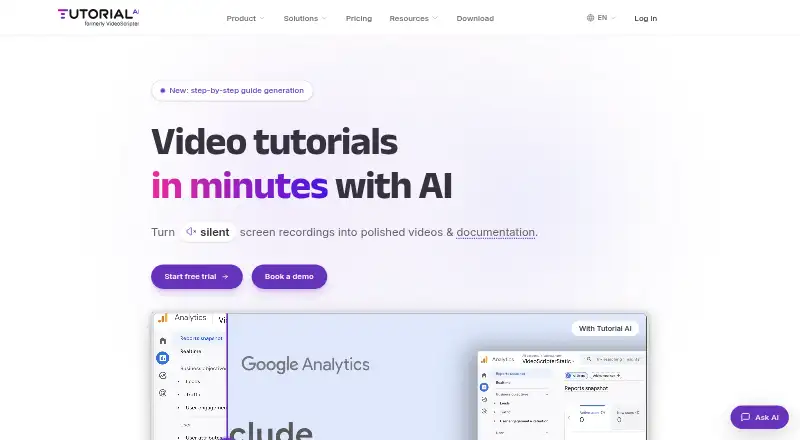
Tutorial AI converts screen recordings into video tutorials and written documentation. Its AI creates scripts, voiceovers, visual effects, captions, and supporting text, while the editor lets you change narration as text and adjusts video timing to match. AI narration and translation are available in 74 languages. Recording can use the desktop recorder, Chrome extension, or iPhone and iPad; desktop recording supports macOS 13.1 or later and Windows 10 64-bit or later. Finished projects can be exported as MP4, SRT, SBV, VTT, RTF, Markdown, or HTML, shared by link, embedded, or turned into written articles. Listed integrations include YouTube, Microsoft Stream, HubSpot, Vimeo, Articulate 360, Monday.com, Notion, SharePoint, WordPress, Udemy, Litmos, Squarespace, Shopify, and 360Learning. Plans start at $18 a month, with Solo, Growth, and Team monthly limits of 10, 30, and 60 generated-video minutes. A free trial includes three projects with full AI features and no credit card requirement.
Who it suits
It suits teams and individuals creating instructional videos, translated narration, and accompanying documentation from recordings. The browser, desktop, mobile, and integration options support varied publishing workflows.
What it does well
- Generates scripts, narration, captions, and effects
- Supports narration and translation in 74 languages
- Exports video and multiple document formats
- Integrates with major publishing and work platforms
- Trial includes three full-featured projects
What to know first
- No free plan is available
- Solo includes 10 generated-video minutes monthly
- Desktop recorder requires newer operating systems
Plans
| Plan | Billed and limits | Price |
|---|---|---|
| Team | $108 /mo · 2 editor seats · 10 guest seats · 60 min/mo generated video · brand kit · pronunciation lexicon · custom fonts | $108 a month |
| Solo | $18 /seat/mo · 1 editor seat · 3 guest seats · 10 min/mo generated video · 1080p export | $18 a month |
| Growth | $64 /seat/mo · 1 editor seat · 5 guest seats · 30 min/mo generated video · 4K export · translations · iPhone/iPad recording | $64 a month |
| Enterprise | Let's talk · Custom limits · unlimited workspaces · multiple editors · custom AI voices · voice cloning · SCORM · priority support | On request |
As tutorial.ai lists them, read 8 Oct 2026. The maker's own page has the final word.
Verdict
Tutorial AI combines recording, AI production, text-based editing, translation, and documentation output in one service. Check the plan minute limits and platform requirements against your production volume.
Facts from Tutorial AI's own pages
- AI data minimization
- The security practices page says only click-region still images and sentence-level narration text are sent to AI subprocessors, and that full video, keystrokes, typed text, and clipboard contents are not sent or captured. · tutorial.ai, 8 Oct 2026
- Compliance statements
- The homepage displays SOC 2 Type II and ISO 27001 as certified, while the security practices page says ISO/IEC 27001 certification is in progress and expected approximately December 2026. · tutorial.ai, 8 Oct 2026
- Editing
- Its editor lets users edit narration as text, with video timing updating to match. · tutorial.ai, 8 Oct 2026
- Integrations
- The integrations directory lists YouTube, Microsoft Stream, HubSpot, Vimeo, Articulate 360, Monday.com, Notion, SharePoint, WordPress, Udemy, Litmos, Squarespace, Shopify, and 360Learning. · tutorial.ai, 8 Oct 2026
- Languages
- The product offers AI narration and translation in 74 languages. · tutorial.ai, 8 Oct 2026
- Publishing
- Users can export videos as MP4, share them by link, embed them, and generate written articles from recordings. · tutorial.ai, 8 Oct 2026
- Security and data location
- The security practices page says customer data is processed and stored in the EEA and does not leave the EU. · tutorial.ai, 8 Oct 2026
- Security controls
- The security practices page describes TLS in transit, AES-256 encryption at rest, role-based access, mandatory organization-level two-factor authentication, and Google Workspace SSO. · tutorial.ai, 8 Oct 2026
- Supported recording
- The desktop recorder supports macOS 13.1 or later and Windows 10 (64-bit) or later; the site also documents Chrome extension and iPhone/iPad recording. · tutorial.ai, 8 Oct 2026
- Trial limit
- The free trial includes three video projects with full AI features and does not require a credit card. · tutorial.ai, 8 Oct 2026
- Usage limits
- Monthly plans include 10, 30, or 60 minutes of generated video per month for Solo, Growth, or Team; annual plans provide 2, 6, or 12 hours per year, respectively. · tutorial.ai, 8 Oct 2026
- What it does
- Tutorial AI turns screen recordings into video tutorials with AI-generated scripts, voiceovers, visual effects, captions, and written documentation. · tutorial.ai, 8 Oct 2026
Where Tutorial AI stands on Freedom251
- AI Screen Recorders#34 of 39