Freedom251 › Time tracking apps
Toolr
by Toolr
What Toolr is
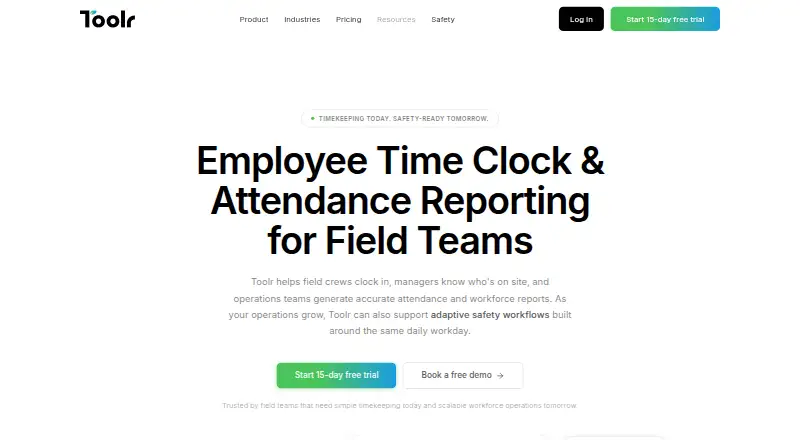
Toolr is a workforce platform for field teams that brings together timekeeping, attendance reporting, communication, operations tools, and Adaptive Safety. Workers can clock in on mobile devices or through a shared-device kiosk. Clock-ins are GPS-verified, timestamped, and tied to jobs and locations, while managers can see who is clocked in, when they started, and the job assigned to them in real time. Attendance can be grouped by employee, job, date, or crew, with spreadsheet and PDF exports. The Track plan includes timekeeping, attendance, GPS verification, payroll reporting, and unlimited devices and locations. Manage adds team messaging, file sharing, a crew directory, and push notifications. Operate adds custom forms, workflows, analytics and reports, training, testing, and offline mode. Adaptive Safety is in beta for qualified teams and can surface requirements such as JHAs, PPE checks, and permits based on work context. Safety Sync adds OSHA-ready programs and English- and Spanish-language safety content with continuous updates. Toolr is available on Android, iOS, and the web. All plans include a 15-day trial with full plan access and no credit card required.
Who it suits
Toolr suits mobile field workforces in construction, manufacturing, energy, transportation, and facilities that need timekeeping and job-linked attendance. Teams looking for communications, operational workflows, or context-based safety resources can choose plans with those capabilities.
What it does well
- GPS-verified clock-ins connect workers to jobs and locations.
- Managers can see clock-in status and assigned jobs in real time.
- Attendance reports export to spreadsheets and PDFs.
- Manage adds messaging, file sharing, a crew directory, and notifications.
- Operate includes offline mode, workflows, training, and testing.
- Plans include a 15-day trial with full access and no credit card.
What to know first
- No free plan is offered.
- Track starts at $15 per month, with added charges per active employee beyond five.
- Adaptive Safety is in beta and limited to qualified teams.
Limits
Every plan includes the first five active employees; additional active employees are charged according to the plan. Archived and inactive employees do not count toward billing. Adaptive Safety is in beta for qualified teams.
Plans
| Plan | Billed and limits | Price |
|---|---|---|
| Track | $15/month; first 5 active employees included, then $3 per active employee · Timekeeping · attendance · GPS verification · payroll reporting · unlimited devices and locations | $15 a month |
| Manage | $30/month; first 5 active employees included, then $6 per active employee · Track features · team messaging · file sharing · crew directory · push notifications | $30 a month |
| Operate | $50/month; first 5 active employees included, then $20 per active employee · Manage features · custom forms · workflows · analytics and reports · training · testing · offline mode | $50 a month |
| Adaptive Safety | Available with Operate; $25 per active employee per month beyond the first 5. · 5 active employees included · Unlimited devices · Unlimited locations | $50 a month |
| Operate + Safety Sync™ | $50/month; first 5 active employees included, then $25 per active employee · Operate features · Adaptive Safety · OSHA-ready forms · JHAs · inspections · safety content | $50 a month |
As mytoolr.com lists them, read 3 Oct 2026. The maker's own page has the final word.
Getting started
- Open https://www.mytoolr.com/.
- Choose a plan: Track, Manage, Operate, Adaptive Safety, or Operate + Safety Sync™.
- Start the plan's 15-day free trial; no credit card is required.
- Use Toolr on Android, iOS, or the web.
- Set up mobile, kiosk, web, or manual timesheet clock-ins for workers.
Verdict
Choose Toolr if your field workforce needs job-linked timekeeping and attendance visibility, with optional communication and operations tools. The main reason to look elsewhere is that there is no free plan, and larger active teams incur per-employee charges.
Questions
Is Toolr free?
No. Toolr has paid plans, starting with Track at $15 per month.
Does Toolr offer a free trial?
Yes. Each plan includes a 15-day trial with full plan access and no credit card required.
Which platforms can I use?
Toolr is available on Android, iOS, and the web.
What does Track include?
Track includes timekeeping, attendance, GPS verification, payroll reporting, and unlimited devices and locations. The first five active employees are included; each additional active employee costs $3 per month.
What is the difference between Manage and Operate?
Manage adds team messaging, file sharing, a crew directory, and push notifications. Operate includes Manage features plus custom forms, workflows, analytics and reports, training, testing, and offline mode.
What does Adaptive Safety do?
For qualified teams, the beta feature can surface JHAs, PPE checks, permits, and other requirements based on work context. Safety Sync adds OSHA-ready programs and English- and Spanish-language safety content with continuous updates.
Facts from Toolr's own pages
- Billing limits
- All plans include the first five active employees, and archived or inactive employees do not count toward billing. · mytoolr.com, 3 Oct 2026
- Clock-ins
- Workers can clock in from mobile devices, and shared-device kiosk mode is supported. · mytoolr.com, 3 Oct 2026
- Free plan
- No · mytoolr.com, 22 Sept 2026
- Headquarters
- Portland, Oregon, United States · mytoolr.com, 28 Sept 2026
- Intended users
- Toolr is aimed at mobile field workforces in construction, manufacturing, energy, transportation, and facilities. · mytoolr.com, 3 Oct 2026
- Location tracking
- Clock-ins are GPS-verified, timestamped, and tied to jobs and locations. · mytoolr.com, 3 Oct 2026
- Manage features
- Manage includes team messaging, file sharing, a crew directory, and push notifications. · mytoolr.com, 3 Oct 2026
- Operate features
- Operate includes custom forms, workflows, programs, analytics, training, testing, and offline mode. · mytoolr.com, 3 Oct 2026
- Product
- Toolr provides timekeeping, attendance reporting, workforce communication, operations, and Adaptive Safety for field teams. · mytoolr.com, 3 Oct 2026
- Reports
- Toolr organizes attendance by employee, job, date, or crew and supports spreadsheet and PDF exports. · mytoolr.com, 3 Oct 2026
- Safety
- Adaptive Safety is in beta for qualified teams and can surface JHAs, PPE checks, permits, and other requirements based on work context. · mytoolr.com, 3 Oct 2026
- Safety content
- Safety Sync adds OSHA-ready programs and content in English and Spanish, with continuous updates. · mytoolr.com, 3 Oct 2026
- Support
- The pricing page describes support as real people providing answers when needed and offers specialist consultations. · mytoolr.com, 3 Oct 2026
- Trial
- Each plan includes a 15-day free trial with full plan access and no credit card required. · mytoolr.com, 3 Oct 2026
- Workforce visibility
- Managers can view who is clocked in, when they clocked in, and their assigned job in real time. · mytoolr.com, 3 Oct 2026
Where Toolr stands on Freedom251
- Time tracking apps#64 of 78
- Time and Attendance Software#23 of 28
- Time Tracking Software#68 of 77