Freedom251 › Restaurant Payroll Software

TipPay
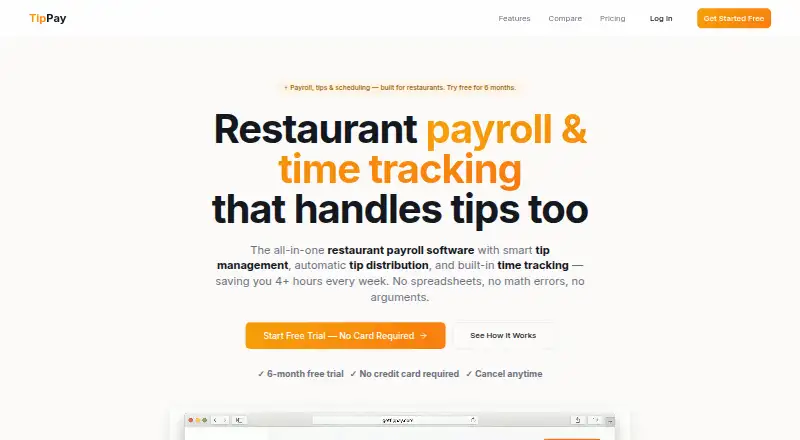
What TipPay is
TipPay is browser-based restaurant payroll software for managing tips, time tracking, and payroll. It calculates tipped wages, overtime, tips, deductions, and net pay, and offers automatic federal and state tax filings. Restaurants can divide tip pools using hours, role weights, or custom rules. Employees can clock in on web or mobile, with geofenced clock-ins and automatic overtime calculation. Plans include W-2 and 1099 generation; Professional and Enterprise also include FICA tip credit reporting with Form 8846. Employees can be paid by ACH direct deposit or debit card, and the site says direct deposits arrive in 1–2 business days. Weekly and monthly reports can be exported as CSV for accountants. TipPay also lists Stripe payroll funding and CSV roster imports. It runs in a browser on desktop or mobile without a download or installation. Plans start at $29/mo, with a six-month free trial on every plan and no credit card required. Starter supports up to 10 employees; Professional, $59/mo, supports 30 employees and three locations; Enterprise is $99/mo with unlimited employees and locations.
Who it suits
TipPay suits restaurants that need payroll calculations alongside tip distribution and time tracking. Its plan limits and location caps help distinguish smaller teams from those needing more capacity.
What it does well
- Automatic federal and state tax filings
- Tip pools can use custom rules
- Web and mobile clock-ins with geofencing
- Weekly and monthly CSV reports
- Six-month trial without a credit card
What to know first
- No free plan
- Starter limited to 10 employees
- Professional limited to three locations
Limits
Starter costs $29.00 per month and covers up to 10 employees. Professional costs $59.00 per month and covers up to 30 employees and three locations; Enterprise is the plan with unlimited employees and locations.
Plans
| Plan | Billed and limits | Price |
|---|---|---|
| Starter | $29 /month · Up to 10 employees · weekly, bi-weekly & semi-monthly pay runs · email support | $29 a month |
| Professional | $59 /month · Up to 30 employees · up to 3 locations · priority email & chat support | $59 a month |
| Enterprise | $99 /month · Unlimited employees · unlimited locations · priority phone support | $99 a month |
As gettippay.com lists them, read 4 Oct 2026. The maker's own page has the final word.
Getting started
- Open TipPay in a desktop or mobile browser
- Start the six-month free trial without a credit card
- Import employee rosters by CSV
- Connect payroll funding through Stripe
- Set tip-pool rules and employee time tracking
- Choose ACH direct deposit or debit-card payments
Verdict
TipPay brings tip allocation, time tracking, payroll calculations, and tax filings into a browser-based service. Consider the employee and location limits, and note that prices start at $29/mo despite the six-month trial.
Questions
How much does TipPay cost?
Starter is $29.00 per month, Professional is $59.00 per month, and Enterprise is $99.00 per month.
Is there a free trial?
Every plan includes a six-month free trial, with no credit card required and cancellation at any time.
What platforms does it support?
TipPay runs in a browser on desktop or mobile and requires no download or installation.
Which plans support FICA tip credit reporting?
Professional and Enterprise include FICA tip credit reporting using Form 8846.
How can employees be paid?
TipPay lists ACH direct deposit and debit card payments; direct deposits are stated to arrive in 1–2 business days.
Facts from TipPay's own pages
- Exports
- TipPay provides weekly and monthly reports with CSV export for accountants. · gettippay.com, 4 Oct 2026
- Integrations
- The site says payroll can be funded via Stripe and employee rosters can be imported by CSV. · gettippay.com, 4 Oct 2026
- Payments
- The site says employees can be paid by ACH direct deposit or debit card, with direct deposits arriving in 1–2 business days. · gettippay.com, 4 Oct 2026
- Payroll
- It calculates tipped wages, overtime, tips, deductions, and net pay, and offers automatic federal and state tax filings. · gettippay.com, 4 Oct 2026
- Platform
- TipPay says it runs in a browser on desktop or mobile and requires no download or installation. · gettippay.com, 4 Oct 2026
- Product
- TipPay describes itself as restaurant payroll software with tip management, automatic tip distribution, and time tracking. · gettippay.com, 4 Oct 2026
- Scheduling
- Professional includes advanced scheduling and shift templates. · gettippay.com, 4 Oct 2026
- Security
- TipPay says it uses bank-level encryption, secure cloud infrastructure, and strict access controls, and that employee, tip, and payroll data is not shared with third parties. · gettippay.com, 4 Oct 2026
- Support
- Starter includes email support, Professional priority email and chat, and Enterprise priority phone support. · gettippay.com, 4 Oct 2026
- Tax documents
- Plans include W-2 and 1099 generation, while Professional and Enterprise include FICA tip credit reporting using Form 8846. · gettippay.com, 4 Oct 2026
- Time tracking
- Employees can clock in from web or mobile, and the product describes geofenced clock-ins and automatic overtime calculation. · gettippay.com, 4 Oct 2026
- Tip distribution
- Tip pools can be split by hours, role weights, or custom rules. · gettippay.com, 4 Oct 2026
- Trial
- Every plan includes a six-month free trial with no credit card required and cancellation at any time. · gettippay.com, 4 Oct 2026
Where TipPay stands on Freedom251
- Restaurant Payroll Software#16 of 23