Freedom251 › Phone Transfer Software
Tipard iPhone Transfer Ultimate
What Tipard iPhone Transfer Ultimate is
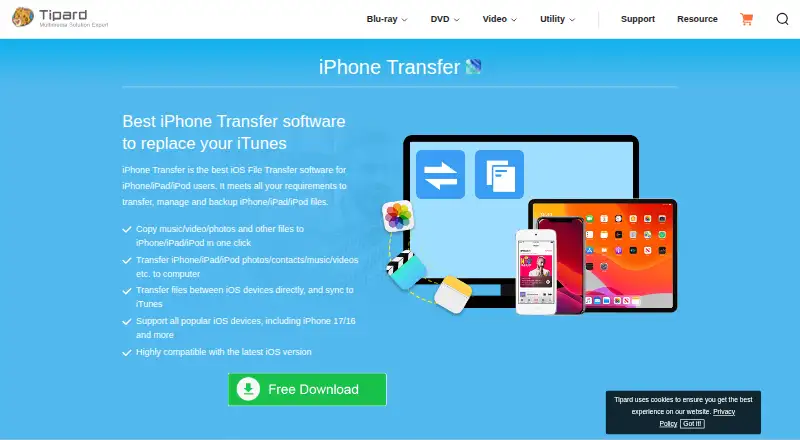
Tipard iPhone Transfer Ultimate transfers, organizes, and backs up files on iPhone, iPad, and iPod. It runs on macOS and Windows and connects devices to a computer over USB; iOS may request a device password and Trust confirmation. Users can move music, photos, videos, contacts, PDFs, and other files from a computer to an iOS device, or send device files to a computer or iTunes for backup without erasing existing iTunes files. Direct transfers between iOS devices are also supported. Management tools organize photos and songs into albums or playlists, edit contacts, and export messages as Excel, text, or HTML. Contact de-duplication can remove repeated contacts during transfers or backups. Multimedia tools edit names, artist, album, genre, and artwork. Tipard says popular devices including iPhone 17 and iPhone 16 are supported. A demo is available with a five-minute file-conversion limit. Lifetime licenses cover one PC or two to three PCs.
Who it suits
This software suits iPhone, iPad, and iPod owners who need computer transfers, backups, contact cleanup, or media organization. It fits users working on either Windows or macOS.
What it does well
- Transfers files between computers and iOS devices
- Supports direct device-to-device transfers
- Exports messages in three listed formats
- Removes duplicate contacts during transfers
- Lifetime use and updates on listed plans
What to know first
- Paid software with plans from $62.45
- Demo conversion is limited to five minutes
- USB connection and iOS Trust confirmation required
- License covers one or two to three PCs
Limits
The demo has a five-minute limit on converting files. The Lifetime License covers one PC, while the Multi-User License covers two to three PCs.
Plans
| Plan | Billed and limits | Price |
|---|---|---|
| Lifetime License · Lifetime/1 PC | $39.96 one time (shown discounted from $49.95) · Lifetime use · lifetime updates · 1 PC | $39.96, paid once |
| Multi-User License · Lifetime/2-3 PCs | $71.96 one time (shown discounted from $89.95) · Lifetime use · lifetime updates · 2-3 PCs | $71.96, paid once |
As tipard.com lists them, read 11 Oct 2026. The maker's own page has the final word.
Getting started
- Open the Tipard product website
- Download the demo or purchase a lifetime license
- Install the software on macOS or Windows
- Connect an iPhone, iPad, or iPod to the computer by USB
- Enter the device password and confirm Trust on iOS if prompted
- Choose transfers, backup, or management tools
Verdict
Tipard iPhone Transfer Ultimate combines iOS file transfer, backup, contact management, and media organization across Windows and macOS. Its demo is restricted, while paid lifetime plans provide ongoing use and updates.
Questions
How much does Tipard iPhone Transfer Ultimate cost?
The listing describes paid pricing from $62.45. Listed plans include $39.96, paid once for Lifetime License · Lifetime/1 PC and $71.96, paid once for Multi-User License · Lifetime/2-3 PCs.
Is there a free trial?
Yes. Tipard provides a demo version, and its FAQ describes a five-minute limit on file conversion.
Which platforms and devices are supported?
The software runs on macOS and Windows and transfers content for iPhone, iPad, and iPod. Tipard cites support for popular devices including iPhone 17 and iPhone 16.
Can it transfer files directly between iOS devices?
Yes. It can transfer files directly from one iOS device to another, as well as between an iOS device and a computer or iTunes.
What do the lifetime plans include?
Both listed plans provide lifetime use and lifetime updates. One covers one PC, and the other covers two to three PCs.
Facts from Tipard iPhone Transfer Ultimate's own pages
- Compatibility
- The product page says the software supports popular iOS devices, including iPhone 17 and iPhone 16, and is highly compatible with the latest iOS version. · tipard.com, 11 Oct 2026
- Computer to device
- It transfers music, photos, videos, contacts, PDF files, and other files from a computer to an iOS device. · tipard.com, 11 Oct 2026
- Connection and authorization
- The usage guide instructs users to connect iOS devices to the computer by USB and says iOS may prompt for the device password and Trust confirmation. · tipard.com, 11 Oct 2026
- Contact handling
- Its contact de-duplication function can automatically remove repeated contacts during transfer or backup. · tipard.com, 11 Oct 2026
- Device to computer
- It transfers iOS files directly to a computer or to iTunes for backup, and says existing iTunes files will not be erased. · tipard.com, 11 Oct 2026
- Device to device
- It can transfer files directly between iOS devices. · tipard.com, 11 Oct 2026
- File management
- It can organize photos and songs into albums or playlists, edit contacts, and export messages as Excel, text, or HTML files. · tipard.com, 11 Oct 2026
- Maker
- Tipard says Tipard Studio was founded in 2009; the about page does not state a headquarters location. · tipard.com, 11 Oct 2026
- Media metadata
- It can edit multimedia file names, artist, album, genre, and artwork on iPhone, iPad, or iPod. · tipard.com, 11 Oct 2026
- Purchase security
- The purchase page says payment data exchanged during online ordering is SSL-secured. · tipard.com, 11 Oct 2026
- Purpose
- iPhone Transfer transfers, manages, and backs up files on iPhone, iPad, and iPod. · tipard.com, 11 Oct 2026
- Support
- Tipard lists [email protected] for product questions and says it aims to respond to emails within 24 hours. · tipard.com, 11 Oct 2026
- Trial
- Tipard says each software has a demo version; its FAQ describes a five-minute length limitation on converting files, without stating a trial duration in days. · tipard.com, 11 Oct 2026
Where Tipard iPhone Transfer Ultimate stands on Freedom251
- Phone Transfer Software#37 of 44