Freedom251 › Phone Transfer Software

MobiKin Transfer for Mobile
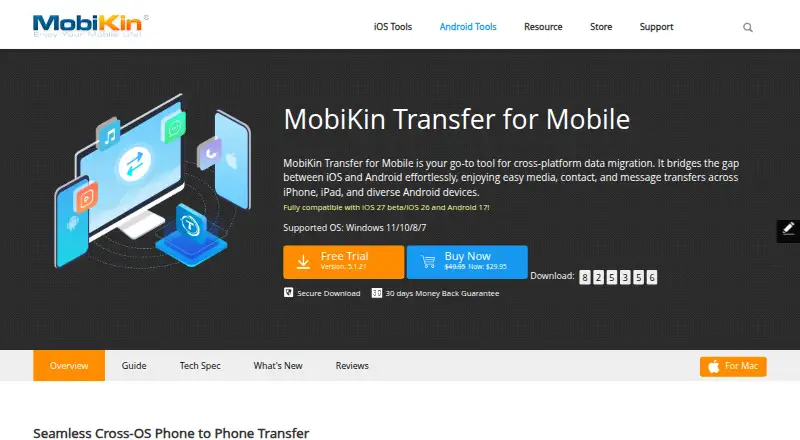
What MobiKin Transfer for Mobile is
MobiKin Transfer for Mobile is desktop software for copying selected data between Android and iOS phones, including moves between devices on the same platform. Supported items include contacts, SMS, call logs, photos, videos, music, apps, calendars, and notes, although availability varies by device combination. Phones connect through a computer; Android supports USB or Wi-Fi, while iOS uses USB. You can choose particular data types rather than restoring everything, and the product says transfers do not require a factory reset. The Windows page lists Android 6–17 and iOS 5 or later, with Windows 7, 8, 10, or 11 required. The Mac version requires Mac OS X 10.10 or later. The free trial costs nothing and transfers up to 10 contacts. The full version has no listed price, removes the number limit, and requires a license code. One license covers one device.
Who it suits
This software suits people moving selected information between Android and iOS phones using a Windows or Mac computer. It is useful when you want phone-to-phone copying without resetting either device.
What it does well
- Transfers between Android and iOS
- Selective data copying
- Android supports USB or Wi-Fi
- No factory reset required
- Trial transfers up to 10 contacts
What to know first
- Trial is limited to 10 contacts
- iOS 11+ notes cannot transfer
- One device per license
Plans
| Plan | Billed and limits | Price |
|---|---|---|
| Trial | Transfers up to 10 contacts | Free |
| Full version | Transfers different kinds of phone data without a number limit; purchase license code required | On request |
As mobikin.com lists them, read 11 Oct 2026. The maker's own page has the final word.
Verdict
MobiKin Transfer for Mobile covers common phone data and lets you choose what to copy, with USB or Wi-Fi options depending on platform. Check device combinations carefully because supported data varies, and notes cannot transfer from iOS 11 or later.
Facts from MobiKin Transfer for Mobile's own pages
- Android destination option
- The program can optionally clear data on the destination Android phone before copying. · mobikin.com, 11 Oct 2026
- Company
- MobiKin says it was established in 2007 and develops software for Android and iOS users. · mobikin.com, 11 Oct 2026
- Compatibility
- The Windows page lists Android 6–17 and iOS 5 or later, and says it has been tested with almost 6,000 phones. · mobikin.com, 11 Oct 2026
- Connections
- The desktop program connects phones to a computer; Android can connect by USB or Wi-Fi, while iOS devices connect by USB. · mobikin.com, 11 Oct 2026
- Desktop requirements
- The Windows version requires Windows 7, 8, 10, or 11; the Mac version requires Mac OS X 10.10 or later. · mobikin.com, 11 Oct 2026
- Founded
- 2007 · mobikin.com, 28 Sept 2026
- No reset required
- The product page says transfers do not require a factory reset on either phone. · mobikin.com, 11 Oct 2026
- Purpose
- Transfers data between Android and iOS phones, including between devices on the same platform. · mobikin.com, 11 Oct 2026
- Selective transfer
- Users can select the data types they want to copy instead of restoring everything. · mobikin.com, 11 Oct 2026
- Support
- MobiKin says customer service replies to email inquiries within one business day. · mobikin.com, 11 Oct 2026
- Transferable data
- Supported data includes contacts, SMS, call logs, photos, videos, music, apps, calendars, and notes, with availability varying by device combination. · mobikin.com, 11 Oct 2026
- Transfer limits
- On iOS 11 and later, the software cannot transfer notes. · mobikin.com, 11 Oct 2026
- Updates
- Both trial and full versions can receive software updates for free, and purchased registration information remains valid for upgrades. · mobikin.com, 11 Oct 2026
Where MobiKin Transfer for Mobile stands on Freedom251
- Phone Transfer Software#34 of 44