Freedom251 › Parental control apps
Timekpr-nExT
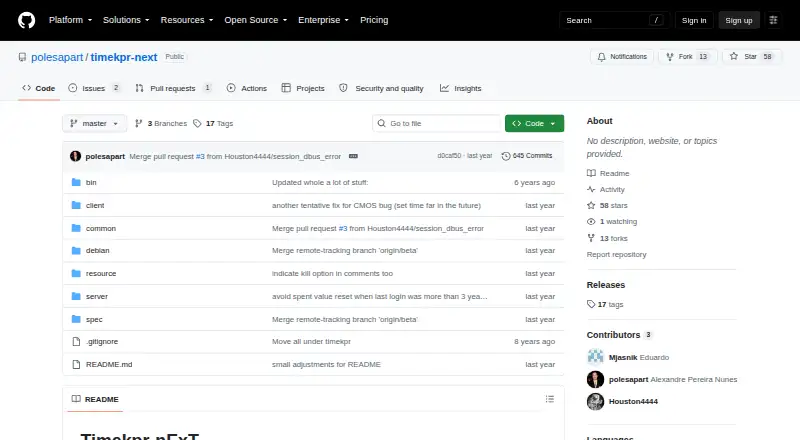
What Timekpr-nExT is
Timekpr-nExT is a free, open-source Linux desktop application for managing computer time. Parents, supervisors or individuals can set daily, weekly and monthly allowances and define the hours each user may access the computer. Usage is counted every three seconds by default, while inactive sessions, sleep and shutdown time are intended to be excluded. The PlayTime feature monitors selected applications or processes and can terminate them when their configured allowance ends. When overall time expires, configured actions can terminate or kill sessions, shut down the computer or suspend it. Users can set time-left thresholds, notification priorities and sound options. The project uses systemd login1 and FreeDesktop DBus interfaces and provides its own DBus interfaces for compatible clients or control panels. Installation options cover Ubuntu-compatible distributions, Arch Linux, Manjaro, Debian, Fedora and openSUSE. The maintainer reports testing KDE, GNOME, Cinnamon, MATE and XFCE, but desktop differences may affect accounting, locking, notifications or session termination. The maintainer also says proactive feature development and long-term testing are limited.
Who it suits
It suits families, supervisors and Linux users who need schedules, application limits and automatic lockout actions.
What it does well
- Daily, weekly and monthly allowances
- Application-level limits through PlayTime
- Shutdown, suspension and session termination actions
- Configurable thresholds and notification sounds
- Packages for several Linux distributions
What to know first
- Linux desktop only
- Desktop differences can affect enforcement
- Limited ongoing development and long-term testing
Plans
| Plan | Billed and limits | Price |
|---|---|---|
| Timekpr-nExT | Stable and beta versions · Linux desktop application | Free |
As github.com lists them, read 12 Oct 2026. The maker's own page has the final word.
Verdict
Timekpr-nExT provides detailed schedules, application controls, notifications and lockout actions at no cost. Its Linux-only scope and warnings about desktop differences and limited maintenance should guide adoption.
Facts from Timekpr-nExT's own pages
- App blocking
- Yes · github.com, 22 Sept 2026
- Application limits
- PlayTime can monitor selected applications or processes and terminate them when their configured allowance runs out. · github.com, 12 Oct 2026
- Desktop compatibility
- The maintainer reports testing KDE, GNOME, Cinnamon, MATE, and XFCE across several Linux distributions, and says current testing is mostly on demand. · github.com, 12 Oct 2026
- Installation
- The project lists packages or installation options for Ubuntu-compatible distributions, Arch Linux, Manjaro, Debian, Fedora, and openSUSE. · github.com, 12 Oct 2026
- Interfaces
- The project says it uses systemd login1 and FreeDesktop DBus interfaces, and exposes its own DBus interfaces for compatible client applications or control panels. · github.com, 12 Oct 2026
- Limitations
- The README warns that desktop environment differences can affect time accounting, locking, notifications, or session termination. · github.com, 12 Oct 2026
- Lockout actions
- When a user's time runs out, configured actions include terminating or killing sessions, shutting down, or suspending the computer. · github.com, 12 Oct 2026
- Maintenance
- The maintainer says they are no longer proactively developing features or doing long-term testing on newer distributions, and will address issues as free time allows. · github.com, 12 Oct 2026
- Notifications
- Users can configure time-left thresholds and notification priorities, and can adjust options such as sound notifications. · github.com, 12 Oct 2026
- Purpose
- Timekpr-nExT helps parents, supervisors, or individuals manage and limit time spent at a computer. · github.com, 12 Oct 2026
- Schedules
- Supervisors can set daily, weekly, and monthly allowances and define the hours when each user may use the computer. · github.com, 12 Oct 2026
- Screen-time schedules
- Yes · github.com, 22 Sept 2026
- Support
- Users are directed to Launchpad for bug reports and questions; the maintainer asks bug reports to include setup details and may request configuration and log files, which the README says contain usernames but nothing else sensitive. · github.com, 12 Oct 2026
- Time accounting
- It accounts for computer usage every three seconds by default and tries not to count inactive sessions, sleep, or shutdown time. · github.com, 12 Oct 2026
Where Timekpr-nExT stands on Freedom251
- Parental control apps#54 of 107