Freedom251 › Parental control apps
Time Boss
What Time Boss is
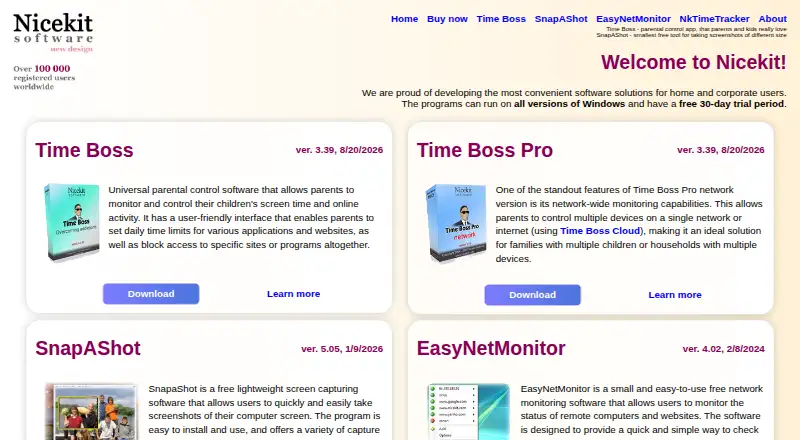
Time Boss is paid parental-control software for managing computer, internet, website, and application use. It provides content filtering, screen-time schedules, app blocking, and activity reports, with a stated device limit of 3. Parents can set daily or weekly limits for each user, create schedules, and require forced breaks. Website controls block content on HTTPS sites and support InPrivate and Incognito modes in Chrome, Edge, Firefox, Opera, Opera GX, and Brave. The software can work offline. Time Boss Pro adds remote administration over a Windows local network and synchronization of limits and settings across computers. Free Time Boss Cloud for Windows or Android lets parents change settings and view screenshots and event logs on a child’s Time Boss Pro computer. Windows support covers versions 11, 10, 8.1, 8, and 7 in 32-bit and 64-bit editions. A 30-day trial is listed, with no free plan. Installation requires a Windows administrator account. The Time Boss plan costs $44.95 a month, billed, with a license valid for 2 years covering 3 PCs. Time Boss Pro costs $59.95 a month on the same stated coverage. Time Boss for Android costs $9.49 a month, billed, for 1 device and 1 year. NiceKit is based in Netanya, Israel, and says it has worked since 2018.
Who it suits
Time Boss suits parents managing screen time, websites, applications, and activity on supported Windows computers. The Android plan and Cloud companion provide additional options for listed devices.
What it does well
- Per-user daily and weekly limits
- Schedules and forced breaks
- HTTPS website content filtering
- Works without an internet connection
- Activity reports and app blocking
What to know first
- No free plan
- Installation needs administrator rights
- Windows device limit is three
- Digital signature is not Microsoft-certified
Plans
Time Boss's published prices are being re-checked against the maker's own page.
| Plan | Billed and limits | Price |
|---|---|---|
| Time Boss for Android | License valid for 1 year from the date of purchase. · 1 device · 1 year | Price being re-checked |
| Time Boss | License valid for 2 years from purchase; shown as “Buy now $34.95” · 1 registered copy for up to 3 PCs at home · Future versions included | Price being re-checked |
| Time Boss Pro | License valid for 2 years from purchase; shown as “Buy now $49.95” · 1 registered copy for up to 3 PCs at home · Future versions included | Price being re-checked |
As nicekit.com lists them, read 22 Sept 2026. The maker's own page has the final word.
Verdict
Time Boss covers limits, schedules, filtering, blocking, and reporting, with offline operation and optional Pro remote administration. Review the separate PC and Android plans, their license terms, and the administrator requirement before choosing.
Facts from Time Boss's own pages
- Activity reports
- The program keeps event logs and screenshots and can email activity reports in real time. · nicekit.com, 11 Oct 2026
- App blocking
- Yes · nicekit.com, 22 Sept 2026
- Content filtering
- Yes · nicekit.com, 22 Sept 2026
- Device limit
- 3 · nicekit.com, 22 Sept 2026
- Device platforms
- windows · nicekit.com, 22 Sept 2026
- Free plan
- No · nicekit.com, 22 Sept 2026
- Installation limit
- Installation requires a Windows account with administrator rights. · nicekit.com, 11 Oct 2026
- Maker location and tenure
- NiceKit says it is located in Netanya, Israel, and has been working since 2018. · nicekit.com, 11 Oct 2026
- Offline use
- Time Boss does not require an internet connection and can work offline. · nicekit.com, 11 Oct 2026
- Privacy
- NiceKit says its programs do not collect information from the PCs on which they are installed. · nicekit.com, 11 Oct 2026
- Pro remote management
- Time Boss Pro allows remote administration over a Windows local network and can synchronize limits and settings across computers. · nicekit.com, 11 Oct 2026
- Purpose
- Time Boss is parental control software for managing computer, internet, website, and application use. · nicekit.com, 11 Oct 2026
- Remote companion
- Free Time Boss Cloud for Windows or Android lets parents change settings and view screenshots and event logs on a child's Time Boss Pro computer. · nicekit.com, 11 Oct 2026
- Screen-time schedules
- Yes · nicekit.com, 22 Sept 2026
- Security note
- NiceKit says its programs are digitally signed, but the signature is not certified by Microsoft. · nicekit.com, 11 Oct 2026
- Support
- NiceKit invites product questions by email and identifies a technical-support contact for all products. · nicekit.com, 11 Oct 2026
- Supported browsers
- The product page lists Chrome, Edge, Firefox, Opera, Opera GX, and Brave. · nicekit.com, 11 Oct 2026
- Time limits
- Parents can set per-user daily or weekly limits, schedules, and forced breaks. · nicekit.com, 11 Oct 2026
- Trial and platform support
- The maker states a free 30-day trial and support for Windows 11, 10, 8.1, 8, and 7 in 32-bit and 64-bit editions. · nicekit.com, 11 Oct 2026
- Website controls
- It blocks content on HTTPS websites and supports browser InPrivate and Incognito modes. · nicekit.com, 11 Oct 2026
Where Time Boss stands on Freedom251
- Parental control apps#82 of 107