Freedom251 › Parental control apps
SecureTeen
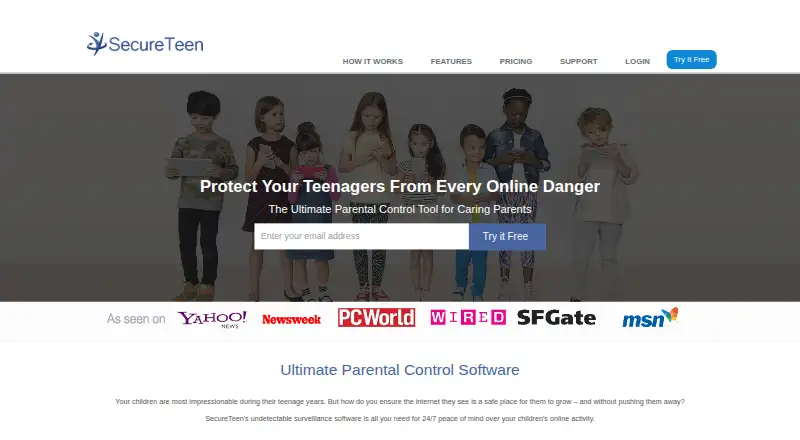
What SecureTeen is
SecureTeen is a paid parental-control application for computers and mobile phones. Parents can filter web content, block sites involving pornography, violence, gambling, and other inappropriate material, and set screen-time schedules or daily quotas for bedtime, homework, and meals. App controls block unwanted applications and apply custom daily rules. Activity monitoring includes browsing history on Android, iOS, and Windows, plus Android keylogging, Gmail activity, stored pictures, and contacts. On Android, monitoring is listed for Facebook Messenger, Snapchat, WhatsApp, Skype, and Viber. Location tracking works on Android and iOS, with a default reporting interval of eight minutes. Parents manage rules and reports through a web dashboard or parent app. SecureTeen supports Android, iOS, web, and Windows, with FAQ versions including Windows XP and above, Android 2.2 Froyo and above, and iOS 5 and above. Both plans cover three devices. Premium costs $39.99 a year and Premium Plus costs $69.99 a year, billed annually. A seven-day trial is offered, but there is no free plan.
Who it suits
SecureTeen suits parents managing children’s web access, app use, screen time, messages, and locations across supported devices. It fits households needing controls and reports for up to three devices.
What it does well
- Filters inappropriate web content
- Schedules screen time and daily quotas
- Blocks apps with custom rules
- Reports browsing and device activity
- Tracks locations on Android and iOS
What to know first
- No free plan
- Both plans are limited to three devices
- Messaging monitoring is listed for Android
- Location reporting defaults to eight minutes
Plans
| Plan | Billed and limits | Price |
|---|---|---|
| PREMIUM | $ 39.99 / 1 Year · 3 Devices · Internet filtering · Block porn and apps · Time based controls · Android SMS/MMS and call logs · Location tracking · Android WhatsApp and Viber monitoring · Safe search · Android web history · Remote management and installation support | $39.99 a year |
| PREMIUM PLUS | $ 69.99 / 1 Year · 3 Devices · Internet filtering · Block porn and apps · Time based controls · SMS/MMS monitoring · Call logs · Location tracking · Messenger logging · Safe search · Web history · Remote management and installation support | $69.99 a year |
As secureteen.com lists them, read 11 Oct 2026. The maker's own page has the final word.
Verdict
SecureTeen brings filtering, scheduling, app controls, monitoring, and location tracking into a parent dashboard or app. The seven-day trial allows evaluation before choosing either three-device annual plan.
Facts from SecureTeen's own pages
- Activity reports
- Yes · secureteen.com, 22 Sept 2026
- App blocking
- Yes · secureteen.com, 22 Sept 2026
- App controls
- SecureTeen lets parents block unwanted applications and set custom daily usage rules. · secureteen.com, 11 Oct 2026
- Content filtering
- Yes · secureteen.com, 22 Sept 2026
- Device limit
- 3 · secureteen.com, 22 Sept 2026
- Free plan
- No · secureteen.com, 22 Sept 2026
- Location
- SecureTeen offers location tracking on Android and iOS devices, and its FAQ says the default location reporting interval is eight minutes. · secureteen.com, 11 Oct 2026
- Location tracking
- Yes · secureteen.com, 22 Sept 2026
- Maker trademark
- The site states that SecureTeen is a registered trademark of Infoweise. · secureteen.com, 11 Oct 2026
- Messaging monitoring
- The feature page lists monitoring for Facebook Messenger, Snapchat, WhatsApp, Skype, and Viber on Android devices. · secureteen.com, 11 Oct 2026
- Other monitoring
- The feature page lists Android keylogging, Gmail activity, stored pictures, and contacts, plus web browsing history on Android, iOS, and Windows. · secureteen.com, 11 Oct 2026
- Plan device limit
- Both packages shown on the pricing page are for three devices. · secureteen.com, 11 Oct 2026
- Product
- SecureTeen describes itself as a parental control application for computers and cell phones that helps parents manage a child's online activity. · secureteen.com, 11 Oct 2026
- Remote dashboard
- Parents can manage device rules and view reports through a web dashboard or parent app. · secureteen.com, 11 Oct 2026
- Screen time
- Parents can set device usage schedules and daily quotas, including rules for bedtime, homework, and meals. · secureteen.com, 11 Oct 2026
- Screen-time schedules
- Yes · secureteen.com, 22 Sept 2026
- Support
- The FAQ says users can contact technical support by email, phone during stated hours, or dashboard help chat. · secureteen.com, 11 Oct 2026
- Supported platforms
- The FAQ lists Microsoft Windows XP and above, Android 2.2 Froyo and above, and iPhone and iPad with iOS 5 and above. · secureteen.com, 11 Oct 2026
- Web filtering
- The product filters web content and can block sites with pornography, violence, gambling, and other inappropriate material. · secureteen.com, 11 Oct 2026
Where SecureTeen stands on Freedom251
- Parental control apps#79 of 107