Freedom251 › Game Tier List Tools
TierList.ai
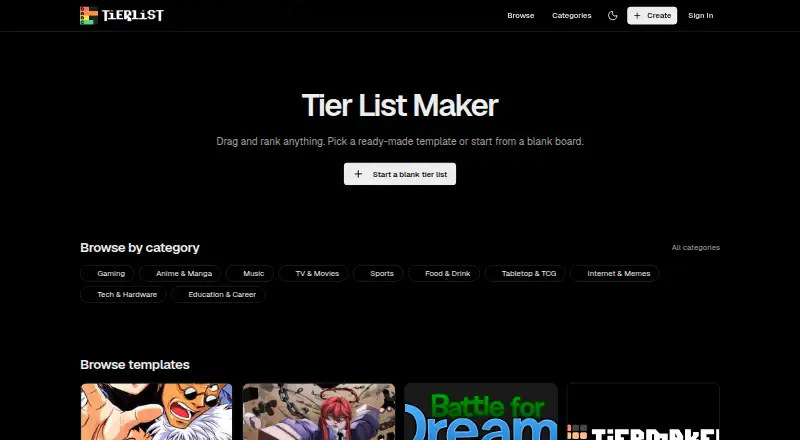
What TierList.ai is
TierList.ai is a free tool for making and sharing tier lists from images, links, or templates. You can begin with a blank board, add your own images, and set custom tier labels, or choose from more than 200 templates across categories such as gaming, anime, music, movies, food, and sports. The editor lets users drag items between tiers, rearrange them, rename rows, and change row colors. Lists can be shared by link or exported as PNG images without a watermark. Users can browse, favorite, and remix community lists. The listed Free plan costs nothing and includes unlimited lists, PNG downloads without a watermark, link sharing, and no account requirement. The editor's drag-and-drop functions are described as working on desktop and mobile, and the service is available on Android, iOS, and web. Rankings live in the page link unless users choose to store them; uploaded images stay in the browser and are not sent to the site's servers. Its terms say the service is provided as-is for personal and creative use, with users responsible for content and images they add.
Who it suits
TierList.ai suits people making ranked lists for fan, creator, classroom, or other communities. It offers templates as well as a blank board for custom images and labels.
What it does well
- More than 200 templates across varied categories.
- Exports PNGs without a watermark.
- No account is required to start.
- Uploaded images stay in the user's browser.
What to know first
- No free trial is offered.
- Service is provided as-is for personal and creative use.
- Users are responsible for content and images they add.
Plans
| Plan | Billed and limits | Price |
|---|---|---|
| Free | Unlimited tier lists · PNG downloads without watermark · Share by link · No account required | Free |
As tierlist.ai lists them, read 7 Oct 2026. The maker's own page has the final word.
Getting started
- Open https://www.tierlist.ai/ in a browser.
- Start with a blank board or choose a template.
- Upload images and set custom tier labels if needed.
- Arrange items by dragging them between tiers.
- Export the list as a PNG or copy its shareable link.
TierList.ai is a free browser-based tool for making and sharing image tier lists, with templates and a mobile-friendly editor. It suits fans, creators, and classroom users who want to build a ranking without signing up. Its main appeal is a generous no-cost toolkit; the catch is that rankings live in their links unless users choose to store them.
Overview
Start with a blank board or a template, arrange images into custom-labeled tiers, then share the list by link or export it as a PNG. More than 200 templates span gaming, anime, music, movies, food, sports, and other categories, so casual users can get started quickly while custom images and labels allow for more personal rankings.
Rankings reside in the page link unless users choose to store them, making that link important for retaining and sharing a list. Images uploaded from a device stay in the browser and are not sent to the site's servers. TierList.ai is provided as-is for personal and creative use, and users are responsible for the content and images they add.
Key features
Flexible editing
Users can move images between tiers, rearrange items, rename rows, and change row colors with drag-and-drop controls that work on desktop and mobile. The combination of templates and a blank-board option works for both quick fandom rankings and lists that need a custom structure, without requiring an account or software download.
Export, sharing, and community
Finished lists can be exported as high-quality PNG images without a watermark or shared through a link. Users can also browse, favorite, and remix lists made by others, adding a discovery element beyond creating a one-off ranking.
Pricing
TierList.ai has one published plan: Free — free. It includes unlimited tier lists, PNG downloads without a watermark, link sharing, and no account requirement. There is no free trial because the core plan is free. For casual users, the lack of a list cap and clean exports remove two common reasons to pay elsewhere; users who want their rankings stored outside the page link should consider that trade-off before relying on the service.
Platforms
TierList.ai is available on the web, Android, and iOS. Its editor's drag-and-drop features are described as working on both desktop and mobile, making it a practical option for users who want to create or rearrange lists on a phone as well as a computer.
Who it's for
This is a good fit for fans and creators making rankings around games, anime, music, sports, or other interests, as well as classroom users who want a visual way to compare items. It is less suitable for anyone who wants rankings stored by default on the service or who needs the provider to take responsibility for uploaded material.
Pros and cons
- Pros: Unlimited lists and watermark-free PNG downloads are included at no cost, so users can make and export rankings without hitting a published quota.
- Pros: More than 200 templates, custom images, labels, and row colors support both quick starts and tailored formats.
- Pros: No account is needed to create lists, and the site supports browsing and remixing community rankings.
- Cons: Rankings reside in the page link unless users choose storage, so keeping that link matters.
- Cons: The service is provided as-is for personal and creative use, with users responsible for the content and images they add.
Alternatives
Game Tier List Tools is a directory of options to compare if you want to explore tools focused on game rankings.
TierMaker is worth considering if a Pro option or a macOS platform matters: it has a free website plan and a $1.99 a month Pro Monthly plan, as well as Android, iOS, macOS, and web support.
Tier is another free option on Android, iOS, and web; its free plan shows ads in the app and on the website.
TierListMakerOnline also offers unlimited tier lists, unlimited exports, no account requirement, and no watermark on its free plan, making it a close alternative if those are the priorities.
TierPad may suit users interested in AI-assisted list creation: its free plan includes five AI tier lists per day and unlimited tier lists, and it supports Android and web.
GOATY is a free web option for browsing, creating, and sharing tier lists and Breakdowns, either anonymously or with an account.
MyTierMaker is a free web tool for personal and non-commercial use, with no login required.
NexusTierlist offers a free web plan with unlimited lists, no account, no watermark, and no locked features.
TheTierMaker is free on the web; saving, voting, and hosting live sessions require a free account.
Verdict
Choose TierList.ai for a no-cost, no-account way to build custom image rankings, export clean PNGs, and share or remix lists across desktop and mobile. Look elsewhere if link-dependent rankings do not suit how you want to keep your work, or if you need a service that takes responsibility for the content you add.
Verdict
TierList.ai provides a free way to create, customize, export, and share tier lists, with community browsing and remixing as well. Note that rankings reside in the page link unless stored by choice, and users remain responsible for what they add.
Questions
Is TierList.ai free?
Yes. Its Free plan costs nothing and includes unlimited tier lists, PNG downloads without a watermark, link sharing, and no account requirement.
Which platforms does it support?
TierList.ai is available on Android, iOS, and the web. Its editor’s drag-and-drop features are described as working on desktop and mobile.
Do I need an account to create a list?
No. The site says users can start creating without signing up or downloading software.
Can I use my own images and labels?
Yes. You can upload your own images and set custom tier labels.
Where are rankings and uploaded images kept?
Rankings live in the page link unless you choose to store them. Images uploaded from your device stay in your browser and are not sent to the site’s servers.
Facts from TierList.ai's own pages
- Community features
- Users can browse, favorite, and remix tier lists created by other users. · tierlist.ai, 7 Oct 2026
- Create from scratch
- Users can start with a blank board, upload their own images, and set custom tier labels. · tierlist.ai, 7 Oct 2026
- Drag and drop
- Users can move images between tiers, rearrange items, rename rows, and change row colors. · tierlist.ai, 7 Oct 2026
- Export
- Finished tier lists can be exported as high-quality PNG images without a watermark. · tierlist.ai, 7 Oct 2026
- Mobile support
- The editor's drag-and-drop features are described as working on desktop and mobile. · tierlist.ai, 7 Oct 2026
- No account needed
- The site says users can start creating tier lists without signing up or downloading software. · tierlist.ai, 7 Oct 2026
- Sharing
- Users can copy a shareable link to post or send their tier list. · tierlist.ai, 7 Oct 2026
- Templates
- The site offers more than 200 templates across gaming, anime, music, movies, food, sports, and other categories. · tierlist.ai, 7 Oct 2026
- Terms
- The Terms of Service describe TierList as provided as-is for personal and creative use and make users responsible for content and images they add. · tierlist.ai, 7 Oct 2026
- Uploaded images
- The Privacy Policy says images uploaded from a user's device stay in their browser and are never sent to the site's servers. · tierlist.ai, 7 Oct 2026
- What it does
- TierList is a free tool for creating and sharing tier lists using templates, ranked image tiers, links, or images. · tierlist.ai, 7 Oct 2026
- Where rankings are stored
- The About page says rankings live in the page link, so they are not stored on a server unless the user chooses to store them. · tierlist.ai, 7 Oct 2026
- Who it is for
- The site describes use across gaming, anime, music, sports, classrooms, and other fan or creator communities. · tierlist.ai, 7 Oct 2026
Where TierList.ai stands on Freedom251
- Game Tier List Tools#9 of 20