Freedom251 › Game Tier List Tools
MyTierMaker
What MyTierMaker is
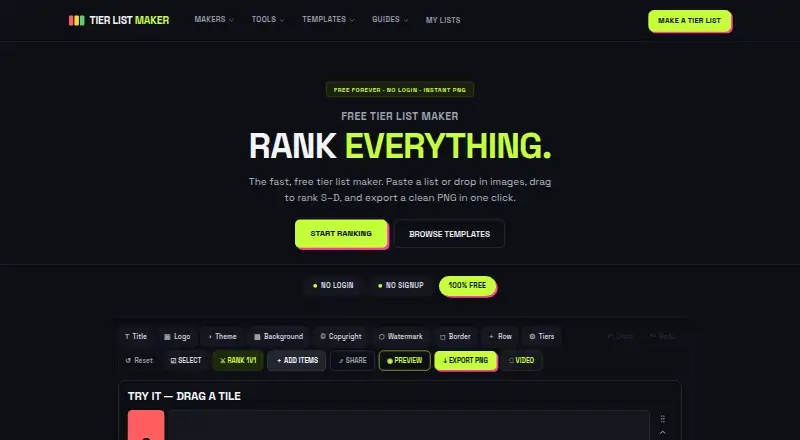
MyTierMaker is a web tool for arranging words or images into labeled tiers and exporting the board as a PNG. For text rankings, users paste words one per line or separated by commas, then move the resulting tiles into place. The image maker accepts PNG, JPG, JPEG and WEBP files uploaded from the user's device. Tiers can be renamed and recolored, and users can customize board themes, backgrounds and tile formats. A related Alignment Chart Maker supports grids from 2×2 through 5×5, editable axis labels, text or image tiles, PNG export and share links. The site says tier lists and images are processed on the user's device and saved in browser localStorage rather than uploaded to its servers. It also uses Google Analytics 4 and Google Tag Manager, loads fonts from Google Fonts and may display ads through Google AdSense. The tool is free for personal and non-commercial use, with no login, unlimited tier lists and no watermark.
Who it suits
MyTierMaker suits people making personal, non-commercial rankings of games, characters, movies, sports teams, products, food and other subjects. It is for users who want a web-based tool with PNG exports and share links for alignment charts.
What it does well
- Accepts text lists and common image formats.
- Lets users rename and recolor tiers.
- Exports boards as PNG images.
- Includes an alignment chart maker with share links.
- No login or watermark; unlimited tier lists.
What to know first
- Free use is limited to personal and non-commercial purposes.
- Uses Google Analytics and Tag Manager.
- May display ads through Google AdSense.
Limits
The free plan is for personal and non-commercial use. It includes unlimited tier lists, no login, and no watermark.
Plans
| Plan | Billed and limits | Price |
|---|---|---|
| Free | Free for personal and non-commercial use · no login · unlimited tier lists · no watermark | Free |
As mytiermaker.com lists them, read 3 Oct 2026. The maker's own page has the final word.
Getting started
- Open https://www.mytiermaker.com/ in a web browser.
- Choose the text maker and paste words one per line or separated by commas, or use the image maker to upload supported files.
- Arrange the resulting tiles and customize tiers, board appearance, or tile formats.
- Export the board as a PNG; use Alignment Chart Maker if you want a grid and share link.
Verdict
MyTierMaker provides flexible tier and alignment chart formats with device-side processing, according to the site. Its free use is restricted to personal and non-commercial purposes.
Questions
How much does MyTierMaker cost?
The Free plan costs nothing and is free for personal and non-commercial use.
Is there a free plan or trial?
There is a free plan and no free trial.
Which platforms does it support?
MyTierMaker is available on the web.
Do I need to create an account?
No login is required for the Free plan.
Are tier lists and images uploaded to the site's servers?
The privacy policy says tier lists and images are processed on your device and saved in browser localStorage, not uploaded to or stored on the site's servers.
Who makes MyTierMaker?
The site says it is independently created and maintained by engineer Farasat Abbas Naqvi.
Facts from MyTierMaker's own pages
- Additional tool
- The Alignment Chart Maker supports 2×2 through 5×5 grids, editable axis labels, text or image tiles, PNG export, and share links. · mytiermaker.com, 3 Oct 2026
- Analytics and third parties
- The site says it uses Google Analytics 4 and Google Tag Manager, loads fonts from Google Fonts, and may display advertising through Google AdSense. · mytiermaker.com, 3 Oct 2026
- Customization
- Users can rename and recolor tiers, customize board themes and backgrounds, and choose tile formats. · mytiermaker.com, 3 Oct 2026
- Export
- Boards can be exported as PNG images, and the image maker describes its export as high quality and rendered at double scale. · mytiermaker.com, 3 Oct 2026
- Image ranking
- The image maker accepts PNG, JPG, JPEG, and WEBP images uploaded from the user's device. · mytiermaker.com, 3 Oct 2026
- Maker
- The site says it is independently created and maintained by engineer Farasat Abbas Naqvi. · mytiermaker.com, 3 Oct 2026
- Privacy
- The privacy policy says tier lists and images are saved in browser localStorage and processed on the user's device, not uploaded to or stored on the site's servers. · mytiermaker.com, 3 Oct 2026
- Support
- The maker invites questions, feedback, corrections, and feature requests by email at [email protected] or through the contact page. · mytiermaker.com, 3 Oct 2026
- Text ranking
- The text maker accepts word lists pasted one per line or separated by commas and turns them into draggable tiles. · mytiermaker.com, 3 Oct 2026
- Use limits
- The terms provide the service free of charge for personal and non-commercial use. · mytiermaker.com, 3 Oct 2026
- What it does
- Tier List Maker lets users rank words or images in labeled tiers and export the board as a PNG. · mytiermaker.com, 3 Oct 2026
- Who it is for
- The maker describes the tool as suitable for ranking games, characters, movies, sports teams, products, food, and other subjects. · mytiermaker.com, 3 Oct 2026
Where MyTierMaker stands on Freedom251
- Game Tier List Tools#3 of 20