Freedom251 › AI Thumbnail Generators
ThumbGen
What ThumbGen is
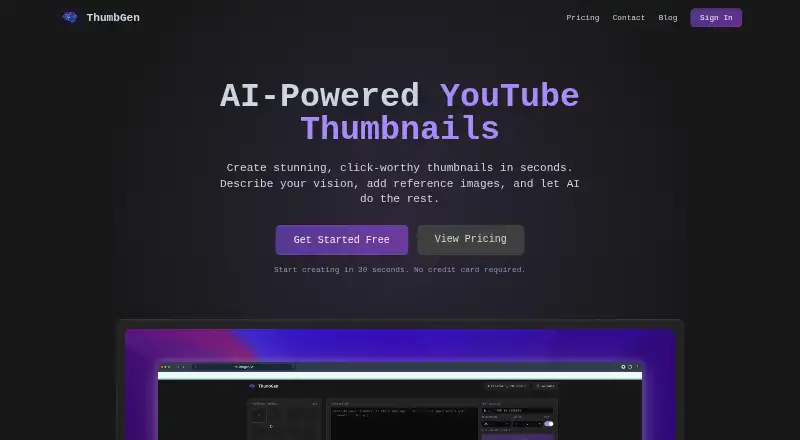
ThumbGen is a web tool for generating YouTube thumbnails from a written prompt, with optional reference images. FAST output is 1K, while PRO output is available at 2K or 4K; images are optimized for YouTube’s 16:9 aspect ratio. Users can upload up to eight reference images, with each one using a credit, and generate multiple variations at once. The site says most thumbnails take 10–30 seconds to generate, depending on complexity and resolution. FAST 1K costs 8 credits per image; PRO costs 30 credits at 2K or 55 credits at 4K. The Free plan includes 150 credits, up to 18 thumbnails, output up to 4K, and reference images. Starter costs $9.99 per month and includes 1,000 credits monthly, up to 125 thumbnails, and priority generation. Credits reset each billing cycle, and unused credits do not roll over. Subscribers can cancel at any time and retain access through the billing period, but subscription payments and unused credits are nonrefundable unless required by law. ThumbGen offers Google sign-in and directs support and privacy requests to a contact form.
Who it suits
It suits YouTube creators who want to make thumbnail variations from a prompt and optional reference images. The free plan offers a way to generate thumbnails, while paid plans add monthly credits and priority generation.
What it does well
- Supports output up to 4K
- Accepts up to eight reference images
- Can generate multiple variations at once
- Free plan includes 150 credits
- Google sign-in is available
What to know first
- Each reference image costs one credit
- Unused credits do not roll over
- Subscription payments and unused credits are generally nonrefundable
Limits
The Free plan provides 150 credits and up to 18 thumbnails. FAST 1K costs 8 credits per image; PRO costs 30 credits at 2K or 55 credits at 4K, and each reference image costs one credit. Credits reset each billing cycle and unused credits do not roll over.
Plans
| Plan | Billed and limits | Price |
|---|---|---|
| Free | $0 one-time · 150 credits · up to 18 thumbnails · up to 4K · reference images | Free |
| Creator | $24.99 per month · 2,700 credits/month · up to 337 thumbnails/month · up to 4K · reference images · priority generation | $24.99 a month |
| Starter | $9.99 per month · 1,000 credits/month · up to 125 thumbnails/month · up to 4K · reference images · priority generation | $9.99 a month |
As thumbgen.yt lists them, read 4 Oct 2026. The maker's own page has the final word.
Getting started
- Open https://www.thumbgen.yt/.
- Sign in with Google.
- Choose the Free, Starter, or Creator plan.
- Enter a written prompt and optionally upload reference images.
- Select FAST 1K or PRO output and generate thumbnail variations.
ThumbGen is a web app for making YouTube thumbnails from written prompts and optional reference images. It suits creators who want to generate several options and choose between 1K, 2K and 4K output. Its main appeal is a generous free credit allowance; its main constraint is that references and higher resolutions use credits quickly.
Overview
ThumbGen focuses on thumbnail creation, optimizing images for YouTube’s 16:9 format. You can generate multiple variations at once, which helps when you want options to compare rather than a single result. The site says most images take 10–30 seconds to generate, depending on complexity and resolution.
Its credit system makes resolution a practical trade-off. FAST 1K costs 8 credits per image, while PRO costs 30 credits at 2K or 55 at 4K. You can upload up to eight reference images, but each uses one credit, so reference-heavy workflows further reduce the number of images your allowance covers.
Key features
Prompt and reference images
Written prompts provide the starting point, with up to eight reference images available to guide each request. References offer more input, but their credit cost means they are best reserved for images where that guidance matters.
Resolution and batch generation
FAST 1K is the lower-cost option for drafts and routine variations. PRO offers 2K or 4K output at a substantially higher credit cost, making it a better fit when resolution matters more than maximizing image count. Batch generation supports making multiple variations at once, though each image draws on the plan’s credits.
Pricing
ThumbGen is freemium. The free plan costs nothing, billed $0 one-time, and includes 150 credits, up to 18 thumbnails, output up to 4K and reference images. It is a meaningful way to try both the credit system and higher-resolution output, but its one-time allowance is not a recurring monthly quota.
Starter costs $9.99 a month, billed $9.99 per month, for 1,000 credits/month, up to 125 thumbnails/month, output up to 4K, reference images and priority generation. It is the entry paid tier for creators producing thumbnails regularly. Creator costs $24.99 a month, billed $24.99 per month, and raises the allowance to 2,700 credits/month and up to 337 thumbnails/month, with the same stated resolution, reference-image and priority-generation features. It better suits heavier use, but higher-resolution images and references still spend credits faster than the maximum thumbnail counts imply.
Credits reset each billing cycle and unused credits do not roll over, so allowances reward steady use rather than occasional bursts. Subscriptions can be canceled anytime, with access continuing through the billing period. Subscription payments and unused credits are nonrefundable unless required by law.
Platforms
ThumbGen is a web app for YouTube thumbnails. The sign-in page offers Google sign-in.
Who it's for
ThumbGen fits YouTube creators who want prompt-based thumbnail generation, multiple variations and the option to guide images with references. The free plan gives occasional users room to try the workflow; Starter suits regular monthly production, while Creator is aimed at higher-volume use. It is less compelling for people who need credits to carry forward or expect to use 2K or 4K output and many references without reducing their image count.
Pros and cons
- Pros: The free plan includes 150 credits and output up to 4K, providing room to explore more than one resolution.
- Pros: Batch generation and up to eight reference images support iteration and additional visual guidance.
- Cons: 2K and 4K PRO images cost far more credits than FAST 1K, limiting output for higher-resolution workflows.
- Cons: Reference images also consume credits, and unused credits expire at each billing-cycle reset.
- Cons: Subscriptions and unused credits are nonrefundable except where law requires otherwise.
Alternatives
AI Thumbnail Generators is the broader category to browse if you want to compare tools. Consider Thumblore for a web option whose free plan includes 100 signup credits, about five thumbnails, one saved avatar, exports with a Thumblore badge and plain-English editing. ThumbMaker may suit users drawn to its Premium plan at $9.90 a year, which includes 800 images per month (200 generations × 4 images each); its free plan has limited features and generation capabilities.
ThumbPocket is another web alternative: it offers a free editor with no card required and a 9.99 EUR one-time top-up for 120 credits, with one credit per AI generation. Thumbsmith offers a free plan with three starter HQ credits, daily watermarked four-up previews, and a full editor, templates and saved projects; its Pro plan costs $5 a month for 80 HQ generations/month.
Thumix is a web alternative with a 1.99 USD-per-month Try plan offering 20 credits, approximately 10 images, all AI tools and models, commercial use and credits that never expire. Thumbmagic offers a free trial and a Starter plan at $17 a month, billed yearly, with 100 thumbnails/month, one avatar, starter templates, AI editing and no watermark. Thumby supports web, iOS and Android; BeyondBeings is another freemium option.
Verdict
Choose ThumbGen if you make YouTube thumbnails regularly and want prompt-based generation, batch variations and reference images, with output up to 4K. The 150-credit free plan makes it approachable, and paid tiers scale monthly output. Look elsewhere if credit carryover matters: ThumbGen resets balances each billing cycle, while Thumix’s Try plan says its credits never expire.
Verdict
ThumbGen offers prompt-based thumbnail creation with reference images and several output resolutions. Consider the per-image credit costs and monthly credit reset when choosing a plan.
Questions
Is ThumbGen free?
Yes. Its Free plan is listed as free and includes 150 credits, up to 18 thumbnails, and output up to 4K.
How much do paid plans cost?
Starter costs $9.99 a month, and Creator costs $24.99 a month.
What platforms does ThumbGen support?
ThumbGen is listed as a web app and supports YouTube thumbnails.
How many credits does an image use?
FAST 1K costs 8 credits per image. PRO costs 30 credits at 2K or 55 credits at 4K; each reference image costs one credit.
Can I cancel a subscription?
Subscriptions can be canceled anytime, with access continuing through the billing period. Subscription payments and unused credits are nonrefundable unless required by law.
How can I contact ThumbGen about support or privacy?
The site directs support and privacy requests to its contact form. Users can request access to or deletion of their data by contacting ThumbGen.
Facts from ThumbGen's own pages
- Batch generation
- The site says users can create multiple thumbnail variations at once. · thumbgen.yt, 4 Oct 2026
- Cancellation and refunds
- Subscriptions can be canceled anytime with access through the billing period; subscription payments and unused credits are nonrefundable unless required by law. · thumbgen.yt, 4 Oct 2026
- Credit costs
- FAST 1K costs 8 credits per image; PRO costs 30 credits at 2K or 55 credits at 4K. · thumbgen.yt, 4 Oct 2026
- Credit expiry
- Credits reset each billing cycle, and unused credits do not roll over. · thumbgen.yt, 4 Oct 2026
- Data deletion
- The privacy policy says users can request data access or deletion by contacting ThumbGen. · thumbgen.yt, 4 Oct 2026
- Generation time
- The site says most thumbnails generate in 10–30 seconds, depending on complexity and resolution. · thumbgen.yt, 4 Oct 2026
- Image resolutions
- It offers FAST 1K output and PRO 2K or 4K output, with images optimized for YouTube’s 16:9 aspect ratio. · thumbgen.yt, 4 Oct 2026
- Integration
- The sign-in page offers Google sign-in. · thumbgen.yt, 4 Oct 2026
- Privacy and data
- The privacy policy says it collects account details, billing information handled by its payment processor, usage data, and support messages; it shares data with service providers for hosting, analytics, and payments. · thumbgen.yt, 4 Oct 2026
- Purpose
- ThumbGen generates AI-powered YouTube thumbnails from a written prompt and optional reference images. · thumbgen.yt, 4 Oct 2026
- Reference images
- Users can upload up to 8 reference images, and each reference image costs 1 credit. · thumbgen.yt, 4 Oct 2026
- Security and compliance
- The privacy policy says service providers process data on ThumbGen’s behalf under appropriate safeguards; it does not name a security certification or compliance standard. · thumbgen.yt, 4 Oct 2026
- Support
- The site directs users to a contact form for support and privacy requests. · thumbgen.yt, 4 Oct 2026
Where ThumbGen stands on Freedom251
- AI Thumbnail Generators#4 of 29