Freedom251 › Remote desktop software
Thincast Remote Desktop Client
What Thincast Remote Desktop Client is
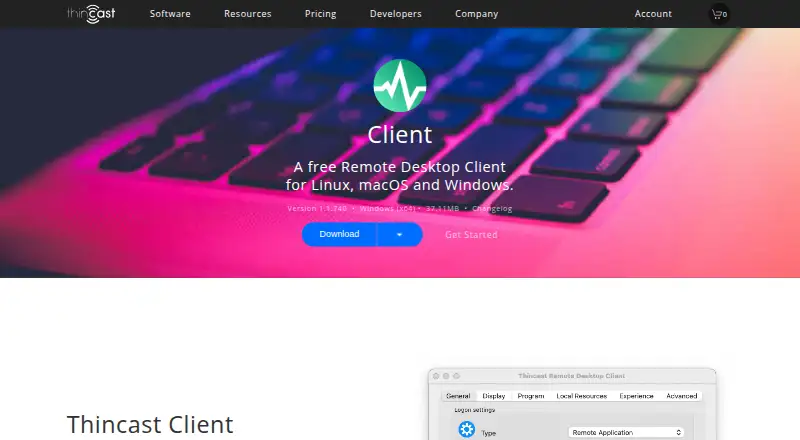
Thincast Remote Desktop Client is a free RDP client based on FreeRDP for connecting to remote PCs, virtual applications, and desktops from Windows, macOS, or Linux. It supports file transfer and published resources from Thincast Workstation, Thincast RD WebAccess, Microsoft RD WebAccess, and other MS-TSWP servers. With a subscribed feed, users can access applications, desktops, and virtual machines, including remote start, pause, or stop controls for Thincast Workstation virtual machines. Redirection covers printers, drives, folders, smart cards, audio, and serial or parallel ports. Hardware-accelerated video decoding and drawing can reduce CPU use and extend battery life. WebAuthN supports biometrics and security keys. Thincast RD Gateway can provide an encrypted SSL tunnel and resource access control. The free plan costs nothing for private use.
Who it suits
It suits individuals and organizations needing a cross-platform RDP client with resource publishing, peripheral redirection, and optional gateway controls. Thincast lists businesses, startups, enterprises, and educational institutions among its clients.
What it does well
- Windows, macOS, and Linux support
- File transfer included
- Broad printer, drive, and audio redirection
- WebAuthN authentication support
- Free for private use
What to know first
- Commercial redistribution requires an agreement
- RDP security depends on server configuration
- Subscribed feed is needed for listed virtual-machine controls
- Requirements list specific older operating systems
Plans
| Plan | Billed and limits | Price |
|---|---|---|
| Thincast Remote Desktop Client | Free for private use · Linux, macOS and Windows · commercial redistribution requires an individual agreement | Free |
As thincast.com lists them, read 12 Oct 2026. The maker's own page has the final word.
Verdict
Thincast offers broad platform coverage and RDP features, including redirection, authentication, and gateway integration. Commercial redistribution and server-side security requirements may affect deployment plans.
Facts from Thincast Remote Desktop Client's own pages
- Authentication
- Built-in WebAuthN virtual channel support enables authentication using biometrics, security keys or other methods. · thincast.com, 12 Oct 2026
- Commercial redistribution
- The standard license does not allow commercial redistribution; redistribution or integration requires an individual agreement with Thincast Technologies GmbH. · thincast.com, 12 Oct 2026
- Device redirection
- Supported redirection includes printers, drives, folders, smart cards, audio, and serial or parallel ports. · thincast.com, 12 Oct 2026
- File transfer
- Yes · thincast.com, 20 Sept 2026
- Founded
- 2011 · thincast.com, 28 Sept 2026
- Free plan
- Yes · thincast.com, 20 Sept 2026
- Gateway security
- When used with Thincast RD Gateway, an encrypted SSL tunnel connects the device to the gateway, which authenticates users and can control access to resources. · thincast.com, 12 Oct 2026
- Hardware and OS limits
- The requirements page lists x64 environments and specifies Windows 7 or later, Windows Server 2008 R2 or later, macOS 10.13 or later, and select older Linux distributions; the page also says 64-bit ARM devices such as Apple M-series and Raspberry Pi are supported. · thincast.com, 12 Oct 2026
- Headquarters
- Mödling, Austria · thincast.com, 28 Sept 2026
- Intended users
- Thincast says its clients include small and medium-sized businesses, enterprises, startups and educational institutions worldwide. · thincast.com, 12 Oct 2026
- Performance
- Hardware accelerated video decoding and drawing can reduce CPU use and extend battery life. · thincast.com, 12 Oct 2026
- Published resources
- It supports resources from Thincast Workstation, Thincast RD WebAccess, Microsoft RD WebAccess and other servers implementing Microsoft’s MS-TSWP specification. · thincast.com, 12 Oct 2026
- Purpose
- It is a multi-platform RDP client based on FreeRDP for connecting to remote PCs, virtual applications and desktops. · thincast.com, 12 Oct 2026
- Remote control
- With a subscribed feed, users can access applications, desktops and virtual machines, and start, pause or stop Thincast Workstation virtual machines remotely. · thincast.com, 12 Oct 2026
- Security caveat
- Thincast says RDP security depends on server configuration and advises users to ask their network administrator for details. · thincast.com, 12 Oct 2026
- Support
- Client support is available through a contact form, and Thincast says support replies are guaranteed within 24 business hours during its stated weekday monitoring hours. · thincast.com, 12 Oct 2026
- Supported platforms
- Windows,macOS,Linux · thincast.com, 20 Sept 2026
- White labeling
- Thincast offers enterprises a cross-platform client that can be fully rebranded to their specifications. · thincast.com, 12 Oct 2026
Where Thincast Remote Desktop Client stands on Freedom251
- Remote desktop software#56 of 135